
How to Translate a Video Online: Best Free & Paid Tools (2026)
If you've ever needed to translate a video online, you've probably noticed that the options range from surprisingly good to absolutely terrible. The good news: in 2026, the best tools can translate your video in minutes, for a fraction of what it used to cost. The bad news: not all tools are created equal, and the one that shows up first on Google is often not the best choice. In this guide, I've tested the leading options so you don't have to. Here's what actually works. What Does "Translate Video Online" Actually Mean? When people search for ways to translate a video online, they usually want one of three things:Dubbed video: The original voice is replaced with audio in the target language (the viewer hears the translation spoken aloud) Subtitled video: The original voice stays, translated subtitles appear on screen Both: Dubbed audio + translated subtitles simultaneouslyEach approach has different tools, different quality levels, and different use cases. This guide covers all three, with a focus on the full dubbing approach since that's what most creators ultimately want. Why Translate a Video? The Case for Multilingual Content Before diving into tools, let's quickly establish why you should be doing this at all. Reach is the obvious reason. English speakers represent roughly 25% of internet users. The other 75% — Spanish, Portuguese, Hindi, Mandarin, Arabic speakers and more — are vastly underserved with English-only content. The algorithm rewards multilingual content. YouTube's recommendation system actively surfaces videos to viewers in their language. A Spanish-dubbed video gets shown to Spanish speakers who never would have found your English original. The ROI math is compelling. If your YouTube video gets 10,000 views in English, a well-dubbed Spanish version could plausibly get another 8,000–15,000 views from Spanish-speaking markets where you have zero presence today. With AI tools, the cost to produce that dubbed version is now $5–$15. Method 1: Full AI Video Translation (Dubbing) The most powerful method — and the one that's improved most dramatically in the past two years. How it worksUpload your video (or paste a YouTube URL) AI transcribes the original speech AI translates the transcript into your target language(s) AI generates natural-sounding speech in the target language New audio is synced to your video You download the dubbed video, ready to publishBest tools for full AI video translation NovaDub — Best for content creatorsLanguages: 50+ Pricing: From $29/month Standout feature: Voice cloning (preserves your voice characteristics in other languages) Best for: YouTubers, course creators, marketing teams Try free at novadub.aiRask AI — Best for agencies/enterpriseLanguages: 130+ Pricing: From $60/month Standout feature: Most languages available Best for: Agencies handling multiple clients, enterprise localization teams Note: More expensive, steeper learning curveHeyGen — Best for avatar videosLanguages: 40+ Pricing: From $24/month Standout feature: AI avatar generation alongside translation Best for: Presenters using video avatars, training content Note: Works best with talking-head contentElevenLabs — Best for voice qualityLanguages: 30+ Pricing: From $5/month (limited) Standout feature: Best raw voice quality Best for: Premium audio applications, podcasts Note: Less of a complete video tool, more voice synthesis APIQuality comparison For a 10-minute English-to-Spanish translation test:Tool Transcription Accuracy Translation Quality Voice Naturalness Lip Sync SpeedNovaDub ⭐⭐⭐⭐⭐ ⭐⭐⭐⭐⭐ ⭐⭐⭐⭐ ⭐⭐⭐ 8 minRask AI ⭐⭐⭐⭐ ⭐⭐⭐⭐ ⭐⭐⭐⭐ ⭐⭐⭐ 12 minHeyGen ⭐⭐⭐⭐ ⭐⭐⭐⭐ ⭐⭐⭐⭐ ⭐⭐⭐⭐⭐ 15 minMethod 2: Auto-Subtitles (Translated Captions) If you want to translate video online with subtitles rather than dubbed audio, there are more options — and some are free. Best subtitle translation tools YouTube's Auto-TranslateThe simplest option if your video is already on YouTube Go to YouTube Studio → Subtitles → Add language Quality: Decent for major languages, poor for others Free, but you can't download the translated subtitles easily Limitation: Subtitles only, not dubbed audioKapwingWeb-based video editor with subtitle translation Good for short-form content (social media, shorts) Free tier available (limited exports) Paid plans from $16/month Limitation: Translation quality is basicVEED.IOPopular online video tool with subtitle auto-translation Clean interface, good for beginners Free tier available (watermark) Paid plans from $18/month Limitation: Subtitles only, no dubbingMaestra.aiFocused on professional subtitle translation Good accuracy for business content From $29/month Good choice if subtitles are your primary needWhen to use subtitles vs. dubbing Choose subtitles if:Your audience is hearing-impaired You're creating educational content where viewers need to read along You're on a very tight budget (some subtitle tools are free) You want to preserve the "original" feel of the contentChoose dubbing (translated voice over) if:You want maximum accessibility for non-English speakers You're creating content for mobile (subtitles are hard to read on small screens) You want viewers fully engaged without reading You're targeting markets where dubbed content is culturally expected (e.g., Germany, France, Spain, Latin America)Method 3: Manual Translation with Voice Recording The most labor-intensive option, but sometimes the right call for high-stakes content. Step 1: Use AI to generate a rough translation (Google Translate, DeepL, or the translation module of your AI dubbing tool) Step 2: Have a native speaker review and refine the translation (Fiverr, Upwork, or ProZ.com) Step 3: Record the refined translation with a native voice actor (or use AI voice synthesis after the translation is finalized) Step 4: Sync the recorded audio to your video in your editing software Cost: $100–$500 per video depending on length and language Time: 2–5 days Quality: High — best option after professional studios Step-by-Step: Translate a Video Online with NovaDub Here's the exact process to translate a video using NovaDub:Create your free account Go to novadub.ai and sign up. No credit card required for the free plan.Upload or paste URL Click "New project" and either upload your video file (MP4, MOV, AVI supported) or paste a YouTube URL. NovaDub can work directly from YouTube links — no need to download the video first.Select your target language(s) Choose from 50+ languages. You can translate into multiple languages in one go — Spanish, French, German, Portuguese, all at once.Review transcription NovaDub auto-transcribes your video. Review the transcript for accuracy — correct any brand names, proper nouns, or technical terms that the AI might have misheard.Preview and adjust Watch the translated video preview. You can adjust:The translation of specific phrases Voice style (more energetic, more professional) Audio levels (how loud the dubbed voice is vs. any background music)Export and download Export the dubbed video in your preferred resolution. You can download the video file, or for YouTube content, NovaDub can export directly with the dubbed audio track.The whole process for a 10-minute video: approximately 10–15 minutes. Translate Video Online: Pricing Guide Here's what to expect to pay in 2026: Free options:YouTube auto-translate (subtitles only, quality varies) Kapwing free tier (watermark, limited exports) Some AI tools offer 1 free video/month for testingBudget tier ($5–$30/month):ElevenLabs Starter (voice quality, limited minutes) Basic subtitle tools Good for occasional use or testingCreator tier ($25–$60/month):NovaDub Standard (most creators) Rask AI Basic Good for 5–30 videos/monthBusiness/Pro tier ($100–$300/month):NovaDub Pro Rask AI Business HeyGen Team Good for agencies, businesses with high volume needsCommon Questions About Translating Videos Online Can I translate a video for free? Yes, with limitations. YouTube's auto-translate is free (subtitles only). Most paid AI dubbing tools offer a free trial or one free video. For ongoing use at scale, you'll need a paid plan — but at $20–$60/month, it's much cheaper than any human alternative. How accurate is AI video translation? For major language pairs (English ↔ Spanish, French, German, Portuguese), accuracy is typically 90-95% with modern AI tools. The 5-10% issues are usually idioms, industry-specific terminology, or very fast speech. Always review before publishing important content. Will viewers know the video is AI-dubbed? Increasingly, no. Modern AI voice synthesis with voice cloning is remarkably natural. The biggest tell is usually slight lip-sync imperfection, which is noticeable in close-up talking head shots but less so in other content types. For most YouTube content, viewers either don't notice or don't care. Can I translate a video from any language, not just English? Yes. Most AI dubbing tools support translations from any supported language to any other. Common non-English source languages: Spanish, French, German, Portuguese, Italian, Japanese, Korean. What's the best language to translate into first? Spanish. It's the second most-spoken language in the world, dominates Latin American YouTube markets, and has the highest volume of creators competing for relatively less attention than the English-language market. If you make any YouTube content, Spanish is almost always the right first language to translate into. Translate Video Online: Real Use Cases YouTube creator with 50k subscribers Challenge: All content in English, zero presence in Spanish markets. Solution: Used NovaDub to dub top 20 videos into Spanish. Result: Spanish YouTube channel grew to 15k subscribers in 3 months, adding ~$400/month in ad revenue. Online course creator Challenge: English-only course at $197. Wanted to sell to Portuguese-speaking Brazil. Solution: Translated course videos into Portuguese with AI dubbing, created Portuguese landing page. Result: Added Portuguese tier at same price, generated $3,200 in first month from Brazilian market. Marketing team at SaaS company Challenge: Product demo videos only in English, missing European leads. Solution: Translated demo into German, French, Spanish using AI dubbing at $150/month. Result: European lead conversion rate improved by 35%, demos now seen as more professional by local prospects. What to Avoid When Translating Videos Online Avoid: Using Google Translate directly for scripts Google Translate has improved dramatically but still makes culturally tone-deaf errors in longer texts. Use it as a starting point, not a final output. Avoid: Tools that add heavy watermarks on free plans Some tools watermark the video so aggressively that it's unusable for testing. Stick to tools that offer a genuine free trial with a clean output. Avoid: Translating everything at once before testing Translate one video in one language, publish it, and see how it performs before investing in 30 more translations. Let data guide your expansion. Avoid: Ignoring cultural adaptation Language translation ≠ cultural localization. Humor, references, and examples that land in the US might be confusing or offensive in other markets. Review with a native speaker for anything culturally sensitive. Conclusion: The Best Way to Translate Video Online in 2026 The right tool depends on what you need:For full video dubbing (voice translation): NovaDub, Rask AI, or HeyGen For subtitles only: YouTube auto-translate (free), VEED.IO, or Kapwing For maximum quality, unlimited budget: Traditional dubbing studioFor most content creators, the answer is a dedicated AI dubbing tool. At $29–$60/month, you can translate unlimited videos into multiple languages, dramatically expanding your reach without proportionally expanding your workload. The cost of not translating is measured in the audience you're not reaching. In 2026, that's a choice, not a necessity.Start translating your videos today. Try NovaDub free — first video translated for free, no credit card required.

Voice Over Translation: The Complete Guide for Video Creators (2026)
Voice over translation is one of the fastest-growing needs in video production. As content crosses borders and creators expand into global markets, the question is no longer if you should translate your voice overs — it's how to do it effectively without breaking the bank. In this guide, I'll walk you through every method, from traditional voice over studios to the latest AI dubbing tools, so you can choose the right approach for your budget and quality requirements. What Is Voice Over Translation? Voice over translation is the process of replacing the original spoken audio in a video with a translated version in another language. Unlike subtitles (which appear as text on screen), voice over translation lets viewers hear the content in their own language. There are two main approaches:Dubbing: The translated voice audio replaces the original entirely. The lips on screen may or may not be synced to the new audio. Voice over (VO) style: The original audio is lowered slightly, and the translated narration plays over it. Common in documentaries and corporate videos.For most content creators, "voice over translation" refers to the full dubbing approach — replacing original audio with natural-sounding translated speech. Why Voice Over Translation Matters in 2026 The numbers are hard to ignore:72% of internet users prefer content in their native language (CSA Research) YouTube videos with dubbed audio see 40-80% more views in non-English markets Spanish and Portuguese speakers represent over 700 million potential viewers — most consuming zero English-only content MrBeast built a $50M+ channel empire largely by dubbing every video into 10+ languages from day oneThe traditional barrier was cost. Professional voice over studios charge $1,000–$5,000+ per video. AI has changed this equation completely. Method 1: Traditional Voice Over Studios The gold standard for quality, but also the most expensive option. How it works:Script is translated by a professional translator Native-speaking voice actors record the translated script Audio is edited, mixed, and synced to the video Final version is deliveredPros:Highest quality — natural pronunciation, emotion, pacing Lip-sync options available (at extra cost) Professional studio acousticsCons:Expensive: $800–$5,000+ per video depending on length and languages Slow: 1–3 weeks per video Difficult to scale across multiple languages simultaneouslyBest for: High-stakes corporate videos, film and TV localization, content where quality is non-negotiable. Method 2: Freelance Voice Actors A more affordable version of the studio approach using platforms like Voices.com, Voice123, or Fiverr. How it works:You hire a translator to translate your script (or use AI translation) You hire a native voice actor for the target language They record the translated script at home or in their studio You (or a hired editor) sync the audio to your videoPros:More affordable than studios: $100–$500 per video Access to diverse voices and accents Good quality if you vet the voice actor carefullyCons:Requires project management (coordinating translator + voice actor) Quality varies significantly between voice actors Still takes days to weeks Doesn't scale well to 5+ languagesBest for: Creators who need quality but have limited budget, single-language expansion. Method 3: AI Voice Over Translation This is where the industry has moved dramatically in the past two years. AI dubbing tools now handle the entire pipeline — transcription, translation, voice synthesis, and lip-sync — in minutes rather than weeks. How it works:Upload your video to an AI dubbing tool The AI transcribes your original speech Translates it into your target language(s) Generates a natural-sounding voice in the target language Syncs the new audio to your video Delivers the dubbed video, ready to publishPros:Fast: 5–30 minutes per video (depending on length) Affordable: $20–$200/month for unlimited dubbing Scales to 20, 30, even 50+ languages simultaneously Quality has improved dramatically — often indistinguishable from human VOCons:Quality ceiling slightly below top human voice actors for very nuanced content Some tools struggle with complex terminology or industry jargon Lip-sync still imperfect for close-up face shotsBest for: Content creators, YouTubers, course creators, marketing teams — anyone who needs to scale across multiple languages quickly. Top AI Voice Over Translation Tools in 2026 Here's a quick comparison of the leading tools:Tool Languages Pricing Best ForNovaDub 50+ From $29/mo YouTube creators, course creatorsElevenLabs 30+ From $5/mo Voice quality focusRask AI 130+ From $60/mo Enterprise/agencyHeyGen 40+ From $24/mo Avatar videosPapercup 40+ Custom pricing Enterprise broadcastIf you're a content creator dubbing YouTube videos or online courses, NovaDub is optimized specifically for your workflow — preserving your voice characteristics in the translated version while keeping it natural for native speakers.How to Choose the Right Method Use traditional studios if:You have $1,000+ per video to spend You need broadcast-quality audio (TV, film) Lip-sync accuracy is critical (character-driven content)Use freelance voice actors if:You need one or two language versions You have 3–5 days per video Budget is $200–$500 per videoUse AI voice over translation if:You need to scale to 3+ languages You want to publish within hours, not weeks Budget is $30–$150/month for multiple videos You're a solo creator or small teamStep-by-Step: AI Voice Over Translation with NovaDub Here's exactly how the process works on a modern AI dubbing platform: Step 1: Upload your video Drag and drop your video file or paste a YouTube URL. NovaDub supports MP4, MOV, AVI, and most common formats. Step 2: Select your target languages Choose from 50+ languages. You can select multiple languages simultaneously — dub into Spanish, French, and German in one operation. Step 3: Review the transcription The AI generates a transcript of your original audio. Review it for accuracy, especially with proper nouns, brand names, or technical terms. Step 4: Review and edit the translation The AI translates your script into each target language. You can edit translations directly in the dashboard if needed. Step 5: Preview and export Preview the dubbed video in each language. Adjust voice style, pacing, or specific lines if needed. Export the final dubbed video. The whole process takes 5–15 minutes for a 10-minute video. Quality Tips for Better Voice Over Translations Regardless of which method you choose, these tips will improve your results:Start with clean audio AI dubbing tools (and human voice actors) work better when the original audio is clear. Avoid heavy background music, echo, or multiple people talking simultaneously.Speak at a natural pace Very fast speech increases transcription errors. A natural, clear pace produces better results.Avoid idioms that don't translate "Hit the ground running," "under the weather," "bite the bullet" — these don't translate literally. Consider replacing them with more universal expressions, or review the translation carefully for awkward idioms.Review translations with a native speaker If quality is important, have a native speaker review the translation before publishing. Even AI translations can miss nuance or cultural context.Use voice cloning for brand consistency Advanced AI tools like NovaDub can clone your original voice, so the dubbed version sounds like you speaking Spanish or Portuguese — not a generic AI voice. This is especially valuable for personal brands and creators.Voice Over Translation Pricing Breakdown Here's what to budget based on your needs: Solo creator (1–4 videos/month)AI tool subscription: $20–$50/month Optional: Native speaker review on Fiverr: $15–$30/video Total: $30–$110/monthGrowing channel (10–30 videos/month)AI tool subscription: $50–$150/month Occasional quality review: $50–$100/month Total: $100–$250/monthBusiness/corporate (50+ videos/month)AI tool business plan: $200–$500/month Internal QA process (native-speaking team member): already in your payroll Total: $200–$500/monthCompare this to traditional studios charging $1,000–$5,000 per video. For a creator publishing 10 videos/month, AI voice over translation means saving $10,000–$50,000 every single month. Common Voice Over Translation Mistakes to Avoid Mistake 1: Translating word-for-word Good voice over translation adapts the content culturally, not just linguistically. A phrase that's punchy in English might sound awkward in German if translated literally. AI tools handle this reasonably well, but always review the output. Mistake 2: Ignoring lip-sync for close-up content If your video has lots of close-up talking head shots, viewers will notice if the lip movements don't match the translated audio. For this content type, either use a tool with lip-sync capabilities or accept that viewers will see a mismatch. Mistake 3: Using one voice for all content Different content types need different voice styles. A corporate training video needs a professional, measured tone. A YouTube vlog needs something more casual and energetic. Make sure your chosen tool lets you control voice style. Mistake 4: Neglecting the translated video's SEO When you publish a dubbed version, create a new video on YouTube with translated title, description, and tags in the target language. Don't just upload the dubbed video with English metadata — you'll miss the SEO benefit entirely. Mistake 5: Dubbing everything immediately Start with your highest-performing content. Dub your top 5–10 videos before creating new dubbed content from scratch. Your proven performers are most likely to perform well in other languages too. The Future of Voice Over Translation AI voice over translation is improving at a rapid pace. Here's where the technology is heading:Real-time translation: Live dubbing for streams and webinars (already possible in limited forms) Perfect lip-sync: AI video editing that adjusts mouth movements to match translated audio (HeyGen and others are working on this) Voice cloning at scale: Your exact voice, speaking any language, indistinguishable from native Emotion preservation: AI that maintains the emotional tone and energy of your original performance Dialect selection: Not just "Spanish" but Mexican Spanish, Castilian Spanish, Argentine Spanish with regional voice characteristicsWe're 2–3 years away from voice over translation that's indistinguishable from native human production at a fraction of the current cost. Conclusion Voice over translation is no longer a luxury for well-funded production companies. With AI dubbing tools, any creator, marketer, or educator can reach global audiences in their native language within hours. The right approach depends on your budget, quality requirements, and scale:For high-stakes professional content: traditional studios For one or two languages on a budget: freelance voice actors For scaling to multiple languages quickly: AI dubbing tools like NovaDubIf you're creating content that deserves a global audience, the question isn't whether to translate your voice overs — it's which tool to start with today.Ready to translate your voice overs? Try NovaDub free — no credit card required, first video free.
Try NovaDub
Dub your videos in any language with AI
"Your message deserves to be heard all around the world"
Start Now — It's FreeNo credit card required
How to Grow Your YouTube Channel Internationally in 2026
Most YouTube channels are leaving 60-80% of their potential audience untouched. If you're creating content in English only, you're reaching roughly 20% of YouTube's total viewing audience. The other 80% watch primarily in their native language. Here's how to change that—and grow your YouTube channel internationally without burning yourself out. 🌍 Why International Growth Is the Biggest Opportunity on YouTube Right Now YouTube's fastest-growing audiences are in non-English markets:Brazil — 140+ million YouTube users, Portuguese content booming India — Largest YouTube user base globally, Hindi/regional languages surging Spain + Latin America — 500M+ Spanish speakers, dramatically underserved in quality content Germany — High CPM, high engagement, relatively low competition Japan — 50M+ monthly YouTube users, massive creator cultureThe calculus is simple: if you dub a video into Spanish and it reaches even 20% of what your English version achieves, you've added 20% more views, revenue, and subscribers for maybe 10-20% of your production cost. Mr. Beast famously dubbed his content into 12 languages and drove his subscriber count from 70M to 200M+ in about two years. He's the extreme example, but the underlying principle works at every scale. 📋 The International YouTube Growth Playbook Step 1: Identify Your Best International Market Before dubbing every video into every language, be strategic. Look at your YouTube Analytics → Geography tab. You'll often find:You already have viewers in certain countries Some countries have high watch time but low subscriber conversion (language barrier) Specific markets have CPMs that justify investmentHigh-value targets for most English creators:Spanish (Latin America + Spain) — 500M speakers, huge YouTube market, reasonable CPM Portuguese (Brazil) — 200M speakers, Brazil is one of YouTube's biggest markets German — Smaller audience but highest CPM in Europe (€8-15 vs €2-4 in Spain) Hindi — Massive audience, lower CPM but enormous volume French — France + Africa, solid CPM, growing marketPick one. Do it well. Then expand.Step 2: Dub Your Top 10 Videos First Don't start from scratch. Go to YouTube Analytics → Content → Videos, sort by "Views" or "Watch time." Your top 10 performing videos are proven content—the algorithm has validated them. These are the ones to dub first. Why this matters: A video that got 100,000 views in English tells you the content concept works. Dubbing it into Spanish gives you a 100,000-view concept in a market where you have near-zero competition.Step 3: Use AI Dubbing (Not Subtitles) This is the critical decision most creators get wrong. Subtitles: Viewers have to read while watching. In entertainment content, most people don't. Subtitle completion rates are dramatically lower than dubbed content. Dubbing: The viewer experiences your content natively. No reading required. Watch time and completion rates approach what you get with native-language content.YouTube's own data shows that dubbed content outperforms subtitled content by 2-3x in non-English markets when it comes to watch time, engagement, and subscriber conversion.The modern AI dubbing process:Upload your video to an AI dubbing platform The AI transcribes your speech, translates it, and generates a new voice track The new audio is synchronized with your original video You get a dubbed video file to upload as a new YouTube videoThe entire process for a 10-minute video takes about 15-30 minutes (mostly upload/processing time) and costs roughly €10-15 with a good AI dubbing tool. NovaDub is our recommended tool for this. It uses ElevenLabs voice synthesis, supports 29 languages, and offers voice cloning—so the dubbed version sounds like you speaking in the target language, not a generic AI voice. 👉 Try NovaDub free — 5 minutes, no credit cardStep 4: Create Separate Channels OR Use YouTube's Multi-Language Audio You have two options for publishing dubbed content: Option A: Separate language channelsCreate "YourChannel Español", "YourChannel Deutsch", etc. Each channel builds its own subscriber base and SEO More work to manage, but stronger brand presence in each marketOption B: YouTube's Multi-Audio featureUpload the dubbed audio track directly to your existing video YouTube serves the correct language to viewers based on their settings Simpler workflow, no separate channel management Better for SEO consolidationFor most creators starting out, Option B is easier. For creators with 50K+ subscribers who can commit to international growth, Option A builds more durable long-term assets.Step 5: International YouTube SEO Dubbing alone isn't enough. You need to optimize for international search. Title and description localization: Don't just machine-translate your English title. Research what people actually search for in the target language. "How to edit videos" in English → different keywords than the literal translation in Spanish/Portuguese. Upload as a separate video (Option A) for maximum SEO: When you upload the Spanish dubbed version as a separate video:Write the title, description, and tags in Spanish Use Spanish keywords from keyword research (TubeBuddy/VidIQ have language filters) Add Spanish chapters (timestamps) This video can rank in Spanish YouTube search independentlyChapters and timestamps matter internationally: YouTube uses chapters as signal for what topics a video covers. Translate your chapters when you localize.Step 6: Build International Community Distributing content is only half the battle. The channels that grow fastest internationally do active community building: Comment in the local language: Reply to comments on your localized videos in that language. Even AI-assisted translations are better than no response. Audiences feel seen. Join local creator communities: Platform-specific communities on Discord or Reddit have language-specific sections. A few hours of genuine participation (helping others, not promoting yourself) builds relationships and creates organic word-of-mouth. Collaborate with local creators: A collaboration with a creator who already has an audience in your target market is the fastest route to subscribers. Even a shoutout or guest appearance can drive thousands of new subscribers.Step 7: Track International Performance Separately Set up proper tracking to measure what's working:UTM parameters on any links shared for international content YouTube Analytics geography filter — compare performance in target markets pre/post dubbing Watch time vs views ratio — international audiences often binge harder if they find content in their languageYour KPIs for international growth:Views in target country (month-over-month) Watch time in target country Subscribers gained from target country Estimated revenue from target country (YouTube Analytics)🚀 Real Results: What International Growth Looks Like Case study type: Mid-size creator (100K subscribers, English) Typical starting point: 90% English-speaking audience, 10% other. After dubbing top 20 videos into Spanish and Portuguese:Month 1-2: Small boost in Spanish/Portuguese views from existing international fans discovering the dubbed versions Month 3-4: New subscribers from Spanish YouTube search (dubbed videos start ranking) Month 6+: 25-35% of total monthly views coming from international markets Revenue impact: +15-25% monthly (Spanish CPM lower, but volume makes up for it)The growth compounds. As you build subscribers in a market, YouTube starts recommending your videos more in that market, which drives more subscribers, which triggers more recommendations.🛠️ Tools You'll NeedTool Purpose CostNovaDub AI video dubbing Free trial, then from €0.99/minTubeBuddy / VidIQ Multilingual keyword research Free tier availableGoogle Translate Quick title/description drafts FreeDeepL Better quality translations for descriptions Free/ProYouTube Analytics Track international performance Free (built-in)⚠️ Common Mistakes to Avoid Mistake 1: Dubbing low-performing videos Start with your best content. Don't waste budget on videos that didn't work in English. Mistake 2: Using robotic TTS for dubbing Old-school text-to-speech voices destroy watch time. Use ElevenLabs-powered tools (like NovaDub) for voices that sound human. Mistake 3: Ignoring thumbnails Thumbnails often have text. Update them for the language. A Spanish thumbnail saying "HOW I MADE $10,000" should show "CÓMO GANÉ $10,000" or adapt culturally. Mistake 4: Picking too many languages at once Start with one language. Do it right. Then expand. Mistake 5: Giving up after 90 days International SEO takes time. Give your localized content 4-6 months to build momentum before judging ROI.Your International Growth Action PlanWeek 1: Check YouTube Analytics geography → pick your #1 target market Week 2: Identify your top 5 performing videos → dub them into target language with NovaDub Week 3: Publish, optimize titles/descriptions/tags in target language, add chapters Week 4: Engage with comments in target language Month 2-3: Analyze performance, dub next 5 videos if results are positive Month 4-6: Consider second target language based on analyticsInternational YouTube growth isn't a sprint—it's compounding. Every localized video is an asset that keeps earning views, subscribers, and revenue for years.Frequently Asked Questions Is it worth dubbing YouTube videos into other languages? Yes, especially for proven content. The cost of AI dubbing (€10-20 per video) is low compared to the long-term value of international views and subscribers. Top creators attribute 30-50% of their growth to international content. Should I use subtitles or dubbing for international YouTube growth? Dubbing consistently outperforms subtitles for watch time and engagement. Viewers don't have to read—they experience your content naturally in their language. How many languages should I dub my YouTube channel into? Start with one. Choose the highest-value market for your niche. Master that, then expand. Trying to do 10 languages at once leads to poor execution across all of them. How long does AI dubbing take? With a tool like NovaDub, a 10-minute video takes about 10-15 minutes of actual processing time. You upload, wait, download. The workflow is minimal once you're set up. What's the best AI tool to dub YouTube videos? NovaDub is our top recommendation for voice quality (ElevenLabs-powered), voice cloning, and ease of use. It supports 29 languages with a free 5-minute trial.Start your international YouTube growth today: Try NovaDub free →
How to Set Up a Multilingual YouTube Channel in 2026: Complete Guide
Running a multilingual YouTube channel in 2026 is no longer a project for major media companies with localization budgets. AI has made it accessible to individual creators and small teams. The question is no longer "can I do this?" but "how do I set it up correctly so the algorithm rewards me?" This guide covers everything: the technical setup, the content workflow, and the growth tactics that actually work. 🌍 Why a Multilingual YouTube Channel Outperforms Single-Language Before diving into the how, let's be clear on the why. The math is straightforward: English-speaking audiences represent roughly 25% of YouTube's monthly users. If you only publish in English, you're competing for 25% of the market while potentially leaving 75% untouched. More importantly, international audiences are often less competitive. A YouTube search for "how to edit videos" in English returns millions of results. The same search in Portuguese or Indonesian might return thousands — with much weaker competition. What successful multilingual channels have in common:They picked 2-3 target languages based on audience demand, not just what seemed big They used dubbing (not just subtitles) for languages where voice and personality matter They treated each language as a separate growth project, not an afterthought⚙️ Technical Setup: The Right Way to Structure Your Channel Option 1: One Channel, Multiple Languages (Recommended for Most) YouTube's current recommendation is to keep content on one channel and use their localization features. Here's how to set it up: Step 1: Set up Channel TranslationsGo to YouTube Studio → Settings → Channel → Basic Info Add your channel description and name in multiple languages YouTube will serve the localized version to viewers in each marketStep 2: Upload Dubbed or Subtitled Versions You have two sub-options here: Sub-option A: One video, multiple subtitle tracksUpload your video once Add translated subtitles as separate tracks (YouTube allows up to 6 subtitle languages per video) Viewers select their preferred language in the playerSub-option B: Separate uploads for each languageUpload the English original + dubbed versions as separate videos Better for SEO (each upload can be optimized with language-specific keywords) Downside: Can feel like duplicate content if not handled carefullyStep 3: Optimize Each Language Video SeparatelyTitle, description, and tags in the target language (not translated, but written natively) Thumbnail text translated if applicable Custom URL slug that makes sense in the target languageOption 2: Separate Channels per Language (For Scale) MrBeast famously runs separate channels for each major language (MrBeast en Español, MrBeast Germany, etc.). Each channel is treated as an independent growth engine with localized thumbnails, descriptions, and community posts. When to choose this route:You have substantial production budget You want to pursue separate monetization per language market Your content requires deep cultural adaptation, not just translationReality check: This approach requires maintaining multiple channel presences, responding to comments in multiple languages, and running multiple channel optimization workflows. For most creators, one channel with multiple languages is the right starting point.🎙️ Dubbing vs Subtitles: Which Works Better for YouTube? This is the biggest decision for any multilingual YouTube channel. Here's the honest breakdown: When Dubbing Wins Higher engagement — Viewers watch longer when they can hear the content in their language without reading. This directly improves your Average View Duration metric, which YouTube weights heavily. Better for educational content — Courses, tutorials, explainers: when the viewer needs to focus on what they're learning rather than reading subtitles, dubbing dramatically improves comprehension. Mobile viewers — The majority of YouTube watch time is on mobile. Reading subtitles on a small screen while watching video is tiring. Dubbed audio removes that friction. Non-literate or low-literacy audiences — In some developing markets, video is consumed by audiences who may read slowly or prefer audio. Dubbing reaches them; subtitles don't. When Subtitles Are Enough Short-form content (under 5 minutes) — Viewers are more willing to read for short videos Music videos — The original voice is part of the content Budget constraints — Subtitles are significantly cheaper than professional dubbing Quick-turnaround news content — Speed matters more than maximum engagement The Hybrid Approach (Recommended) For most channels: dub your top-performing videos into your highest-potential languages, add subtitles to everything else. Your 20% of videos that drive 80% of your views are worth the investment in full dubbing. The rest can be subtitle-only, which still improves searchability and reach.With AI dubbing tools like [NovaDub](https://www.novadub.ai), the cost of dubbing has dropped dramatically. A 10-minute video costs roughly €10-15 to dub into one language — which makes the "dub your top videos" strategy accessible to independent creators.🔍 SEO Strategy for Multilingual YouTube YouTube SEO works differently across languages. Here's how to get it right: Research Keywords in the Target Language Don't translate your English keywords — research them natively. What English speakers call "video editing tutorial" might be searched differently in Spanish ("tutorial edición de video" vs "cómo editar videos"). Use YouTube's search autocomplete in each language to find the actual phrases people use. Tools for multilingual keyword research:YouTube autocomplete (most reliable — real search data) Google Trends (compare search volume across countries) TubeBuddy's keyword tool (supports multiple markets) vidIQ (good for international market analysis)Localize Titles, Not Just Translate Them A translated title is grammatically correct. A localized title performs in the target market. Consider cultural context, what styles of titles work in each market, and how long titles can be in each language (German compound words, for instance, can make naturally long titles). Optimize for Each Country's Algorithm Separately YouTube's algorithm operates somewhat independently by market. A video that goes viral in Brazil won't necessarily get recommended in Portugal, even though they share a language. Build engagement separately in each market through:Community posts in the target language Comment responses in the viewer's language Targeting the right search intent for each market📅 Content Calendar for a Multilingual Channel The sustainable approach: don't launch in 5 languages simultaneously. Pick one language, validate the workflow, then expand. Month 1-2: Establish Your First International LanguageIdentify your top 10 best-performing videos Dub or subtitle them in Language #2 Upload as a playlist on your channel (e.g., "En Español") Engage with early international commentsMonth 3-4: Optimize and MeasureTrack which dubbed/subtitled videos are performing in the new market Optimize titles and descriptions based on real search data Continue publishing dubbed versions of new contentMonth 5+: Expand to Language #3Repeat the process with your next target language Now you have a workflow, a track record, and data to guide decisions🚀 AI Tools That Make Multilingual YouTube Manageable The main bottleneck for multilingual channels used to be cost and time. AI has largely solved both. For dubbing:NovaDub — best quality, voice cloning, 29 languages ElevenLabs Dubbing Studio — great quality, more technical setupFor subtitles:Kapwing — good free tier Maestra.ai — professional quality with speaker identificationFor keyword research:YouTube autocomplete + TubeBuddy/vidIQFor community management across languages:Google Translate + grammarly to draft replies Consider hiring part-time native speakers for your top markets once you have traction📊 How to Measure Your Multilingual Channel's Success Standard YouTube analytics break down by country and language. Check these metrics separately for each market:Impressions click-through rate (CTR) — are your thumbnails/titles resonating? Average View Duration — are viewers staying? (Key signal for dubbed vs subtitle performance) Subscriber growth by country — are you building an audience or just getting one-time views? Revenue per mille (RPM) by country — some markets monetize much better than othersRPM varies enormously by country. US RPM averages $3-7 for most niches, while Brazil averages $0.50-1.50. If you're building a multilingual channel primarily for revenue, prioritize high-RPM English-speaking markets first (US, UK, Canada, Australia), then tier-2 European markets (Germany, France, Netherlands), then high-volume markets like Brazil and Indonesia where subscriber counts grow fast even if RPM is lower.✅ Multilingual YouTube Channel Checklist Before you launch in a new language: Channel description translated and localized Top 10 videos dubbed/subtitled in target language Titles and descriptions written natively (not just translated) Language-specific playlist created First community post in target language Analytics set up to track each country separately Plan for responding to comments in target language🎯 The Bottom Line A multilingual YouTube channel is one of the highest-leverage growth strategies available to creators in 2026. The AI tools now exist to make it affordable and fast. The main ingredient is a systematic approach: pick your languages deliberately, set up the technical infrastructure correctly, and treat each language as its own growth project. Start with your best-performing content, dub it into one language, and measure the results. You'll know within 60 days whether the strategy is worth expanding. Ready to dub your first video? Try NovaDub free for 5 minutes — no credit card required.
Best Subtitle Translation Tools in 2026: Free & Paid Compared
Subtitle translation has gotten dramatically better in the last two years. What used to take a professional translator hours can now be done in minutes with AI. But with dozens of tools claiming to "automatically translate your subtitles perfectly," how do you know which one to actually use? I've been testing subtitle translation tools extensively for NovaDub's workflows. Here's my honest breakdown of what works, what doesn't, and when you should pay for a premium tool versus sticking with a free option. 🧠 How Subtitle Translation Tools Work Before comparing tools, it helps to understand what's happening behind the scenes. Every subtitle translation tool follows these steps:Transcription: The AI listens to your video audio and creates a text transcript with timestamps Translation: The transcript gets translated into the target language(s) Timing sync: The translated subtitles are synced to match the video pacing Export: You get a subtitle file (SRT, VTT, ASS) or embedded subtitlesThe quality gap between tools comes almost entirely from steps 1 and 2. Transcription accuracy and translation quality vary enormously.Important distinction: some tools are *subtitle translators* (they translate existing SRT/VTT files you upload), while others are *all-in-one* tools that go from video → translated subtitles automatically. If you already have subtitles, a dedicated translator is faster. If you're starting from video, you want an all-in-one tool.🏆 Best Subtitle Translation Tools in 2026 1. NovaDub — Best for Quality + Audio Dubbing Combo NovaDub is unique because it offers both translated subtitles AND full AI dubbing in the same workflow. You upload your video, choose your target language, and you get back: translated subtitles in SRT/VTT format + a fully dubbed audio track. For creators who want the complete localization package, this is unbeatable. The subtitle quality is excellent because NovaDub uses top-tier transcription (accurately handles accents, technical terms, background noise) before applying a high-quality translation layer. Strengths:Translated subtitles + audio dubbing in one tool 29 languages supported High accuracy on complex content (technical, fast speech, accents) SRT and VTT export European platform with GDPR compliance Free 5-minute trialWeaknesses:Not a standalone subtitle-only tool (comes with dubbing) Higher price point reflects full audio+subtitle outputBest for: Creators who want professional localization (not just subtitles) Pricing: From €0.99/min; plans from €39/month2. Kapwing — Best All-in-One Free Option Kapwing is a browser-based video editor that includes solid automatic subtitle translation. The free tier is genuinely useful: you can translate subtitles for videos up to 30 minutes, export to SRT, and the quality is good enough for most social media content. Strengths:Generous free tier No software installation (browser-based) Good UI for editing and tweaking subtitles Supports 70+ languagesWeaknesses:Kapwing watermark on free exports Translation accuracy drops on technical or domain-specific content Free tier has export limitationsBest for: Casual creators who need quick subtitle translation without paying Pricing: Free (with watermark); $16/month for watermark-free exports3. Submagic — Best for Social Media Creators Submagic built its product specifically for short-form video creators. The subtitles look polished, it handles aspect ratio conversion (9:16, 1:1, 16:9), and the translation is solid for casual content. Strengths:Designed for Reels/Shorts/TikTok Auto-captions look professional out of the box Good translation for conversational contentWeaknesses:More expensive than alternatives for heavy use Less accurate on technical or formal content Limited SRT export optionsBest for: Short-form video creators (TikTok, Reels, Shorts) Pricing: From $20/month4. Maestra.ai — Best for Professional Use Maestra positions itself at the professional end of the market. Their subtitle translation covers 125+ languages, the transcription accuracy is high (they claim 99%), and the interface gives you fine-grained control over timing and formatting. Strengths:125+ languages High transcription accuracy Team collaboration features Speaker identification API accessWeaknesses:Pricing is steep for casual use Can be overkill for simple needsBest for: Media companies, agencies, teams with regular localization volume Pricing: From $29/month; heavy use requires $79+/month plans5. Checksub — Best Dedicated Subtitle Platform Checksub is one of the few platforms that focuses exclusively on subtitles and captions. No video editing, no dubbing — just clean, accurate subtitle translation with a professional workflow. They support 120+ languages and have a hybrid AI+human review option. Strengths:Subtitle-focused (not a general video editor) Clean, intuitive interface Human review option for critical content Strong format support (SRT, VTT, TTML, etc.)Weaknesses:No dubbing/voice output Pricing not fully transparentBest for: Subtitle-heavy workflows (eLearning, corporate training, broadcasting)6. YouTube Auto-Translate — Free but Limited YouTube's built-in auto-translate for captions is worth mentioning because it's free and built into the platform you already use. You turn on auto-generated captions, then viewers can choose any language from YouTube's translation. The catch: YouTube's auto-translate quality varies wildly. It works acceptably for major languages (Spanish, French, German) but degrades noticeably for less common languages. More importantly, viewers have to manually enable translated captions — they don't see them by default. Strengths:Completely free No extra tools needed Integrated into YouTube workflowWeaknesses:Viewer must manually enable translated captions Quality is inconsistent No downloadable translated SRT fileBest for: Quick testing or languages where you can't afford professional translation7. Translate.Video — Best for Simple SRT Translation If you already have an SRT subtitle file and just need it translated, Translate.Video is one of the cleanest tools for this specific task. Upload your SRT, choose a target language, download the translated file. Fast, cheap, and does exactly what it says. Strengths:Dead-simple interface for SRT-to-SRT translation Very affordable Supports 75+ languagesWeaknesses:No transcription (you need to provide SRT file) Limited post-translation editing toolsBest for: Users who already have SRT files and need translation only Pricing: Pay-as-you-go from $10; plans from $19/month📊 Comparison at a GlanceTool Free Tier Languages Audio Dubbing Best ForNovaDub ✅ (5 min) 29 ✅ Quality + dubbingKapwing ✅ (watermark) 70+ ❌ Free casual useSubmagic ❌ trial 50+ ❌ Short-form videoMaestra.ai ✅ limited 125+ ❌ ProfessionalChecksub ❌ 120+ ❌ Subtitle workflowsYouTube ✅ 100+ ❌ Quick/freeTranslate.Video ✅ 75+ ❌ SRT translation🤔 Which Tool Should You Use? If you want the best quality and also need audio dubbing: NovaDub — you get translated subtitles + a professional voiced version in one workflow. If you're a casual creator with a tight budget: Kapwing free tier gets you 80% of the way there. If you post on TikTok/Reels/Shorts: Submagic handles the format requirements better than generic tools. If you run a media company or agency: Maestra.ai or Checksub give you the professional control and scale you need. If you just need an SRT file translated quickly: Translate.Video is the fastest path.🚨 Common Mistakes to AvoidTrusting AI translation for formal or legal content without reviewAI subtitle translation is excellent for casual and educational content, but formal contracts, legal disclaimers, or medical content need human review. The AI won't flag nuanced errors.Ignoring subtitle timing after translationTranslated text is often longer or shorter than the original. A sentence that takes 3 seconds in English might take 4.5 seconds in German. Always check that subtitles don't overflow their time slots.Using YouTube auto-translate and calling it doneViewers won't see those captions unless they manually switch them on. If you're serious about reaching international audiences, burn in the translated subtitles or upload a translated SRT directly to the video.Choosing a tool based only on number of languages supported"Supports 130 languages" sounds impressive, but quality drops sharply for less common language pairs. Test your actual language pair before committing.🎯 Final Recommendation For most content creators, the right tool depends on your volume and whether you need audio too:Just subtitles, low budget: Kapwing free Subtitles + dubbing, quality matters: NovaDub Professional/enterprise use: Maestra.ai or ChecksubWhatever tool you use, remember: AI subtitle translation is a time-saver, not a finished product. Always do a quick sanity check on the output — even 10 minutes of review catches the errors that would embarrass you in front of an international audience.Tried one of these tools? Reach out at hello@novadub.ai — we're always collecting real-world data on what works best.
Free Video Dubbing Software: What Actually Works in 2026
"Can I dub my video for free?" is one of the most common questions creators ask when they first discover AI video dubbing. The honest answer: yes, sort of—but the free options come with real limitations you should know about before you start. I've tested every major free video dubbing software available in 2026. Here's the truth about each one. 🆓 What "Free Video Dubbing" Actually Means Before diving into tools, let's be clear about what "free" typically means in this space:Free trial: You get a limited number of minutes/credits to test the platform Freemium: Basic features free, advanced features paid Truly free: Some tools are completely free, but usually with watermarks, limited languages, or lower qualityMost "free video dubbing software" falls into the first two categories. Truly free, unlimited dubbing at high quality doesn't really exist—the compute costs are too high.The AI models that power good dubbing (ElevenLabs for voice synthesis, Whisper for transcription, DeepL for translation) cost money to run. Any tool offering unlimited free dubbing is either using inferior technology or running at a loss.🏆 Best Free Video Dubbing Options in 2026 1. NovaDub — Best Free Trial (No Credit Card) NovaDub offers a 5-minute free trial with no credit card required. That's genuinely useful—enough to dub a short video or test a segment of a longer one to evaluate quality before committing. What you get in the free trial:Full access to all 29 languages ElevenLabs-powered voice synthesis (the same quality as paid) Voice cloning capability No watermarks on trial outputThe catch: 5 minutes is 5 minutes. For a quick YouTube short or social media clip, that's plenty. For a 30-minute tutorial, you'll need a plan. Why start here: The quality is the best available, and you can evaluate it completely for free before spending anything. 👉 Start free trial — no credit card2. Kapwing — Free with Watermark Kapwing has a free tier that includes basic video translation. The main limitation: watermarks on all free exports. For personal projects or quick tests, this is fine. For any kind of professional or monetized content, it's not acceptable. What works:Reasonable translation quality for common languages (EN, ES, FR, DE) Browser-based, no download required Simple interfaceWhat doesn't:Watermarks on free tier Voice quality noticeably below NovaDub No voice cloning Limited to basic languagesBest for: Personal projects where quality and watermarks don't matter3. VEED.IO — Free Tier with Tight Limits VEED offers a free plan but it's quite restrictive: 10 minutes of video per month total, watermarks, and limited to a handful of languages. You'll hit the ceiling fast if you're trying to do anything serious. What works:Clean interface Good for testingWhat doesn't:10 min/month is too limiting for real workflows Watermarks Basic voice qualityBest for: Occasional personal use only4. Google Translate + Manual Audio Replacement (DIY Free) For the truly cost-sensitive, there's a DIY approach:Auto-generate captions in YouTube Studio (free) Export and edit the transcript Use a free TTS tool to generate audio in the target language Sync the audio manually in a video editor like DaVinci Resolve (free)Honest assessment: This works, but it takes hours per video. The voice quality from free TTS tools is robotic. Lip sync is non-existent. Unless you're extremely price-sensitive and have lots of time, this is not worth it for professional content.5. Dubverse Free Plan Dubverse offers a limited free tier with a small number of translation minutes per month. The quality is decent, the interface is clean, but the limits are tight. Good for testing their platform specifically.💡 The Real Math: Free vs Paid Let's be honest about the economics. A 10-minute YouTube video dubbed into 5 languages on NovaDub's pay-as-you-go plan (€0.99/min) costs about €50 total. If that video earns you €500+ in expanded ad revenue, affiliate commissions, or course sales from a new market, the math is obvious. The question isn't "is there a free option?" but "what's the ROI on the best quality tool?"Creator math: If your English video gets 10,000 views and earns €200, a Spanish dub that gets 5,000 views earns €100. After a €10 dubbing cost (10 min at €0.99/min), that's €90 net from one dub. Do 10 videos → €900/month in extra revenue.🔍 What to Look for in Free Video Dubbing Software When evaluating any free option, check these factors:Voice quality Listen carefully to the output. Does it sound human or robotic? This is the #1 quality differentiator. ElevenLabs-powered tools sound dramatically better than older TTS engines.Language support How many languages? Spanish, French, German, Portuguese, Japanese, Hindi are the high-value ones for YouTube creators.Watermarks Free tools often add watermarks. Check if these appear in the audio, video, or both.Export limits Minutes per month, file size limits, resolution caps—read the fine print.Translation accuracy The AI transcript + translation pipeline matters as much as the voice. Some tools produce awkward translations that make the dubbed content cringe-worthy.🎯 Our Recommendation If you need truly free: Use NovaDub's 5-minute trial to test quality, then Kapwing for low-stakes content where watermarks are acceptable. If you need best quality at minimum cost: NovaDub's pay-as-you-go at €0.99/min. You only pay for what you use, no monthly commitment. If you're dubbing 3+ videos per month: A monthly plan saves money vs pay-as-you-go. NovaDub's Standard plan at €69/month gives 120 minutes—enough for most creators.Frequently Asked Questions Is there completely free video dubbing software? Completely free video dubbing at professional quality doesn't realistically exist—the AI compute costs are too high. What exists are free trials (NovaDub: 5 min, no credit card), freemium plans with watermarks (Kapwing, VEED), and DIY approaches using free TTS + manual editing. Can I dub a YouTube video for free? Yes, with limitations. NovaDub's free trial lets you dub up to 5 minutes with no watermarks and no credit card. For longer videos, you'll need a paid plan or pay-as-you-go credits. What's the best free AI dubbing tool? For quality, NovaDub's free trial is unmatched—you get the same ElevenLabs voice synthesis as the paid tier. For ongoing free use with limits, Kapwing and VEED offer freemium plans, though with watermarks and lower quality. How much does video dubbing cost after the free trial? NovaDub starts at €0.99/minute pay-as-you-go, with monthly plans from €39. A typical 5-minute YouTube video costs under €5 to dub into one language. Does free video dubbing software add watermarks? Most free tiers add watermarks. NovaDub's free trial does NOT add watermarks—it's a full-quality trial of the complete product, limited only by the 5-minute cap.Ready to try the best free video dubbing experience? Start your 5-minute free trial →
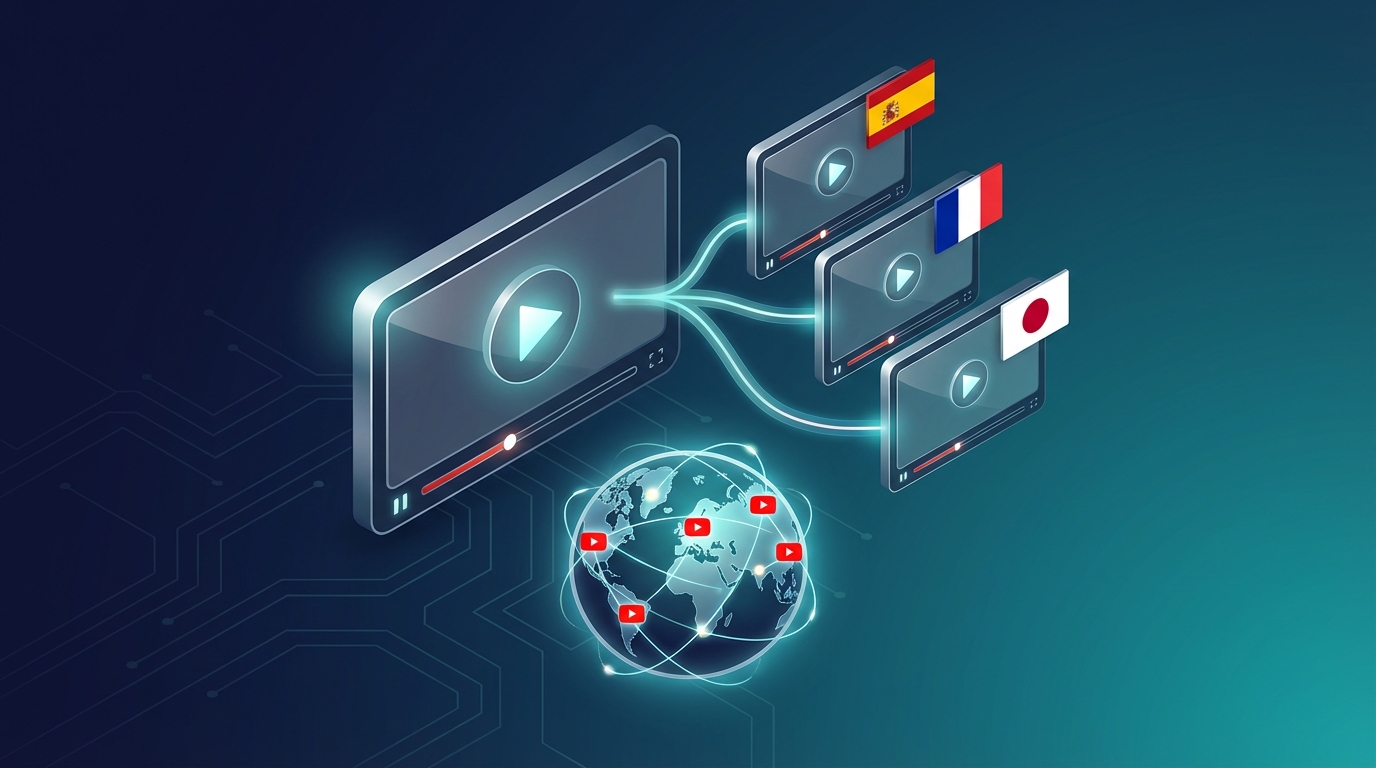
How to Translate a YouTube Video: 4 Methods Compared (2026)
You've built an audience in one language. Now you want to reach viewers in another. The question "how do I translate my YouTube video?" seems simple, but in 2026 you have more options than ever—and they're not all equal. I'm going to walk you through every method available, with honest pros and cons for each, so you can make the right choice for your specific situation. 📋 The 4 Methods for Translating a YouTube Video Here's a quick overview before we dive deep:Method Quality Cost Speed Best ForAI dubbing ⭐⭐⭐⭐⭐ €$ Minutes Serious creators, businessesAI subtitles (YouTube auto) ⭐⭐⭐ Free Instant Testing, passive viewersManual subtitles ⭐⭐⭐⭐ $-$$ Hours Tight budget, accessible contentHuman dubbing ⭐⭐⭐⭐⭐ $$$$ Days/weeks Broadcast, premium contentNow let's explore each in detail.Method 1: AI Dubbing (Recommended) AI dubbing is the most powerful method available in 2026. It replaces the original audio with a new AI-generated voice speaking in the target language—while the video itself remains unchanged. The best part: YouTube supports multi-audio tracks, which means you can attach multiple dubbed versions to the same video. A Spanish viewer sees your video in Spanish automatically. A German viewer hears German. Everyone watches the same video, all views count together, and you manage everything from one upload. How to Translate a YouTube Video with AI Dubbing Step 1: Go to NovaDub and sign up The free plan includes 5 minutes of dubbing—enough to translate a short video or the first few minutes of a longer one. Step 2: Upload your video You can upload directly from your computer, or paste a YouTube URL. NovaDub will process it automatically. Step 3: Select your target language(s) NovaDub supports 29 languages. For most creators, I recommend starting with Spanish or Portuguese. These markets have massive YouTube audiences and lower competition than English. Step 4: Choose your voice settings You can use a generic AI voice, or enable voice cloning to make the dubbed version sound like your own voice speaking the target language. Voice cloning is remarkable—it preserves your tone, energy, and style. Step 5: Download the translated audio Once NovaDub finishes (typically 5-10 minutes for a 10-minute video), download the audio file. Step 6: Upload to YouTube StudioGo to YouTube Studio → click on your video Click "Subtitles" in the left menu Click "Add language" → select the language Click "Add" next to "Audio track" Upload the audio file NovaDub producedStep 7: Add translated metadata This is crucial and most creators skip it. For each language:Add a translated title Add a translated description with relevant keywords in that language Add tags in the target languageYouTube uses metadata to recommend your video in international search results. Without it, even a perfectly dubbed video won't get discovered by new international viewers.After adding an audio track, YouTube processes it for a few hours before making it available to viewers. Don't worry if you don't see it immediately—it will appear once processing completes.Cost of AI Dubbing With NovaDub:Free tier: 5 minutes (no credit card needed) Pay-as-you-go: from €0.99/minute Standard pack (€69): 55 minutes Pro quality — enough to dub 5-6 typical 10-minute videos Monthly subscriptions: from €39/month (30 minutes/month)For a channel with 10-minute videos, the Standard pack at €69 covers 5-6 videos. If those videos each gain 20% more views from new international audiences, the ROI is immediate.Method 2: YouTube Auto-Generated Subtitles (Free) YouTube automatically generates subtitles for videos in supported languages, and since 2024, they also offer auto-translated subtitles into many languages. This is completely free and requires no effort on your part. How to Enable Auto-Translated SubtitlesUpload your video normally In YouTube Studio, go to the Subtitles section Click "Add language" → select the language Under "Subtitles," select "Auto-generated"YouTube will automatically generate translated subtitles using Google's translation engine. The Reality of Auto-Subtitles Auto-generated subtitles work—but they're imperfect in ways that matter: Accuracy: Google Translate has improved dramatically, but it still struggles with idioms, technical jargon, and context-dependent phrases. For casual content, it's often fine. For technical or professional content, errors can damage credibility. Engagement: Studies show only about 10-20% of viewers actually turn on subtitles. Audio is the default experience. A viewer who arrives at your video expecting to hear it in their language won't stop to manually turn on subtitles—they'll just leave. SEO: YouTube doesn't index auto-translated subtitles as heavily as manually-added translated metadata. The discoverability benefit is limited compared to properly translated titles and descriptions. When to use auto-subtitles: as a zero-effort baseline while you build your channel, or to test if there's demand in a particular language before investing in full dubbing.Quick test: check YouTube Analytics → Subtitles for your videos. If you see viewers watching with auto-subtitles in a specific language, that's a strong signal that dubbing into that language would be worth the investment.Method 3: Manual Subtitles (Self-Made) You translate the script yourself and upload it as an SRT file. More work, but better quality than auto-generated, and free. How to Add Manual Translated SubtitlesTranscribe your video (or export from YouTube's auto-transcription) Translate the transcript (using DeepL, Google Translate, or manually) Create an SRT file with timing In YouTube Studio → Subtitles → Add language → Upload fileFree SRT editors: Subtitle Edit (desktop), Aegisub, or online tools like Kapwing. When Manual Subtitles Make Sense If you're on a tight budget and comfortable with the target language (or can get a friend/community member to help with translation), manual subtitles offer good quality at minimal cost. The downsides remain the same as auto-subtitles: most viewers won't turn them on, and you're not providing a true audio experience in the target language.Method 4: Human Dubbing Hiring professional human translators and voice actors to dub your content. This delivers the highest possible quality—but at a dramatically higher cost. The Real Cost of Human Dubbing A professional dubbing studio will typically charge:Transcription: €80-150 per hour of video Translation: €0.10-0.20 per word Voice acting: €200-500 per hour of studio time per language Audio engineering: €80-150 per hour of videoFor a 10-minute video dubbed into one language, expect to pay €300-800 at minimum. Into three languages: €1,000-2,500. For most creators and small businesses, this math doesn't work. For major brands, broadcasters, or content that absolutely cannot have any imperfection, human dubbing remains the gold standard. When Human Dubbing Is Worth ItBroadcast TV or streaming content Legal, medical, or financial content where accuracy is critical Brand advertising with very high production values Content where a specific celebrity voice is important to the brand🎯 Which Method Should You Choose? You're a creator with 10K+ subscribers trying to grow internationally: AI dubbing. The quality is excellent, the cost is reasonable, and multi-audio tracks make the distribution seamless. You're just starting out and want to test interest before investing: Auto-subtitles as a first step, then AI dubbing once you validate the demand. You have a small budget and can put in some manual work: Manual subtitles are better than nothing, especially if you can get the translations done by a native speaker from your community. You're a major brand or broadcaster: Human dubbing for flagship content, AI dubbing for secondary content.📈 Realistic Expectations for YouTube Video Translation Translating your videos is not a magic traffic switch. Here's what you can realistically expect: First 2-4 weeks: YouTube starts recommending your dubbed video to international audiences. Initial views will be slow while the algorithm learns. Months 1-3: You'll start seeing organic views from the new language market. The more dubbed videos you have, the faster this compounds. Months 3-12: If your content resonates, you'll see significant channel growth from new markets. Some creators have reported 20-50% audience growth from just 2-3 language markets. Key insight: YouTube's algorithm is more likely to promote a video that already performs well in its original language. Dub your top-performing videos first, not your newest ones.Patience is required. International YouTube audiences often take 2-3 months to build. Think of it as an investment that compounds over time, not an instant traffic boost.✅ Quick Action Checklist Ready to translate your first YouTube video? Here's your checklist: Check YouTube Analytics → Geography for existing international viewers Pick your highest-performing video as first candidate Choose target language (Spanish recommended for most English creators) Dub with NovaDub (start with free 5 minutes) Upload dubbed audio to YouTube Studio → Subtitles → Add audio track Add translated title, description, and tags Wait 2-4 weeks and measure results If positive: scale to more videos and languagesThat's it. The whole process from decision to upload takes about 30 minutes for your first video.Start translating today: NovaDub offers 5 free minutes—enough to see exactly what AI dubbing can do for your channel.

Best AI Video Translator Tools in 2026: Complete Comparison
If you've searched for "AI video translator" recently, you've probably noticed the landscape has exploded. A year ago, you could count the serious options on one hand. Today there are dozens of platforms, each claiming to offer seamless automatic video translation. But which ones actually work? I spent three weeks testing every major AI video translator on the market. I translated the same 10-minute video (a product demo with technical language) into Spanish, French, German, and Japanese across all platforms. Here's what I found. 🤖 How AI Video Translation Actually Works Before diving into the comparison, it helps to understand what these tools are actually doing under the hood. Every AI video translator follows roughly the same pipeline:Speech-to-text: The AI listens to your video and creates a text transcript Translation: That transcript gets translated into the target language Voice synthesis (TTS): A new voice track is generated in the target language Lip sync / timing: The new audio is synchronized with the videoThe quality difference between platforms comes down to how well they execute each step—and which underlying AI models they use for each component.The single biggest quality differentiator is the voice synthesis engine. Platforms using ElevenLabs or similar top-tier TTS produce voices that sound genuinely human. Platforms using older synthesis engines sound robotic and stilted.🏆 The Best AI Video Translators in 2026 1. NovaDub — Best Overall Quality NovaDub stands out for one key reason: it uses ElevenLabs for voice synthesis. ElevenLabs is widely considered the best AI voice technology available, and you can hear the difference immediately. The translated voices sound natural, with proper pacing, emotional inflection, and the subtle imperfections that make speech feel human. The platform handles 29 languages and offers voice cloning: your translated video can sound like you speaking the target language, not a generic AI voice. For content creators who've built an audience around their personal style, this is a game-changer. Strengths:Best-in-class voice quality (ElevenLabs powered) Voice cloning in all 29 supported languages European platform with strong privacy compliance Clean, intuitive interface available in multiple languages 5-minute free trial, no credit card requiredWeaknesses:Slightly higher price point than some competitors 29 languages (less than some platforms claiming 100+, but those often have lower quality)Best for: Creators and businesses who prioritize quality over quantity Pricing: From €0.99/min pay-as-you-go; monthly plans from €39Pro Tip: NovaDub's voice cloning feature works remarkably well even with background music. If your video has a music bed, the AI is smart enough to maintain it in the translated version while replacing only the speech.2. HeyGen — Best for Video Avatars HeyGen focuses on video synthesis rather than pure translation. Their main differentiator is lip sync technology: the avatar or presenter in your video actually moves their lips to match the translated audio. It's visually impressive. Strengths:Impressive lip sync Good for corporate presentations with on-camera presenters Integrates with common presentation toolsWeaknesses:Much higher price point ($89+/month for serious use) Voice quality noticeably behind NovaDub Limited value for voiceover-style contentBest for: Corporate video with on-camera presenters who need lip sync Pricing: From $29/month, but serious use requires $89+ plans3. Rask.ai — Best for Volume Rask has invested heavily in supporting a large number of languages (130+) and has built a solid workflow for bulk translation projects. Strengths:130+ languages supported Good API for developers Solid batch processingWeaknesses:Voice quality is inconsistent (depends heavily on language) Interface can be confusing for new users Customer support issues at scaleBest for: Enterprises processing large volumes across many languages Pricing: From $60/month4. Papercup — Best for Broadcast Papercup targets broadcasters and media companies, with a hybrid AI-human workflow that delivers broadcast-grade quality. Strengths:Highest quality outputs (humans review AI output) Strong industry reputationWeaknesses:Very expensive (enterprise pricing, typically $5,000+/project) Not accessible to individual creators or small businessesBest for: TV networks, streaming platforms, major publishers5. ElevenLabs Dubbing Studio — Best Free Option ElevenLabs, whose technology powers NovaDub's voice synthesis, offers their own dubbing studio. The quality is excellent (it's their own engine), but the product is more of a developer tool than a finished product. Strengths:Best voice quality (their own technology) Free tier available API access for developersWeaknesses:Less polished UX than dedicated platforms Limited language support compared to specialized tools No voice cloning matching your brand voiceBest for: Developers and tech-savvy users comfortable with raw tools📊 Head-to-Head ComparisonFeature NovaDub HeyGen Rask.ai ElevenLabs StudioLanguages 29 40+ 130+ 29Voice quality ⭐⭐⭐⭐⭐ ⭐⭐⭐ ⭐⭐⭐ ⭐⭐⭐⭐⭐Voice cloning ✅ ✅ ✅ LimitedLip sync ❌ ✅ ✅ ❌Price (entry) €39/mo $29/mo $60/mo FreeFree trial ✅ (5 min) ✅ (limited) ✅ (limited) ✅API access ❌ ✅ ✅ ✅Best for Quality Lip sync Volume DevsA note on languages: platforms claiming 100+ language support often achieve this with inconsistent quality. A tool that does 29 languages *excellently* is more useful than one that does 130 languages *poorly*.🎯 Which AI Video Translator Should You Choose? If you're a content creator (YouTuber, podcaster, course creator) and you want the best quality translated content, NovaDub is the clear winner. The voice quality is superior, the voice cloning feature preserves your personal brand, and the pricing is reasonable. If you work in corporate video with on-camera presenters and lip sync is a priority, HeyGen is worth the higher price. If you need to process a very high volume across dozens of languages and quality is secondary to scale, Rask.ai is the most practical option. If you're a developer building a custom workflow and want access to the best TTS engine available, ElevenLabs Studio gives you the raw power.🚀 How to Get Started with AI Video Translation Regardless of which tool you choose, the process is roughly the same:Select your best video — start with your highest-performing content Choose target languages — begin with 1-2 languages where you already have viewers Upload and translate — most tools take 5-15 minutes per video Review the output — always watch through the translated version before publishing Upload to your platform — YouTube supports multi-audio tracks, which is perfect for this workflowQuick win: check your YouTube Analytics → Audience → Geography before choosing which languages to translate into. You might already have viewers in Spanish-speaking countries who would watch much more if the audio was in their language.💡 FAQ Is AI video translation as good as human translation? For most content types, yes—especially with platforms using top-tier voice synthesis. Technical content with highly specialized jargon may benefit from human review of the AI output, but the AI gets it right 90-95% of the time. How long does AI video translation take? Typically 5-15 minutes for a 10-minute video, depending on the platform and target language. This is 100x faster than human translation, which typically takes 1-3 days. Can I translate a video I don't own? No. AI video translation tools require you to own or have rights to the content you're translating. Most platforms explicitly prohibit using their service to translate copyrighted content without permission. Does AI translation affect video quality? No. The original video file is unchanged. AI translation only adds a new audio track or replaces the existing one, leaving video quality intact. What's the best language to translate into first? For most English-speaking creators, Spanish is the highest-ROI first translation. There are 500+ million Spanish speakers, the YouTube audience is massive, and competition is lower than in English.Looking to translate your first video? NovaDub offers 5 free minutes with no credit card required—enough to test the quality on a real clip before committing to a paid plan.

AI Dubbing for Webinars: How to Multiply Your Online Event Audience
Six months ago I hosted a webinar in Italian on "How to Scale Video Production with AI." Duration: 45 minutes. Live attendees: 127. A solid result for the Italian market. But then I asked myself a question: is that content only valuable for Italian speakers? Obviously not. The strategies, the tools, the workflows — they work in any language. I was sitting on 45 minutes of high-quality content that was reaching only 2% of my potential market. So I dubbed the recording into English, Spanish, and Portuguese. I uploaded it as an "on-demand webinar" on a multilingual landing page. Over the following 3 months, that single webinar generated 2,340 views, 189 qualified leads, and 12 paying customers. The dubbing cost? €67.05. Today I'm going to show you how to do exactly the same thing. 🚀 The Webinar Problem: Excellent Content with an Instant Expiration Date Let's be honest: webinars are one of the most powerful formats in B2B and professional training. The problem is that most companies treat them as throwaway events. The typical cycle:You prepare the webinar (5-10 hours of work) You promote it (email, social, ads) You host it live (45-60 minutes) You upload it "somewhere" as a replay Nobody watches it after 2 weeksThe waste is enormous. You invested dozens of hours creating content that dies in 14 days and reaches only people who speak your language.**Important:** According to the ON24 Webinar Benchmark Report 2025, 65% of webinar views happen on-demand (after the live event). But only 4% of companies offer their webinars in more than one language. This creates a massive opportunity for those who dub their content.💡 The Strategy: Turn 1 Webinar into an Evergreen Multilingual Asset The idea is simple but powerful: take your recorded webinars and turn them into on-demand content available in multiple languages. Each language version becomes an independent lead magnet. 1 webinar × 4 languages = 4 evergreen lead magnets Why it works:The content is already created — no additional production cost AI dubbing costs just a few euros for a complete webinar Each language version captures leads from a different market The on-demand webinar generates leads 24/7, not just on event dayWho Benefits Most Trainers and Coaches:Introductory courses and recorded masterclasses Hands-on workshops with live demonstrations Compiled Q&As (the most frequently asked questions)SaaS Companies:Detailed product demos Educational webinars about the industry Onboarding sessions for new customersEvent Organizers:Conference and summit recordings Panel discussions and interviews Specialized workshopsConsultants and Freelancers:Methodology presentations In-depth case studies "Mini-courses" for positioning📝 Step-by-Step Workflow: From a Single-Language Webinar to 4 Languages Step 1: Select the Right Webinars Not all webinars deserve dubbing. Select the ones with: ✅ High reusability:Evergreen content (not tied to a specific event) No references to expired dates or promotions Topic relevant to an international audience✅ Good technical quality:Clear audio (dedicated microphone, not a laptop mic) No excessive background noise Speaker who talks clearly and in a structured way❌ Avoid:Webinars with lots of local cultural references (impossible to adapt) Recordings with terrible audio (AI dubbing doesn't improve quality if the source content is unintelligible) Outdated webinars (>12 months) with obsolete dataStep 2: Prepare the File Optimal format:Video: MP4 (H.264) at 1080p Audio: AAC or MP3, at least 128kbps Duration: 20-60 minutes (sweet spot for webinars)If your webinar is on Zoom/Teams/Meet:Export the recording as MP4 (not the native .zoom format) If possible, use the "speaker only" recording (without the participant gallery) Remove the waiting/pause sections ("we're waiting for everyone to join...")**Pro Tip:** Before dubbing, trim the non-essential parts: the waiting intro, technical issues, irrelevant Q&A segments. A 60-minute live webinar typically becomes a 35-45 minute replay after trimming. Fewer minutes = lower dubbing cost and leaner content.Step 3: Dub with NovaDubLog in to NovaDub and upload your video file Select your target languages Choose Pro quality (for professional use) Start the dubbing processTime and cost for a typical 40-minute webinar:Languages Pro Cost (€1.49/min) Processing Time1 language €59.60 ~25 min3 languages €178.80 ~35 min5 languages €298.00 ~45 minFor less than €180 you get 3 language versions of an asset that can generate leads for months. Step 4: Create Multilingual Landing Pages Each language version of your webinar needs a dedicated landing page with: Essential elements:Title in the local language Content description (3-5 bullet points) Registration form (name, email, company) Video preview (first 2-3 minutes free) Speaker bio (translated) Social proof (number of attendees, rating)Recommended landing page tools:Carrd.co (fast, affordable, multilingual) Leadpages (advanced forms, A/B testing) Webflow (custom design, SEO) WordPress + Elementor (maximum flexibility)Step 5: Promote by Language Promotion channels by market: English (Global):LinkedIn sponsored content (targeting by industry + country) Google Ads (keyword: "webinar [your topic] on demand") Newsletter cross-posted on Substack/Beehiiv Reddit/Quora/industry forumsGerman (DACH):LinkedIn (DACH targeting) XING (still popular in Germany) German industry newsletters Google Ads in GermanSpanish (LATAM + Spain):LinkedIn (country-specific targeting) Twitter/X (very active in LATAM for B2B) Spanish-language newsletters Industry Facebook GroupsPortuguese (Brazil):LinkedIn Brasil YouTube (second-largest search engine in Brazil) Instagram (extremely high B2B engagement in Brazil)📊 Case Study: Italian SaaS Company That Tripled Leads with Dubbed Webinars The company: A SaaS startup from Milan selling project management software for creative agencies. 35 employees, primarily Italian market. The situation:2 webinars per month, Italian only Average 80-100 live attendees 15-20 qualified leads per webinar Monthly pipeline from webinars: €45KThe experiment:Dubbed the 6 best webinars from the past 12 months into English and Spanish Created an on-demand landing page for each version Ad budget: €500/month (Google + LinkedIn) to promote international versionsResults after 4 months:Metric Before (IT only) After (IT + EN + ES) ChangeLeads/month from webinars 35 112 +220%Qualified leads 15 48 +220%Monthly pipeline €45K €156K +247%Customers acquired/month 2 7 +250%Total dubbing cost — €715 (one-time) —Additional revenue (4 months) — €89K —Dubbing ROI: €715 invested → €89K in additional revenue over 4 months = 12,400% ROI The CEO's comment:We had a treasure trove of content that was only reaching the Italian market. AI dubbing literally multiplied the value of every webinar we'd ever created. And the crazy thing is that the cost is ridiculously low compared to what it generates.**Important:** 78% of leads generated from the dubbed webinars came from the English version, 22% from Spanish. This suggests always starting with English as your first expansion language, then adding other languages based on data.💰 5 Advanced Strategies to Maximize ROI 1. Break the Webinar into Micro-Content A 40-minute webinar typically contains 5-7 thematic "modules." Cut each module as a standalone video: Original webinar: "Complete Guide to Agile Project Management" (40 min) Micro-content:"What Is Agile in 3 Minutes" (3 min) → LinkedIn, YouTube Shorts "Sprint Planning: The Quick Guide" (5 min) → YouTube, blog embed "The 5 Most Common Scrum Mistakes" (7 min) → YouTube, newsletter "Tool Demo: How to Manage Your Backlog" (10 min) → Landing page, nurture emailEach piece of micro-content gets dubbed separately → lower cost and more flexible usage. 2. Create a Multilingual "Webinar Library" Instead of promoting individual webinars, create an on-demand library: webinar.yourcompany.com ├── /en/ │ ├── agile-project-management │ ├── remote-team-productivity │ └── client-onboarding-best-practices ├── /es/ │ ├── gestion-proyectos-agil │ ├── productividad-equipo-remoto │ └── mejores-practicas-onboarding └── /de/ ├── agiles-projektmanagement ├── remote-team-produktivitaet └── kunden-onboarding-best-practicesSEO benefit: Each page in the library is indexable and can rank for keywords in the local language. 3. Automated Nurture Emails by Language After a lead downloads a webinar, drop them into an email sequence in their language: Typical sequence (5 emails over 14 days):Email 1 (immediate): Link to the webinar + additional resources Email 2 (day 3): Summary of key points + PDF checklist Email 3 (day 7): Case study in the lead's language Email 4 (day 10): Invitation to the next webinar (if available) Email 5 (day 14): Free trial offer or personalized demo4. Repurpose as a Podcast Extract just the audio from the dubbed webinar and publish it as a podcast episode:The English webinar becomes an episode of your English podcast No additional cost (the audio is already dubbed) Distribution on Spotify, Apple Podcasts, Google Podcasts Reaches a new audience that prefers audio over video5. Subtitles as a Blog Article The subtitles generated by NovaDub can become the foundation for a blog article:Export the SRT subtitles from the dubbed webinar Convert to continuous text Edit and format as a blog article (add headings, images, links) Publish on your blog in the corresponding language Embed the webinar video in the articleResult: A single webinar generates an on-demand video + a podcast episode + a blog article, all in 4 languages. From 1 piece of content to 12 assets. ⚠️ Common Webinar Dubbing Mistakes Mistake #1: Not Removing "Live-Only" Sections The "waiting for everyone to join," "can you hear me?," "please mute yourselves" sections make no sense in a replay. Cut them before dubbing. Mistake #2: Slides with Text in the Original Language If your webinar uses slides with Italian text, the dubbed audio will be in another language but the slides will still be in Italian. Solution: Re-record the screen capture with translated slides, or use NovaDub for the dubbing and then add subtitles to bridge the gap. Mistake #3: Not Gating the Content An on-demand webinar is a perfect lead magnet. Don't publish it freely on YouTube — put it behind a registration form. The full video is the reward for leaving an email. Exception: The first 3-5 minutes can be public as a "teaser" to attract registrations. Mistake #4: Forgetting the Localized CTA If the Italian webinar says "visita novadub.ai per iniziare," the English version should say "visit novadub.ai to get started." The CTA in the dubbed video gets translated automatically, but verify that links and landing pages are consistent with the language.**Warning:** If your webinar includes a software demo with the interface in Italian, the dubbing will translate the voice but NOT the software interface on screen. For demo-heavy webinars, consider re-recording the screen capture portion with the interface in the target language. Alternatively, add subtitles that explain what's shown on screen.🎯 The Most Strategic Languages for B2B Webinars Based on aggregated data from 50+ companies: Tier 1 (Must-Have):🇬🇧 English — Reaches 60% of the global B2B market Average ROI: 15x the dubbing costTier 2 (High Value):🇪🇸 Spanish — 500M speakers, growing market 🇩🇪 German — High B2B purchasing power, DACH market 🇫🇷 French — France + Francophone Africa (emerging market)Tier 3 (Opportunity):🇧🇷 Portuguese — Brazil = largest LATAM economy 🇯🇵 Japanese — Premium market, high conversion 🇰🇷 Korean — Tech-savvy, rapid adoption✅ Action Plan: Start with 1 Webinar, 1 Language You don't need to go big. Here's the minimum plan: This week:Choose your best webinar from the last 6 months Trim the non-essential parts (target: under 45 minutes) Sign up on NovaDub — 5 free minutes to test Dub it into English (the highest-ROI language) Create a simple landing page with a registration formNext month: 6. Promote with a €100-200 LinkedIn Ads budget (target: English-speaking market in your industry) 7. Monitor leads and conversions 8. If it works (spoiler: it will), add Spanish and German 9. Dub your next 3-5 best webinars Total investment to get started: ~€60 (dubbing) + €100-200 (ads) = €160-260 Potential: Dozens of qualified international leads every month, for months, from a single piece of content you already had.**Pro Tip:** NovaDub's 5 free minutes let you test the dubbing on an excerpt of your webinar. Generate the first 5 minutes in English, listen to the quality, and then decide whether to dub the rest. Zero risk, no credit card required.🚀 Conclusion: Your Webinars Deserve a Global Audience Every webinar you've ever recorded is a valuable asset. But as long as it only speaks one language, it's an asset that reaches just a fraction of its potential. AI dubbing removes the language barrier at a cost that is literally negligible compared to the value of the leads it generates. The question isn't "whether" to dub your webinars, but "why haven't you done it already?" Start today with NovaDub's free trial and turn your webinar archive into an international lead generation machine that works for you 24/7.Useful resources:NovaDub - AI dubbing platform for professional videos ON24 Webinar Benchmark - Webinar statistics and best practices HubSpot Webinar Guide - Complete guide to webinar marketingHave you dubbed one of your webinars? I'd love to hear your results. Drop me a comment or reach out on LinkedIn — I'm happy to share more case studies and strategies!
LinkedIn Dubbed Videos: How to Reach International B2B Clients
Two months ago I was scrolling through LinkedIn when a video popped up from the CEO of a small Italian industrial automation company. Well-made video: him speaking to camera, showing the product, explaining the benefits. Length: 2 minutes. Engagement: 47 likes, 3 comments. All in Italian. I sent him a message: "Have you ever thought about publishing this video in English and German? 70% of your potential customers are in DACH and UK." His reply: "I've thought about it, but my English isn't good enough for a video, and a professional voice actor costs too much for a LinkedIn post." Two weeks later, that video existed in Italian, English, and German. The German post got 890 views and generated 4 quote requests from German companies. Total investment in dubbing: €4.47. That's the story I want to tell you today. 🚀 LinkedIn Video in 2026: The Numbers You Need to Know LinkedIn has radically shifted its stance on video over the past year. The data speaks for itself:LinkedIn videos generate 5x more engagement than text posts (LinkedIn Marketing Solutions, 2025) 72% of B2B decision makers watch videos before making purchasing decisions LinkedIn has 1 billion users, of which 60% are outside the US Native LinkedIn videos receive 20x more shares than YouTube linksBut here's the game-changing statistic: Only 3% of LinkedIn videos are multilingual. That means 97% of companies posting video on LinkedIn are speaking only to their local market.**Important:** LinkedIn's algorithm favors native videos (uploaded directly, not as links) and tends to surface content in the user's language. A German-language video published by an Italian company gets prioritized in the feeds of German-speaking users. It's a massive competitive advantage and almost nobody is leveraging it.💡 Why AI Dubbing Works Perfectly on LinkedIn 1. Short Videos = Minimal Cost The best-performing LinkedIn videos are 1-3 minutes long. At €1.49/minute on NovaDub, dubbing a 2-minute video costs €2.98 per language. For less than the price of a coffee, you reach an entire market. 2. B2B Is International by Definition If you sell B2B products or services, your potential clients are everywhere. Whether you're a European manufacturer, a SaaS startup, or a consulting firm — your next client could be in Germany, France, Spain, the UK, or the US. But if your content only speaks one language, that client will never find you. 3. Professional Credibility In B2B, perception matters enormously. A company that publishes professional content in the client's language demonstrates:Attention to the target market Ability to operate internationally Investment in the business relationshipA professionally dubbed video in German tells the German client: "We take your market seriously." 4. LinkedIn Doesn't Have Multi-Audio (Unlike YouTube) On YouTube you can upload multiple audio tracks to the same video. On LinkedIn, you can't: every video is a separate post. This is actually an advantage — each language version becomes an independent post with its own engagement, comments, and shares. Result: 1 video × 4 languages = 4 posts with 4 separate audiences = 4x the visibility.📝 The 7 Types of LinkedIn Videos You Should Dub Right Now 1. Company Introduction Videos What it is: "Who we are, what we do, why we're different" — the classic corporate intro. Why dub it: It's the first video an international prospect looks for. If it doesn't exist in their language, they move on to your competitor. Ideal length: 90 seconds 2. Product / Service Demos What it is: A practical demonstration of your product or service in action. Why dub it: 67% of B2B buyers consider video demos "very influential" in their purchasing decisions. Ideal length: 2-3 minutes 3. CEO/Founder Thought Leadership What it is: The founder or CEO sharing insights, visions, and industry opinions. Why dub it: Creates a personal connection with the target market. A CEO who "speaks" German impresses German partners. Ideal length: 1-2 minutes 4. Case Studies / Client Testimonials What it is: A client sharing their positive experience. Why dub it: Social proof is universal, but it works 3x better in the prospect's language. Ideal length: 2 minutes 5. Behind-the-Scenes / Production What it is: Behind-the-scenes footage of your production, team, or offices. Why dub it: Humanizes the brand and builds trust. Particularly effective for markets where trust is paramount (Germany, Japan, Scandinavia). Ideal length: 60-90 seconds 6. Tutorials / How-Tos What it is: Educational videos teaching something useful related to your industry. Why dub it: Tutorials generate 2.4x average engagement on LinkedIn. In the local language? 4.8x. Ideal length: 2-4 minutes 7. Company Announcements / News What it is: Product launches, partnerships, expansions, hiring. Why dub it: If you're expanding into a new market, the announcement MUST be in the local language. No discussion. Ideal length: 60 seconds 📊 Complete Workflow: From 1 Video to 4 Languages in 30 Minutes Phase 1: Create the Original Video Minimum professional setup:Smartphone with a good camera (iPhone 14+ or Samsung S23+) €30 lavalier microphone (clear audio matters more than 4K video) Natural light or a ring light Clean background (office, showroom, facility)Winning structure for LinkedIn B2B videos:Hook (first 3 seconds): Provocative question or surprising data point Problem (15 seconds): Your target's pain point Solution (45-90 seconds): How your product/service solves it Proof (15-30 seconds): Data, case study, testimonial CTA (10 seconds): "DM me" or "Link in bio"Phase 2: Dub with NovaDubGo to NovaDub Upload the video (MP4, max 2GB) Select languages: DE, FR, ES (the top 3 for European B2B) Quality: Pro (no watermark for professional use) Start dubbing → 10-15 minutes wait Download the 3 dubbed videosCost for a 2-minute video × 3 languages: €8.94 Phase 3: Publish Strategically Publishing calendar:Monday at 9:00 AM: Original language post (your home market wakes up) Tuesday at 8:00 AM GMT: English post (UK and US East Coast) Wednesday at 8:00 AM CET: German post (Germany, Austria, Switzerland)Why not all at once? LinkedIn penalizes multiple posts on the same day from the same profile. By spacing them 24 hours apart, each post receives maximum organic reach. LinkedIn post template (adapt per language): [Hook in 1 line][Target's problem in 2-3 lines][Concise solution]👇 Watch the video for details#hashtag1 #hashtag2 #hashtag3**Pro Tip:** Add subtitles to your LinkedIn video. 85% of LinkedIn users watch videos without sound (scrolling at the office). With NovaDub you can also export the SRT subtitle file in the dubbed language — upload it alongside the video on LinkedIn.Phase 4: Amplify with Comments The multilingual "First Comments" technique: After publishing the video in German, write the first comment in German with additional information or a useful link. LinkedIn's algorithm gives more visibility to posts with immediate comments from the author. For the English post, the first comment could be:For those interested in learning more about [product], here's a quick summary: [3 bullet points in English]. Drop me a DM if you'd like to discuss how this applies to your business.💰 Real ROI: How Much Do Dubbed LinkedIn Videos Generate I've collected data from 8 Italian B2B companies that started publishing dubbed videos on LinkedIn over the past 6 months. Aggregate averages:Metric Original Language Only + English + German + SpanishViews/post 450 +340% +180% +120%Engagement rate 3.2% 4.8% 5.1% 4.2%Connection requests 5/post 12/post 8/post 6/postQualified leads/month 3 11 7 4Dubbing cost/month €0 €12 €12 €12Pipeline value generated — +€45K +€32K +€18KThe most striking finding: Engagement rate INCREASES with dubbed videos. That's because local-language videos on LinkedIn are rare in B2B — those who find them appreciate and interact with them more.**Important:** These figures refer to companies with 500-5,000 followers on LinkedIn. For companies with larger audiences, the numbers scale proportionally. One company with 50K followers reported +€380K in pipeline from German-dubbed video alone.⚠️ Mistakes to Avoid with Dubbed LinkedIn B2B Videos Mistake #1: Using the Same Post Copy Across All Languages The LinkedIn post text (not the video) should be adapted, not literally translated. Every market has different conventions:Germany: More formal, concrete data, no hype UK: Direct, a touch of humor, understatement Spain: More relational, storytelling, emotional USA: Numbers, results, social proofMistake #2: Hashtags Only in Your Original Language If the video is in German, the hashtags should be in German (or international English). #AutomazioneIndustriale is useless for a German prospect — use #Industrieautomatisierung or #IndustrialAutomation. Mistake #3: Not Optimizing Your LinkedIn Profile for the Target Market Before publishing videos in German, make sure your LinkedIn profile has:A headline with keywords in English (or the target language) A summary in English (LinkedIn supports multi-language profiles) A Featured section with content in the target languageMistake #4: Ignoring Analytics LinkedIn provides demographic data on who watches your videos: country, industry, seniority. Monitor this data to understand which languages generate the most engagement and qualified leads. Then invest more in those. 🎯 Action Plan: From Theory to Practice in 7 Days Days 1-2: AuditIdentify your 3 best LinkedIn videos from the last 3 months Analyze which countries your prospects come from Choose 2 priority target languagesDay 3: DubbingSign up on NovaDub (5 free minutes) Dub the 3 videos in the 2 chosen languages Estimated cost: €15-25 totalDays 4-5: Post PreparationWrite the LinkedIn post copy in each language (use ChatGPT/DeepL + review) Prepare localized hashtags Schedule publishingDays 6-7: PublishingPublish one video per day (alternating languages) Write the "first comment" in the post's language Reply to comments in the language of the postWeek 2+: Analyze and ScaleMonitor metrics by language Double the frequency for the best-performing language Add a third language if results are positive**Pro Tip:** NovaDub's 5 free minutes are enough to dub 2-3 LinkedIn videos (typical length 1-2 minutes). You can test the entire workflow without spending a single cent. If it works (and it will), the pay-as-you-go plan at €1.49/minute makes the cost practically negligible compared to the value of the B2B leads generated.✅ Conclusion: The Competitive Advantage Is Now LinkedIn is the premier B2B platform, and video is the dominant format of 2026. But the real opportunity isn't simply "making videos on LinkedIn" — it's making them in the language of your target clients. 97% of B2B companies publish videos only in their own language. You can be in the 3% that speaks directly to the international market, for less than €5 per video. The window of competitive advantage is now. A year from now, when everyone is doing it, it will be too late to be first. Start today with the NovaDub free trial and turn every LinkedIn video into an international lead generation machine.Useful resources:NovaDub - AI dubbing for professional videos LinkedIn Marketing Solutions - LinkedIn video best practices LinkedIn Creator Mode - How to activate Creator ModeHave you tried dubbing your LinkedIn videos? Share your experience in the comments or send me a DM — I'm always curious to hear real stories from the B2B trenches!
-
 Paolo P.
 - 05 mar, 2026
AI Dubbing for Real Estate: How to Sell Properties to International Buyers
Last year I got a call from a luxury real estate agent on Lake Como. He had a villa listed at 3.2 million euros, a stunning video tour shot with drones and a steadicam... and zero inquiries from abroad. "The video works great with Italian clients," he told me, "but the Russians, the Arabs, the Germans who buy on the lake won't even watch it. It's in Italian." Six weeks later, that same video existed in 6 languages. The villa was sold to a German buyer who said: "I watched the video tour in German and fell in love with the property before I even visited." This is the story of AI dubbing in real estate. And if you sell properties (or work with people who do), you absolutely need to keep reading. 🚀 The Problem Nobody Sees: Beautiful Videos That Only Speak One Language The luxury real estate market in Italy is international by definition. According to 2025 data from Scenari Immobiliari, 32% of property purchases above 500,000 euros in Italy are made by foreigners. In areas like Lake Como, the Amalfi Coast, Tuscany, and Sardinia, that percentage climbs to 55-60%. And yet, 90% of Italian real estate video tours are in just one language: Italian. The paradox is obvious:You spend 3,000-10,000 euros on a professional drone video tour More than half your target market is international But the video only speaks to Italian clients**Important:** According to the Knight Frank Global Buyer Survey 2025, 78% of international property buyers say that a video tour in their own language is "very important" or "decisive" during the pre-selection phase.💡 Why AI Dubbing Is a Perfect Fit for Real Estate I've worked with over 20 real estate agencies in the past year. Here's why AI dubbing fits this industry like a glove: 1. The Video Tour Is Already Done You don't need to create new content. The video is already there: drone footage, 4K interiors, property walkthroughs. The only thing missing is a narration in the buyer's language. With NovaDub AI dubbing:Upload your existing video tour Choose your target languages (English, German, Russian, Arabic, Chinese...) In 15-30 minutes you have a professionally dubbed video2. The ROI Is Immediate and Measurable Let's do the math. A professional video tour costs 3,000-8,000 euros. Dubbing it into 5 languages with NovaDub costs:Video Length Cost Per Language (Pro) 5 Languages % of Original Production Cost3 minutes €4.47 €22.35 0.3-0.7%5 minutes €7.45 €37.25 0.5-1.2%10 minutes €14.90 €74.50 1.0-2.5%For less than 1% of the original production budget, you multiply your potential audience by 6x. 3. AI Voices Sound Professional and Polished In real estate, the voiceover needs to be professional, reassuring, and measured. You don't need an actor with extreme emotional range — you need clarity and authority. Exactly what the latest generation of AI voices do best.**Pro Tip:** For real estate video tours, choose voices with a "narrative" or "professional" tone from the NovaDub voice library. Avoid voices that are too young or too energetic — in the luxury segment, sophistication is everything.📝 Practical Guide: How to Dub a Video Tour Into 5 Languages Step 1: Prepare Your Video Ideal format for dubbing:Resolution: 1080p or 4K Audio: voiceover separated from background music (ideal) Length: 3-7 minutes (the sweet spot for real estate engagement) File format: MP4, MOV, or MKVIf the voice and music are mixed: NovaDub also handles videos with mixed audio — the AI automatically separates the voice from the music and replaces only the narration. Step 2: Choose Languages Strategically Not all languages have the same value for every market. Here's a guide by region: Lake Como / Lake Garda:🇬🇧 English (35% of foreign buyers) 🇩🇪 German (25%) 🇷🇺 Russian (15%) 🇦🇪 Arabic (10%) 🇳🇱 Dutch (8%)Tuscany / Umbria:🇬🇧 English (40%) 🇺🇸 American English (20%) 🇩🇪 German (15%) 🇳🇱 Dutch (10%) 🇸🇪 Swedish (5%)Amalfi Coast / Sardinia:🇬🇧 English (30%) 🇩🇪 German (20%) 🇫🇷 French (15%) 🇷🇺 Russian (15%) 🇦🇪 Arabic (10%)Step 3: Upload and Dub on NovaDubGo to NovaDub and upload the video tour Select your target languages Choose "Pro" quality (no watermark — essential for professional use) Start the dubbing Download the dubbed videos (one per language)Total time: 15-30 minutes for a 5-minute video in 5 languages.Step 4: Distribute Strategically Where to publish your dubbed videos: YouTube (Priority #1):Create a dedicated agency channel (or use your existing one) Use YouTube's Multi-Audio feature to upload multiple audio tracks on the same video Optimize title/description/tags in each language Separate playlists by language or by regionInternational Property Portals:Idealista (ES, IT, PT) Rightmove Overseas (UK) Immobilienscout24 (DE) Seloger (FR) Zillow InternationalSocial Media:Instagram Reels with subtitles in the target language LinkedIn for commercial properties (video in English) WeChat/Xiaohongshu for Chinese buyers (video in Mandarin)Email Marketing:Newsletter segmented by language Personalized video for qualified leads📊 Case Study: Luxury Agency on Lake Como The client: A real estate agency specializing in luxury villas on Lake Como (average budget: 1.5-5M euros). The initial situation:15 properties in portfolio with video tours in Italian 2 agents who speak English, none who speak German or Russian 70% of international inquiries came through portals, without video Average time to sell properties over 1M euros: 14 monthsThe intervention:Dubbed all 15 video tours into English, German, Russian, and Arabic Total cost: 340 euros (average 5 min/video x 4 languages x 1.49 euros/min) Published on YouTube with Multi-Audio + international portalsResults after 6 months:International inquiries: +185% Total video views: +340% Sales to foreign buyers: from 2 to 7 in the half-year Average time to sell properties over 1M euros: from 14 to 9 months Additional commissions generated: 127,000 euros Dubbing ROI: 37,000% (340 euros invested → 127,000 euros in extra commissions)What the agent said:I couldn't believe the numbers. For 340 euros in dubbing, we generated six-figure commissions. What surprised me most was the quality — the German clients complimented us on the 'perfect German' in the video. They didn't realize it was AI.**Pro Tip:** Create a dedicated landing page for each property with videos in all available languages. Include a contact form localized in the visitor's language. This increases the conversion rate by 45% compared to a generic page.💰 Pricing: How to Position the Service as an Agency If you're a real estate agency or a consultant who wants to offer dubbing as a service to your clients, here's how to structure pricing: Model 1: Included in the Package Include dubbing in the property marketing package:Standard Package: Video tour IT + EN → +200 euros per package Premium Package: Video tour IT + EN + DE + RU → +500 euros Luxury Package: Video tour in 6+ languages + subtitles → +800 eurosYour actual cost on NovaDub is 15-75 euros depending on languages. Margin: 70-90%. Model 2: A la Carte Service Offer dubbing as a separate add-on:Single additional language: 99-149 euros/video 3-language package: 249-349 euros/video 5+ language package: 449-599 euros/videoModel 3: Revenue Share with the Property Owner For luxury properties (over 2M euros), propose a revenue share:You offer the dubbing for free In return, the owner grants you an extra commission of 0.1-0.2% on the sale if the buyer comes through the dubbed videosOn a 3M euro sale, 0.1% = 3,000 euros. For an investment of 50-100 euros in dubbing. ⚠️ Mistakes to Avoid in Real Estate Dubbing Mistake #1: Literally Translating Measurements In Italy, we use square meters. Americans use square feet. The British use a mix. Adapt measurements to the target market in the script or description. Mistake #2: Not Adapting Cultural References "10 minutes from Milano Centrale" means nothing to a German buyer. Better: "50 km from Milan Malpensa Airport, with direct connections to Munich and Frankfurt." Mistake #3: Using Videos with Italian Text Overlays If the video has graphics with Italian text (prices, features), the audio dubbing won't translate them. Solution: create videos with minimal overlays or regenerate graphics for each language. Mistake #4: Forgetting Subtitles Many buyers watch real estate videos at the office or while traveling without sound. Always add subtitles in the target language. NovaDub also generates SRT files you can import into portals.**Warning:** For the Arabic market, remember that text reads right to left. If your subtitles or text overlays don't support RTL, verify the display before publishing. The dubbed voice works perfectly — it's the visual text that needs attention.🎯 The 5 Most Profitable Languages for Italian Real Estate Based on data from the agencies I work with, here are the languages with the best ROI:🇬🇧 English — ROI: ★★★★★Largest market (UK, USA, Canada, Australia) High average budgets, fast decisions Mandatory for any international strategy🇩🇪 German — ROI: ★★★★★Germans = top foreign buyers in Italy High budgets, deliberate but consistent purchases They deeply appreciate content in their own language🇷🇺 Russian — ROI: ★★★★☆Ultra-high-end buyers (over 2M euros) Strong preference for communication in Russian Market focused on Como, Sardinia, Rome🇫🇷 French — ROI: ★★★★☆Stable and growing market Interest in Liguria, Tuscany, Amalfi Coast Good budgets, longer negotiation cycles🇦🇪 Arabic — ROI: ★★★☆☆Ultra-high-net-worth buyers Low volume but very high ticket prices Milan and Rome as primary markets✅ Start Today: Action Plan for Real Estate Agencies Week 1: Quick WinPick your most prestigious property with an existing video tour Sign up on NovaDub (5 free minutes to test) Dub the video into English and German (the two highest-ROI languages) Publish on YouTube with optimized titles/descriptionsWeeks 2-3: Scale Up 5. Dub your top 5 properties into 3-4 languages 6. Create dedicated landing pages with multilingual videos 7. Launch geo-targeted Google Ads campaigns (e.g., "luxury villa Lake Como" in German) Month 2+: Systematize 8. Integrate dubbing into the standard workflow for every new listing 9. Offer the service as a package to property owners 10. Track conversions by language and optimize your budget Initial investment: Less than 50 euros to test with 2-3 properties. Potential return: Thousands of euros in additional commissions for every international sale facilitated by the video.**Pro Tip:** With NovaDub's pay-as-you-go plan at 1.49 euros/minute (Pro quality, no watermark), you can dub a 5-minute video tour into 5 languages for about 37 euros. Zero subscriptions, zero commitments. Perfect for testing the service with your first properties.Useful resources:NovaDub - AI dubbing platform for professional videos Scenari Immobiliari - Italian real estate market reports YouTube Multi-Audio Guide - How to add multiple audio tracksSelling properties and want to try AI dubbing? Start with NovaDub's free trial — 5 free minutes, no credit card required. Your international buyers are just waiting to hear your property in their language!
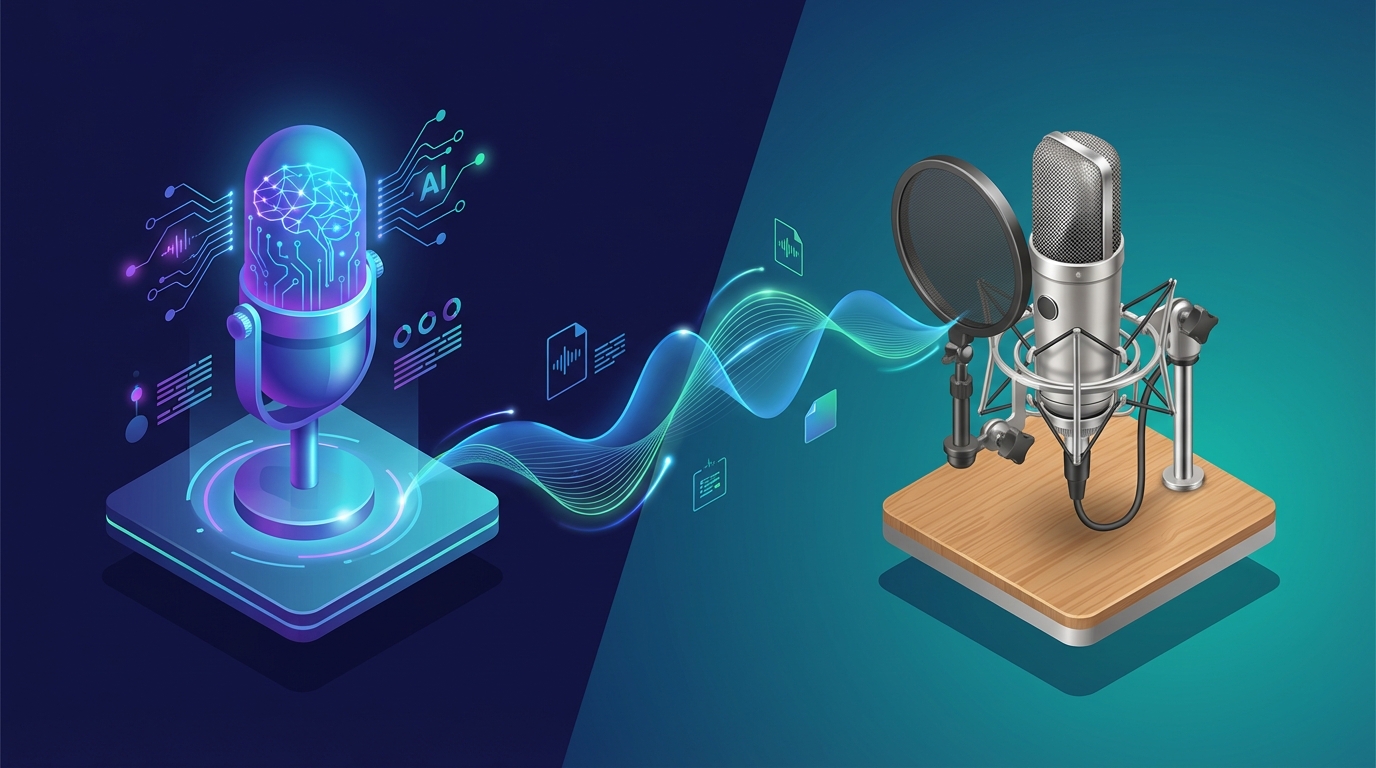
- Paolo P.
- 03 mar, 2026
AI Dubbing vs Voice Actors: An Honest Comparison for 2026
A few months ago I ran an experiment. I took the same 8-minute product demo video and had it dubbed into Spanish two ways: once by a professional voice actor I found on a well-known freelance platform, and once using AI dubbing through NovaDub. Then I showed both versions to fifteen Spanish-speaking colleagues without telling them which was which. The results surprised me. Eight people preferred the AI version. Five preferred the human version. Two said they couldn't tell the difference. The voice actor cost me $340 and took six days. The AI version cost me about €12 and took four minutes. That experiment taught me something important: the answer to "AI dubbing or voice actors?" isn't a simple one. It depends entirely on what you're dubbing, who it's for, and what your constraints are. 📊 The Comparison at a Glance Let's start with the numbers, because they tell a clear story.Factor AI Dubbing Professional Voice ActorsCost per minute €0.99 - €1.49 €30 - €100+Turnaround time 5-30 minutes 3-14 daysLanguages available 29+ simultaneously 1 per actorVoice consistency Perfect (same AI voice every time) Depends on actor availabilityEmotional range Good, improving rapidly ExcellentLip sync accuracy Very good Requires video editingScalability Unlimited Limited by talent poolRevisions Instant, free Additional cost + timeThe cost difference is staggering. For a 10-minute video dubbed into 5 languages, you're looking at roughly €75 with AI versus €1,500-5,000 with voice actors. That's a 20-65x difference.In 2026, AI dubbing quality has improved to the point where most listeners cannot reliably distinguish it from human dubbing in casual viewing contexts. The gap narrows further every few months.🤖 Where AI Dubbing Wins Speed and Scale This is where AI dubbing isn't just better—it's in a completely different category. A voice actor needs to schedule a recording session, perform the read, do retakes, edit the audio, and deliver the final file. Even the fastest professionals need 2-3 days minimum. AI dubbing processes a 10-minute video in about 5 minutes. Into any of 29+ languages. Simultaneously if you want. For a creator who publishes weekly, this means every video can be available in multiple languages on the same day it goes live. Cost Efficiency For independent creators, small businesses, and anyone working with a real budget, AI dubbing has made localization actually possible. Before AI, dubbing was a luxury reserved for companies that could spend thousands per video. Now a YouTuber with a $50/month budget can dub their entire output into two or three languages. NovaDub offers plans starting at €19/month for 15 minutes—enough for a weekly 3-4 minute video. The Business plan at €149/month covers 200 minutes, which handles a prolific creator's entire monthly output in multiple languages. Consistency If you work with a voice actor and they're unavailable for your next project, you need to find someone new—and your audience hears a different voice. With AI dubbing, the voice is perfectly consistent across every video, every time. For building a brand in a new market, this matters more than people think. Iteration Speed Need to update a tutorial because the software UI changed? With a voice actor, you're scheduling another session and paying again. With AI, you re-dub the updated section in minutes at minimal cost. This makes maintaining a library of localized content actually practical.🎭 Where Voice Actors Still Win I want to be honest about this, because there are scenarios where human voice actors remain the better choice. High-Stakes Emotional Content A heartfelt documentary. A dramatic film. A brand video where every emotional nuance needs to land perfectly. In these contexts, the best human voice actors bring a depth of emotional performance that AI hasn't fully matched yet. The gap is closing, but it's still there for the top tier of voice acting. Premium Brand Perception Some brands in luxury, entertainment, or high-end B2B want the "premium feel" that comes with knowing a human performed the dubbing. This is partly perception and partly real—a talented voice actor can add personality and warmth that elevates the content. Complex Character Work Animation, video games with multiple characters, content that requires distinct vocal personalities for different roles—these are areas where skilled voice actors can differentiate characters in ways that AI is still learning to match.Important distinction: when we say "voice actors win" in these areas, we're talking about the top 10-20% of voice talent. The average freelance voice actor on a budget platform often delivers results that are comparable to—or even below—current AI quality.🔄 The Hybrid Approach Here's what I've seen the smartest creators and companies do: use both. The strategy is simple:AI dubbing for the majority of content: tutorials, regular videos, product updates, social media content, internal communications Voice actors for flagship content: brand launch videos, annual reports, keynote presentations, high-production-value campaignsThis way, you get the scale and speed of AI for 90% of your content while reserving the premium touch of human actors for the 10% that really warrants the investment. A marketing agency I spoke with recently adopted exactly this approach. They use NovaDub for all client social media content and YouTube videos (saving roughly €8,000/month across their client base), while keeping their relationships with premium voice actors for TV spots and brand films. 📈 The Quality Trajectory This is the part that makes the comparison almost unfair to voice actors in the long run. AI dubbing quality is improving at an exponential rate. The voices available in 2024 were noticeably synthetic. By mid-2025, they were good. In 2026, they're genuinely impressive. Technologies like ElevenLabs (which powers NovaDub) have achieved:Natural breathing patterns and micro-pauses Emotional inflection that adapts to content Voice cloning that preserves the original speaker's characteristics Lip-sync optimization for video contentThe trajectory is clear: within 1-2 years, the quality gap for most use cases will be negligible. The cost and speed gap, however, will remain enormous. 🎯 Decision Framework: Which Should You Choose? Choose AI dubbing if:✅ You publish content regularly (weekly or more) ✅ Budget is a real constraint ✅ You need multiple languages ✅ Speed matters (same-day publishing) ✅ Content is informational, educational, or promotional ✅ You need easy revisions and updatesChoose voice actors if:✅ Budget is not the primary concern ✅ Content is highly emotional or dramatic ✅ You need only 1-2 languages ✅ Timeline is flexible (weeks, not hours) ✅ Brand perception of "human touch" is critical ✅ Content involves complex character performancesChoose a hybrid approach if:✅ You produce both regular and flagship content ✅ You want to maximize coverage while maintaining premium quality where it counts ✅ You're scaling localization across many languages and many videos💡 The Bottom Line The voice acting profession isn't disappearing—but its role is changing. Professional voice actors are increasingly moving toward high-value creative work where their unique human skills justify premium pricing. Meanwhile, AI dubbing is handling the vast volume of content that simply couldn't have been dubbed before because the economics didn't work. For most creators and businesses reading this, the practical answer is clear: AI dubbing is the right choice for the majority of your content. It's faster by orders of magnitude, cheaper by a factor of 20-50x, and the quality has crossed the threshold where it's good enough for professional use.Try it yourself: NovaDub offers 5 free minutes with no credit card. Upload your video, listen to the AI-dubbed version, and judge the quality with your own ears. That's worth more than any comparison article.The best way to decide? Stop reading comparisons and run your own test. Take a video, dub it with NovaDub, and listen to the result. You'll know within 30 seconds whether the quality meets your needs.Questions about AI dubbing quality or need help choosing the right approach? Reach out at support@novadub.ai.
Most Read
The most popular articles from our readers
How to Monetize TikTok with Dubbed Videos: Complete Creator Guide 2026
Three months ago, I ran an experiment that opened my eyes. I took one of my TikTok videos that had gotten 50,000 views in Italy and dubbed it into Spanish, English, and Portuguese using NovaDub. The result? That single piece of content, republished in four different languages, generated over 2 million total views and nearly €400 from the Creator Fund across different countries. It's not magic—it's math. And in this article, I'll show you exactly how to replicate this strategy. 💰 Why Multilingual TikTok is a Golden Opportunity Let's start with a fact that should make you think: TikTok has over 1.5 billion monthly active users, but only about 5% of them speak any single language. This means that publishing videos exclusively in one language automatically means giving up on 95% of your potential audience. But there's more. TikTok's Creator Fund pays differently depending on the country. An American creator earns on average 2-4 cents per 1,000 views, while creators in smaller markets might only see 0.5-1.2 cents. It seems small, but multiply by millions of views and the difference becomes substantial. The real opportunity lies in the fact that you can access these more lucrative markets simply by dubbing your existing content. You don't need to create anything new—you just need to translate what you already have.Important: by publishing in only one language, you're giving up 95% of TikTok's potential audience. AI dubbing lets you access markets with CPMs up to 5 times higher.💡 How the TikTok Creator Fund Works in 2026 Before diving into strategies, it's important to understand how TikTok monetization actually works. The Creator Fund is the official program that pays creators based on their video performance. Requirements vary slightly by country, but generally you need:At least 10,000 followers 100,000 views in the last 30 days Minimum age of 18 Account in good standing with community guidelinesOnce you're in, you're paid based on an algorithm that considers views, engagement, audience authenticity, and other factors. The CPM (cost per thousand views) varies enormously:As you can see, there's nearly a 5x difference between the US market and some others. This creates an interesting opportunity: if you can reach American, German, or British audiences with your dubbed content, you can significantly multiply your earnings.📱 The Multi-Account Strategy: How to Structure It The strategy that has worked best for me and other creators I know involves creating separate accounts for each major language. Here's how to structure it. Primary Account (Your Native Language) This remains your original account where you post content in your native language. Keep growing it normally—it's your foundation. Secondary Accounts by Language For each market you want to reach, create a dedicated account. The most strategic ones in 2026 are: English Account - The largest and most lucrative market. Target both the USA and UK. The CPM is the highest overall. Spanish Account - 550 million speakers across Spain and Latin America. The Latin American CPM is lower, but the volume more than compensates. Portuguese Account - Brazil has exploded on TikTok and competition is still relatively low in many niches. German Account - Very high CPM, highly engaged audience, perfect for tech, lifestyle, and business content. How to Manage Multiple Accounts Without Going Crazy I know what you're thinking: "How do I manage 4-5 TikTok accounts?" The answer is smart automation. With NovaDub, you can dub a video in minutes and, thanks to the Social Sync feature, publish it directly to your connected TikTok accounts. The workflow becomes:Create the original video in your language Upload it to NovaDub Select target languages In 5-10 minutes you have the dubbed versions With Social Sync, publish to all accounts with one clickWhat would have previously required hours of manual work (downloading, re-uploading, translating descriptions, adding hashtags) now takes just a few minutes.Pro Tip: use NovaDub's Social Sync feature to automatically publish to all your TikTok accounts with one click, saving hours of manual work every week.📝 The Practical Tutorial: From Local Video to Global Earnings Let's look concretely at how to transform your video into a multilingual view-generating machine. Step 1: Select the Right Videos Not all videos deserve to be dubbed. The ideal candidates are:Evergreen videos: Tutorials, how-tos, explanations that stay relevant over time Videos with good retention: If people watch until the end in one language, they'll do it in others Videos with minimal on-screen text: Fewer elements to localize Videos with clear audio: The better the original audio quality, the better the dubbing will beAvoid videos with too many cultural references specific to your country, local memes, or content tied to temporary events. Step 2: Prepare the Video for Dubbing Before uploading to NovaDub, make sure that:The audio is clean, without too much background music covering the voice There are no vocal overlaps (multiple people speaking simultaneously) The video is in a supported format (MP4, MOV, WebM)A tip: if you use music, keep it at a lower volume than your voice. NovaDub's AI automatically separates voice from music, but a good starting mix produces better results. Step 3: The Dubbing Process Go to NovaDub, log into your account, and upload the video. The interface is available in multiple languages, so you won't have any trouble navigating. Select target languages. My recommendation for starting:English (mandatory for volume) Spanish (huge market, relatively easy) Portuguese Brazilian (rapidly growing, low competition)NovaDub uses ElevenLabs technology, considered the best on the market for voice quality. The generated voices are incredibly natural—I've shown dubbed videos to friends without telling them it was AI, and no one noticed. The process takes about 1-2 minutes for each minute of video. A 60-second TikTok is processed in under 2 minutes per language. Step 4: Optimize for Each Market Once you have the dubbed videos, don't just publish them as-is. Each market has its peculiarities: For US/UK audiences:Use trending English hashtags Post between 3 PM and 9 PM EST (evening in America) Direct and concise captionsFor Spanish/Latin American audiences:Hashtags in both European and Latin American Spanish Post in late afternoon/evening local time Warmer, more personal tone in descriptionsFor Brazilian audiences:Brazil loves authentic and energetic content Brazil-specific hashtags (#fyp becomes #foryou or #viral) Post during Brazilian evening hours (8 PM-11 PM BRT)Step 5: Monitor and Optimize After the first few weeks, analyze the data:Which language performs best? What types of content work in each market? What times get the most engagement?Use this information to refine your strategy. Maybe you discover that your tutorials work great in German but less so in Spanish, while lighter videos are hits in Brazil. Adapt accordingly. 📊 Real Numbers: How Much Can You Earn? Let's talk concrete money, because that's what matters in the end. A creator with 50,000 followers who posts 4 videos per week can expect about 200,000-500,000 monthly views on their primary account. With a CPM of around $0.01, we're talking $20-50 per month from the Creator Fund. Not exactly a salary. Now imagine dubbing those same videos into English, Spanish, and Portuguese. Even assuming the secondary accounts initially have fewer followers (say 20,000 each), if the content is good, the view potential is similar or higher because you're accessing much larger markets. Let's do the math:English account: 300,000 views/month × $0.03 CPM = $90 Spanish account: 400,000 views/month × $0.012 CPM = $48 Portuguese account: 250,000 views/month × $0.008 CPM = $20 Original account: 300,000 views/month × $0.01 CPM = $30Total: approximately $188/month instead of $30. And this is a conservative scenario. I've seen creators go from a few dozen dollars to over $1,000 monthly by consistently applying this strategy. 💸 The Costs: Is It Worth It? Dubbing has a cost, obviously. Let's see if the numbers add up. With NovaDub you can choose between:Pay-as-you-go: €0.99-1.49 per minute Subscriptions: from €19/month for 15 minutes to €149/month for 200 minutesFor a creator who posts 4 one-minute TikToks per week and wants to dub them into 3 languages:4 videos × 1 minute × 3 languages × 4 weeks = 48 minutes/month With the Creator plan (€49 for 50 minutes) you're coveredSo you spend €49 per month to potentially go from $30 to $175+ in earnings. The ROI is obvious.Note: the ROI of AI dubbing is immediate. A €49/month investment can generate a 5-6x increase in earnings, not counting brand deals and affiliate marketing.And don't forget that the value isn't just in the Creator Fund. International accounts also mean:More brand deal opportunities (international brands pay more) Risk diversification (if one account has problems, the others continue) Building a global personal brand⚠️ Mistakes to Avoid After months of testing, I've identified the most common mistakes creators make when starting with this strategy. Mistake 1: Dubbing Everything Indiscriminately Not all videos work in all markets. Start with your best performers and see how they do before dubbing your entire catalog. Mistake 2: Ignoring Localization Dubbing isn't enough. Descriptions, hashtags, and posting times must be optimized for each market. Mistake 3: Expecting Immediate Results Secondary accounts start from zero. It takes 2-3 months to build a follower base. Consistency pays off. Mistake 4: Neglecting the Primary Account In the rush to expand, some creators stop nurturing their original account. Mistake. It's your base, the source of content to dub. Mistake 5: Not Reinvesting The first earnings from international accounts should be reinvested to dub more content and accelerate growth.Warning: the most common mistake is expecting immediate results. Secondary accounts start from zero and require 2-3 months of consistency to build a follower base.🚀 Beyond the Creator Fund: Other Monetization Opportunities The Creator Fund is just the beginning. With an international presence, other paths open up: TikTok Shop Available in more and more countries, it allows you to sell products directly in videos. Having accounts in multiple markets means being able to sell in multiple countries. Brand Partnerships International brands look for creators who can reach global audiences. A creator with followers in 4-5 countries is much more attractive than one only present in a single market. Affiliate Marketing You can promote different products in each market, with country-specific affiliate links. Amazon has separate affiliate programs for USA, UK, Germany, Spain, Italy... Courses and Digital Products If you create educational content, dubbing allows you to sell online courses to a global audience. A course in Italian reaches maybe 60 million people. The same course dubbed in English, Spanish, and Portuguese reaches over 1.5 billion. ✅ How to Start Today If you've made it this far, you're probably convinced it's worth trying. Here's the action plan: Week 1:Create TikTok accounts for 2 additional languages (I recommend English and Spanish) Identify your 5 best videos to dub Sign up for NovaDub and use the 5 free minutes to test the qualityWeeks 2-4:Dub and publish the 5 videos on each account Optimize descriptions and hashtags for each market Post at least 3-4 dubbed videos per week per accountMonths 2-3:Analyze the data: what works, what doesn't Scale what works Consider adding a third languageMonth 4+:Apply for Creator Fund access for accounts that meet requirements Start exploring international brand deals Evaluate additional languages based on data🎯 Conclusion TikTok monetization doesn't have to be limited by language barriers. With the right tools, any creator can transform local content into a global presence that generates earnings from multiple markets simultaneously. AI dubbing has made this process accessible to everyone. What once required budgets of thousands of dollars and weeks of work now costs a few dozen dollars per month and takes just minutes per video. The question isn't whether it's worth trying—the numbers speak clearly. The question is: how long will you wait to start while other creators are already conquering the audience that could be yours? Try NovaDub for free with 5 minutes of dubbing included. No credit card required. It's enough to test the quality with one of your videos and see the potential for yourself.Have questions about TikTok monetization or dubbing your videos? Email us at support@novadub.ai or leave a comment below.

The 5 Best AI Dubbing Tools in 2026: Complete Comparison
The AI video dubbing market has literally exploded over the past year. Where once there were only a handful of enterprise solutions with prohibitive pricing, today we count dozens of platforms promising to translate and dub videos in minutes. But which one should you choose? I've spent the past few weeks testing the main tools on the market, and in this article I'll share what I discovered. Before diving into the comparison, it's helpful to understand the process behind these tools. They all follow roughly the same workflow: first they automatically transcribe the original audio, then translate the text into the target language, generate a new voice track through synthesis, and finally synchronize everything with the video. The quality of the result depends on how well each platform executes these steps.Important: AI dubbing quality mainly depends on two factors: the voice synthesis technology used and the translation quality. Not all tools are created equal.🏆 NovaDub: The European Choice I started my testing with NovaDub, and I have to admit the first impression was positive. The interface is available in multiple languages—a rarity in a sector dominated by American platforms—and this immediately eliminates the language barrier for those who don't speak technical English fluently. But the real strength is under the hood: NovaDub uses ElevenLabs technology for voice synthesis, universally considered the best on the market. You can hear the difference. The generated voices are incredibly natural, with pauses, breaths, and intonations that other tools can't replicate with the same quality.Pro Tip: ElevenLabs is considered the best AI voice synthesis technology on the market. If audio quality is a priority for you, choose tools that use it.The pricing model is flexible: you can pay per use starting at €0.99 per minute with the Lite plan, or €1.49 for the Pro version without watermark. Monthly subscriptions are also available for those who produce content regularly. The 5-minute free trial is enough to get an idea of the quality before committing. The weak points? The brand is less known internationally compared to American competitors, and some Asian languages are still being refined. But for the European market, it's hard to find better. 🎭 HeyGen: When You Also Want Avatars HeyGen built its reputation on AI avatars—those synthetic characters you can make say anything. Video dubbing came later, almost as an accessory feature. And you can tell. The problem is the price. The basic plan starts at $24 per month, but credits run out fast if you work with long videos. For high volumes, costs grow rapidly. Additionally, the interface is English-only and the voice quality, while good, doesn't reach ElevenLabs levels. My impression: great if you want to combine dubbing with AI avatars to create completely synthetic content, but not the first choice if you just need dubbing.🌐 Rask.ai: The King of Rare Languages If you need to dub videos into Tagalog, Swahili, or Urdu, Rask.ai is probably the only serious option on the market. With over 130 supported languages, it covers practically any linguistic combination imaginable. I tested the platform with some videos to translate into less common languages, and the results were surprising. The translation quality is solid, and the interface allows you to edit the transcript before dubbing—useful for correcting any errors. The downside is the price. The entry-level plan starts at $60 per month, and accessing all features requires moving to even more expensive plans. Voice quality varies significantly from language to language—excellent for the main ones, less refined for the rarer ones. Processing times are also longer than the competition.Warning: with subscription models, unused minutes are lost at the end of the month. Carefully evaluate your production volume before committing.In summary: if your target includes markets like Indonesia, Bangladesh, or sub-Saharan Africa, Rask.ai is almost mandatory. For everything else, there are cheaper and qualitatively superior alternatives. 🏢 Papercup: The Enterprise Formula Papercup plays in a different league. It's not a self-service tool you can try with your credit card: it's an enterprise solution designed for media companies and large productions. The approach is hybrid: AI does the heavy lifting, but every dubbing goes through human reviewers before delivery. This guarantees broadcast-ready quality, suitable for television transmission. Not surprisingly, their clients include major names in the media world. For an independent creator or SMB, Papercup is simply out of reach. They don't publish prices, contracts are negotiated case by case, and the process is slower due to the human component. But if you run a television broadcaster or a large streaming platform, it's one of the few options that can guarantee consistent quality at scale. 🌏 Dubverse: The Gateway to Asia Dubverse is a little-known name in Europe, and there's a reason: it was born in the Indian market and is optimized for languages of the Asian subcontinent. Hindi, Tamil, Telugu, Bengali—if these are your target markets, Dubverse offers quality that's hard to find elsewhere. The price is incredibly competitive: starting at $12 per month, a fraction of what Western competitors charge. The API is available for those who want to integrate the service into their workflows, and team collaboration features are surprisingly complete for such an affordable product. The limitations emerge when you move away from its natural market. For European languages, quality is noticeably lower compared to NovaDub or HeyGen, and customization options are limited. 🎯 How to Choose After weeks of testing, I've come to a conclusion: there's no "best overall" tool. The right choice depends on who you are and what you need. If you're a European or American creator who wants to expand your audience, NovaDub offers the best balance of quality, price, and ease of use. The multilingual interface, customer support in your language, and ElevenLabs technology make everything simpler, and the results speak for themselves. If your focus is creating videos with synthetic avatars and dubbing is just part of the puzzle, HeyGen makes sense despite the higher price. Its specialization in avatars is unmatched. If you need rare languages or exotic markets, Rask.ai and Dubverse are the only serious options—the former for global coverage, the latter for Asian focus. And if you run an enterprise production with adequate budget and broadcast requirements, Papercup remains the reference standard. 🚀 The Future of the Sector The AI dubbing market is evolving at an impressive pace. What was impossible three years ago is routine today, and what seems futuristic today will probably be normal in a year. AI voices are becoming increasingly indistinguishable from human ones. Prices are falling thanks to competition. And I wouldn't be surprised if YouTube and TikTok soon natively integrate automatic translation features into their players. For creators, this means one thing: those who start embracing these technologies today will have a competitive advantage tomorrow. The global audience is no longer reserved for those who can afford expensive multilingual productions. It's a click away, literally.Note: the AI dubbing market is evolving rapidly. Prices are falling and quality is improving every month. Starting today means building a competitive advantage.Want to try NovaDub? Start free with 5 minutes of dubbing included. Have you used any of these tools? Share your experience in the comments!
How to Dub Online Courses for Global Sales: Complete Guide
When I launched my first online course three years ago, I made a mistake that cost me tens of thousands of euros in missed sales: I only published it in Italian. The course did fine, sure - a few hundred sales per year, enough to cover expenses. But I was ignoring 98% of the global market. A year ago I decided to dub it into English, Spanish, and Portuguese. The result? Sales quadrupled. Not because the course had improved, but simply because more people could understand it. If you have an online course and haven't localized it yet, you're literally leaving money on the table. In this guide, I'll show you how to change that. 🚀 The Global E-Learning Market in 2026 First, let's talk numbers. The e-learning market is worth over 400 billion dollars in 2026, with annual growth of 14%. But here's the interesting data: only 25% of this market is in English. The remaining 75% is distributed among Spanish, Portuguese, Chinese, German, French, and other languages.Important: The Spanish-language e-learning market grows 20% annually, Portuguese 25%. These markets are hungry for quality content and competition is much lower than in English.Most trainers instinctively target English when they decide to expand. It's not wrong, but it's not optimal either. The English-speaking market is saturated with content, while markets like Latin America or Brazil are hungry for quality training and have much less competition. 💡 Why Dubbing Beats Subtitles You might think: "Can't I just add subtitles?" Technically yes, but you'd lose most potential sales. Here's why: Content retention: Studies show that students watching videos in their native language have 40% higher retention compared to those reading subtitles. For an online course, this translates to better reviews, fewer refund requests, and more word-of-mouth. Value perception: A professionally dubbed course is perceived as premium. Subtitles, however accurate, communicate "budget adaptation." Accessibility: Many people consume courses while multitasking - while cooking, exercising, or driving. With dubbing, they can listen. With subtitles, they can't. Completion rates: Dubbed courses have 30-50% higher completion rates. Students who complete the course leave positive reviews, buy other courses, and recommend you.📝 How to Prepare Your Course for Dubbing Not all courses lend themselves equally well to dubbing. Here's how to prepare yours for optimal results. Analyze the Content Before starting, audit your course: Universal vs. local content: Identify sections that work universally and those too specific to your country. A digital marketing course is highly universal. A course on Italian taxation is not. Cultural references: Look for examples, metaphors, or references that might not work in other countries. Currency and measurements: If you talk about euros, consider whether it makes sense to convert or maintain. For business courses, it often makes sense to use dollars for the global market.Pro Tip: Create an "international" version of the course by eliminating or replacing overly local references. This version becomes the base for all translations.Prepare Source Files To get the best result from AI dubbing: Separate audio: If possible, export audio tracks separately from background music. Dubbing quality will be superior. Updated script: Make sure you have the updated transcript for each lesson. It will be useful for verifying the translation. Support materials: Slides, PDFs, and workbooks will need to be translated separately. Consider using tools like DeepL for texts. 💰 The Numbers: How Much It Costs and Returns Let's do the concrete math for a typical course. Example: 10-Hour Course Dubbing costs with NovaDub:10 hours = 600 minutes With Business plan (€149/month for 200 minutes): 3 months of plan = €447 per language For 3 languages (EN, ES, PT): ~€1,350 totalTraditional costs (for comparison):Professional voice actor: €150-300/hour 10 hours × €200 × 3 languages = €6,000 Plus script translation, editing, etc. = €8,000-10,000 totalSavings with AI: 85-90% Potential ROI Suppose your course costs €297 and sells 200 copies/year in Italian:Annual revenue: €59,400With three additional languages (assuming lower initial sales):English: 150 copies × €297 = €44,550 Spanish: 100 copies × €297 = €29,700 Portuguese: 80 copies × €297 = €23,760 New total revenue: €157,410 (+165%)Investment of ~€1,350 for a potential increase of ~€98,000 in annual revenue. The ROI is over 70x.Note: These numbers are conservative. Many trainers see even better results, especially in niches with little coverage in target markets.📊 Which Languages to Choose for Your Course The choice of languages depends on your niche. Here's a guide:Niche Priority Languages NotesBusiness/Marketing EN, ES, PT Very active marketsTech/Programming EN, ES, PT, DE Germans pay premiumPersonal growth ES, PT, EN Latam very receptiveFitness/Health EN, ES, PT, DE Mature global marketCreativity/Design EN, ES, FR France strong in designPersonal finance EN, DE, PT Attention to local regulationsThe Special Case of Brazilian Portuguese Brazil deserves special mention. It's the fifth largest e-learning market in the world, but has very few quality contents in Portuguese. Most courses are poorly translated from English or locally produced with low production values. A quality European course dubbed in Brazilian Portuguese can dominate entire niches. I've seen Italian courses become bestsellers on Hotmart (Brazil's main platform) simply because they were better than any local alternative. 🛠️ The Step-by-Step Process Phase 1: Preparation (1-2 days)Export all course videos in MP4 format Create an international version of scripts if necessary Prepare a list of lessons with duration of each Sign up on NovaDub and choose the appropriate planPhase 2: Dubbing (depends on length)Upload videos one at a time or in batch Select target language Activate voice cloning if you want to maintain your voice Wait for processing (about 1 minute per minute of video) Download and verify each dubbed videoPhase 3: Quality Control (1-2 days per language)Watch each dubbed lesson verifying audio is synchronized Check technical terms specific to your niche Verify numbers and data are correct Ask for feedback from a native speaker if possibleWarning: Don't skip quality control. A translation error at a key point can compromise the entire lesson. Better to invest a few hours in review than receive refund requests.Phase 4: Localization of Support Materials (2-3 days)Translate slides and PDFs using DeepL or professional translator Adapt any templates (Excel, Notion, etc.) Create localized landing pages for each market Prepare email sequences in the target languagePhase 5: Publishing and Marketing (ongoing)Choose platforms for each market (Teachable global, Hotmart for Brazil, Domestika for Spain/Latam) Optimize SEO for keywords in target language Launch localized ad campaigns Collect testimonials in the new language⚠️ Common Mistakes to Avoid Mistake 1: Translating Everything Literally Literal translation doesn't work for courses. Idiomatic phrases, cultural examples, and even humor must be adapted, not translated. NovaDub's AI handles this well, but always do a check. Mistake 2: Ignoring Price Differences Purchasing power varies enormously. A €297 course may be premium in Italy but prohibitive in Brazil. Consider differentiated pricing by market. Mistake 3: Launching Without Local Presence Dubbing the course isn't enough. You need minimal presence in the market: social page in the language, customer support that responds in the language, local testimonials. Mistake 4: Underestimating Customer Support If you sell in Spanish, you must be able to respond in Spanish. Consider automatic translation tools for emails or collaborate with a bilingual VA. ✅ Pre-Launch Checklist All videos dubbed and verified Support materials translated Localized landing page Pricing appropriate for market Payment system accepts local currency Automated emails translated FAQ in target language Customer support plan🎯 Conclusion Dubbing your online course is no longer a risky investment reserved for those with large budgets. With AI, the cost has dropped 90% and timelines have been reduced from weeks to days. If you have a course that works in your language, the odds that it will work in other markets are very high. The only difference is the language - and that problem can now be solved in a few hours. The global e-learning market continues to grow at impressive rates. Trainers who localize their courses now will build dominant positions in still-uncompetitive markets. Those who wait will find increasing competition. Try NovaDub free with 5 minutes of dubbing included. Test the quality with a lesson from your course and see the potential for yourself.Want personalized advice for dubbing your course? Write to us at support@novadub.ai - we're happy to help you plan international expansion.

How to Dub Videos with AI in 5 Minutes: Complete Guide 2026
I remember when a friend of mine, a YouTuber, told me three years ago how much it cost him to dub a series of tutorials into Spanish. Three thousand dollars for four ten-minute videos, plus a month of waiting between recordings, corrections, and revisions. Today, those same videos could be dubbed in an afternoon for less than fifty dollars. That's the transformation artificial intelligence has brought to video localization. If you're reading this article, you've probably wondered at least once whether it's worth translating your content to reach a broader audience. The short answer is yes, and in this guide, I'll show you exactly how to do it. 🚀 The Quiet Revolution in Dubbing Let's start with a fact that has always struck me: only about 26% of internet users are native English speakers. That means even if you publish exclusively in English, you're automatically excluding about three-quarters of the global audience. It's like opening a store and keeping the door closed for most of your potential customers. The Spanish-speaking audience represents nearly 8% of internet users worldwide, Chinese speakers almost 20%, and then there are the Portuguese, Arabic, and Hindi markets—all massive, all potentially interested in your content. Research shows that 75% of people prefer consuming video in their native language, and this applies to tech tutorials, travel vlogs, online courses, and virtually every other type of content.Important: even publishing in English, you're excluding about 74% of the global audience. AI dubbing finally makes international markets accessible to all creators.Until recently, reaching these markets was a privilege reserved for large productions with substantial budgets. Professional studio dubbing could cost anywhere from two to five thousand dollars for a single ten-minute video. Multiply that by five languages, and you're already over ten thousand dollars. For an independent creator or small business, simply prohibitive numbers. 💡 How the Process Actually Works The technology behind AI dubbing is fascinating in its complexity, but the process for end users has become remarkably simple. Let's see what actually happens when you upload a video to NovaDub. The first step is automatic transcription of the original audio. The artificial intelligence analyzes the sound track, identifies the spoken words, and converts them to text. This phase, which a human transcriber would complete in hours, takes just seconds. Next comes the translation engine. This isn't a literal word-for-word translation, but a process that takes context, idiomatic expressions, and linguistic register into account. If you say "it's a piece of cake" in your video, the Spanish translation won't be "es un pedazo de pastel" but "es pan comido." The most impressive phase is voice synthesis. Using ElevenLabs technology, unanimously considered the best on the market, the AI generates a new audio track in the target language. The voices are incredibly natural, with pauses, breaths, and intonations that sound human. I ran a test showing a dubbed video to some friends without telling them it was a synthetic voice: nobody noticed. The entire process, for a ten-minute video, takes about five minutes. An hour of content is processed in about half an hour. Timeframes unthinkable with traditional dubbing, which required weeks.📝 The Practical Tutorial If you want to try it yourself, here's how to proceed. First, make sure your video is in a compatible format: MP4 is ideal, but MOV, AVI, MKV, and WebM also work. The size limit is 2GB, more than enough for most content. An important note: if your video has background music, don't worry. The AI can separate the voice from the music and keep the soundtrack in the dubbed video. It's one of those details that seems small but makes a big difference in the final result.Pro Tip: always record audio in a quiet environment with a good microphone. The better your original audio quality, the better the AI dubbing results will be.Go to NovaDub, log in or create an account, and upload your video. The interface is available in multiple languages, so you won't have trouble navigating. Once the upload is complete, you'll be asked to select target languages. NovaDub supports over 29 languages, from the most common like Spanish, French, and German, to the less common but strategically important ones like Arabic, Korean, or Indonesian. My advice is to start with the languages most relevant to your niche. If you create tech or gaming content, Spanish, Japanese, and Korean are almost mandatory. For business content, consider German and Mandarin Chinese. For lifestyle and travel, Spanish, Portuguese, and French cover much of the interested audience. At this point, you can configure some additional options. The most interesting is voice cloning: if you want the dubbed voice to resemble yours, enable this option and the AI will analyze your timbre, tone, and inflections to replicate them in the new language. It's almost uncanny how accurate it is. Click "Start Dubbing" and wait. While the AI works, you can do other things—check emails, prepare your next video, or simply enjoy the fact that a process that once took weeks now completes while you grab a coffee. When dubbing is ready, you can preview it directly in your browser. I recommend always checking the result, paying particular attention to numbers, proper names, and technical terms specific to your niche. In my experience, the AI rarely makes mistakes, but a quick review never hurts. 💰 The Cost Question Let's talk money, because that's what matters to most people. NovaDub offers two pricing models: pay-as-you-go and subscription. With pay-as-you-go, you only pay for what you use. The Lite plan costs €0.99 per minute and includes a small watermark, ideal for testing or occasional use. The Pro plan at €1.49 per minute removes the watermark and is designed for professional content. In practice, dubbing a ten-minute video into one language costs less than fifteen euros. For those who produce content regularly, subscriptions offer significant savings. The Starter plan at €19 per month includes 15 minutes, Creator at €49 includes 50, and Business at €149 offers 200 monthly minutes. For higher volumes, custom Enterprise plans exist. To put it in perspective: with what it once cost to dub a single video into one language, today you can localize dozens of hours of content into five or more languages. The ROI is almost embarrassing. ✨ Tips for Optimal Results Having tested AI dubbing on hundreds of videos, I've gathered some tips that make the difference between a good result and an excellent one. Source audio is fundamental. If you record with a good microphone in a quiet environment, the AI will produce better results. You don't need professional equipment worth thousands of dollars, but a decent USB microphone and some attention to acoustics work wonders. Avoid vocal overlaps. If multiple people speak simultaneously in your video, the AI will struggle to handle the situation. Better to have well-defined speaking turns.Warning: avoid videos with multiple people speaking simultaneously. AI works best with well-defined speaking turns and natural pauses between sentences.Leave natural pauses between sentences. The AI uses these pauses to segment text and synchronize audio. If you speak rapid-fire without ever stopping, the result might be less fluid. Finally, a post-dubbing tip: consider creating custom thumbnails for each language. A translated title on the thumbnail can make the difference in click-through rates across different markets. 🎯 Who Is It For? AI dubbing isn't the perfect solution for every situation, but it covers a wide range of use cases. For YouTubers and content creators, it's practically essential if you want to grow beyond national borders. I've seen channels triple their views simply by adding Spanish and German versions of their videos. For businesses, it's perfect for onboarding videos, presentations for international clients, product demos, and marketing content. The savings compared to traditional dubbing are on the order of 95%. For those doing online training, it's a revolution. A course that previously only made sense to translate if it sold thousands of copies can now be localized even with much smaller volumes. The only area where AI dubbing still shows limitations is high-end film production. For a premium movie or TV series, human dubbing still offers an edge in terms of expressiveness and naturalness. But for everything else, AI has reached and often surpassed the necessary quality threshold. ✅ Conclusion AI video dubbing is no longer an experimental technology or a quality compromise. It has become a mature, accessible, and extraordinarily effective tool for anyone who wants to reach a global audience. If you regularly publish videos and aren't localizing them yet, you're leaving an enormous amount of potential audience on the table. With costs starting at less than one euro per minute and processing times of just a few minutes, there's no longer any excuse not to try.Note: NovaDub offers 5 free minutes without a credit card. Enough to test the quality with your own video and evaluate the results before committing.NovaDub offers 5 free minutes without requiring a credit card. Enough to test the quality with your own video and see if it's right for you. I recommend trying it: the result might surprise you.Have questions about AI dubbing or want to share your experience? Leave a comment or contact us at support@novadub.ai.
AI Voice Cloning: Clone Your Voice for Multilingual Videos
There's something almost magical about hearing your own voice speaking fluently in a language you don't know. Not a generic voice, not an unknown voice actor, but your voice - with your timbre, your inflections, your personality - perfectly pronouncing words in Spanish, German, or Japanese. This is AI voice cloning, and it's radically changing how creators communicate with global audiences.Important: voice cloning isn't science fiction. It's a mature technology that lets you maintain your unique vocal identity in any language, creating an authentic experience for your international audience.🎙️ What Is AI Voice Cloning Voice cloning is a technology that uses artificial intelligence to analyze and replicate the unique characteristics of a human voice. This isn't simple imitation: the AI learns the timbre, rhythm, natural pauses, micro-inflections, and even the imperfections that make a voice recognizable. The result is a synthetic voice indistinguishable from the original that can pronounce any text in any supported language while maintaining the speaker's vocal identity. For content creators, this means reaching audiences worldwide without losing that personal connection created through voice. When a follower in Brazil hears a video dubbed with your cloned voice, they don't perceive a stranger speaking for you - they perceive you. 💡 How the Technology Works The voice cloning process is based on deep neural networks trained on massive vocal datasets. Here's what happens when you clone your voice: Phase 1 - Vocal Analysis: The AI analyzes samples of your voice (just a few minutes of clean audio) and extracts hundreds of parameters: fundamental frequency, formants, prosody, speech rate, breathing patterns. Phase 2 - Model Creation: These parameters are encoded into a unique vocal model - a kind of "fingerprint" of your voice that the AI can use to generate new audio. Phase 3 - Synthesis: When you provide text (in any language), the AI pronounces it using your vocal model. The result maintains your characteristics while perfectly articulating phonemes you might not even know how to pronounce.Pro Tip: for the best voice clone, provide high-quality audio recorded in a quiet environment. Avoid background music and ambient noise - the cleaner the sample, the more accurate the clone.⚡ ElevenLabs: The Technology Behind NovaDub Not all voice cloning technologies are equal. NovaDub uses ElevenLabs, universally recognized as the best voice synthesis platform on the market. What makes ElevenLabs superior? Naturalness: Generated voices include natural breaths, contextual pauses, and tonal variations that eliminate the typical "robotic" effect of traditional voice synthesis. Emotional Fidelity: The AI doesn't just replicate timbre - it also captures emotional nuances. An enthusiastic passage will sound enthusiastic, a serious one will sound serious. Cross-linguistic Quality: Many systems lose quality when changing languages. ElevenLabs maintains vocal fidelity even going from Italian to Japanese or English to Arabic. Accurate Lip-sync: The timing of generated audio naturally adapts to the original video's lip movement, avoiding that annoying desynchronization typical of traditional dubbing. 📝 Tutorial: Clone Your Voice in 5 Steps Here's how to use voice cloning with NovaDub to dub your videos: Step 1: Prepare the Source Audio Your original video serves as the vocal sample. For optimal results:Clear audio without music overlapping the voice At least 30 seconds of continuous speech Tonal variety (not monotone) No vocal overlappingStep 2: Upload the Video Log into NovaDub and upload your video. Supported formats: MP4, MOV, WebM up to 2GB. Step 3: Select Target Languages Choose which languages you want for dubbing. The most strategic for ROI are:Spanish - 550 million speakers Portuguese - Brazil is booming German - Very high CPM French - Solid European marketStep 4: Activate Voice Cloning NovaDub automatically analyzes your voice from the original video and creates the model for your clone. You don't need to do anything special - ElevenLabs technology handles everything in the background. Step 5: Generate and Publish In a few minutes you'll have the dubbed versions. You can download them or, with Social Sync, publish them directly to your YouTube and TikTok channels.Note: NovaDub offers 5 free minutes to test voice cloning quality on your voice. No credit card required.🎯 Use Cases for Content Creators Voice cloning opens possibilities that were previously unthinkable: YouTubers and content creators: Expand your channel into new markets while maintaining authenticity. Your international fans will hear you, not an unknown voice actor. Podcasters: Make your episodes accessible to non-English audiences without losing your radio personality. Online educators and coaches: Your courses can reach students worldwide with your voice, maintaining that personal relationship essential to teaching. Businesses and brands: Corporate videos, product demos, onboarding - all with a consistent voice in every market. Influencers: Sponsored campaigns that work in multiple markets simultaneously, with your authentic voice. ⚠️ Ethics and Limits of Voice Cloning Voice cloning raises important ethical questions. The fundamental rule is simple: only clone your own voice or voices for which you have explicit consent. Using voice cloning for:✅ Dubbing your own content ✅ Creating multilingual versions of your brand ✅ Projects with explicit consent from the voice owner ❌ Impersonating other people without consent ❌ Creating deceptive or fake content ❌ Voice fraud or scamsSerious platforms like NovaDub implement security measures to prevent abuse. Responsible use of technology is fundamental for its sustainable development.Warning: voice cloning should only be used on your own voice or with explicit consent. Improper use can have legal consequences and damage trust in the technology.💰 How Much Does Voice Cloning Cost? With NovaDub, voice cloning is included in the dubbing cost - there's no additional charge for vocal cloning. NovaDub Pricing:Lite: €0.99/minute (with watermark) Pro: €1.49/minute (no watermark) Subscriptions: from €19/month for 15 minutesFor a concrete example: dubbing a 10-minute video in 3 languages (Spanish, German, French) with your cloned voice costs about €45 with the Pro plan. Professional studio dubbing? At least €2,000-3,000 for the same languages. The ROI is evident: if those additional markets bring even just 30% more views, you've paid back the investment many times over. ✅ How to Get Started with NovaDub Ready to make your voice speak worldwide? Here's the action plan:Sign up free at NovaDub - get 2 trial minutes Upload a test video with your voice Select a language to test clone quality Verify the result - you'll hear your voice in the new language Scale with pay-as-you-go or subscription plansThe future of content creation is multilingual, and voice cloning makes it possible to maintain your authenticity everywhere. You're no longer limited by language - your voice can reach anyone, anywhere.Ready to clone your voice? Try NovaDub free and discover how your voice sounds in other languages. Have questions about voice cloning? Write us at support@novadub.ai or leave a comment below!
Multilingual Instagram Reels: How to Monetize Your Videos in 5+ Markets
Last year I ran an experiment that completely changed my perspective on Instagram. I took one of my Reels that had gotten 80,000 views in Italy - a tutorial on how to organize your desk for remote work - and dubbed it into English, Spanish, and Portuguese. Within three weeks, that single piece of content had accumulated over 1.2 million views across all accounts combined. It's not luck. It's math and strategy. And in this article, I'll show you exactly how to replicate this approach. 🚀 Why Instagram Reels is Different from TikTok Before diving into strategies, it's important to understand what makes Instagram a unique opportunity compared to TikTok. Many creators think they're interchangeable platforms, but they're not. Instagram has an integrated ecosystem that TikTok doesn't have. When someone discovers you through a Reel, they can immediately see your Stories, visit your profile, click the link in bio, and interact with your posts. It's a complete funnel within the same app.Important: Instagram generates 20% more engagement per follower compared to TikTok, according to 2025 Hootsuite data. This means an Instagram follower is worth more in terms of conversions.The Instagram audience also tends to be slightly older and with greater purchasing power. For creators selling products, courses, or services, this demographic difference is crucial. 💰 The Instagram Monetization Model in 2026 Instagram has finally launched a serious monetization program for Reels. Here's how it works in 2026: Reels Play Bonus: Performance-based payments for your Reels. Requirements vary by country, but generally you need:10,000+ followers 100,000+ Reels views in the last 30 days Active professional accountCreator Subscriptions: Your followers can subscribe for exclusive content. Works in all major markets. Live Badges: Donations during live streams, available globally. Affiliate and Shopping: Tag products directly in Reels with commissions. The key point is that all these tools work better with more followers. And the fastest way to increase followers is to reach new language markets.💡 The Multi-Account Strategy for Instagram Unlike YouTube where you can use Multi-Audio on a single channel, Instagram requires separate accounts for each language if you want to maximize reach. Instagram's algorithm is highly localized - it shows content in the language the user uses. How to Structure Your Accounts Main Account (native language):Your main brand Original content Most engaged communitySecondary Accounts (one per target language):Consistent username: @yourname_en, @yourname_es, @yourname_br Same visual branding Translated and optimized bioPro Tip: Use the same thumbnail style and colors across all accounts. When a user switches from one account to another, they should immediately recognize your brand.Which Languages to Choose For Instagram, the most strategic markets in 2026 are:Language Instagram Users Average Ads CPM CompetitionEnglish (US) 170M High Very HighSpanish 140M Medium MediumPortuguese (BR) 120M Medium-low LowHindi 230M Low Very LowGerman 32M Very High MediumMy advice for starting: English + Spanish + Brazilian Portuguese. They cover over 400 million Instagram users with manageable competition. 📝 The Dubbing Process for Reels Reels have specific characteristics that make them ideal for AI dubbing:Short duration: 15-90 seconds means very fast processing Prominent audio: Voice is often the central element Vertical format: Already optimized for global mobileHere's the workflow I use: Step 1: Select the Right Reels Not all Reels deserve to be dubbed. Ideal candidates are:Practical tutorials: "How to do X" works universally Personal storytelling: Stories that emotionally connect transcend cultures Tips and hacks: Short, actionable advice Before/After: Visual transformations with narrationAvoid Reels that are too tied to local trends, regional memes, or specific cultural references. Step 2: Prepare the Audio For optimal results:Record with good audio quality (even a smartphone is fine, but in a quiet environment) Speak with natural pauses between sentences Avoid background music that's too loud and covers your voiceStep 3: Dub with NovaDub The process is simple:Go to NovaDub Upload the original Reel Select target languages Wait 1-2 minutes for processing Download the dubbed versionsNovaDub uses ElevenLabs technology, the best on the market for voice quality. The generated voices are incredibly natural - I've shown dubbed Reels to friends without telling them it was AI, and no one noticed. Step 4: Optimize for Each Market Once you have the dubbed videos, customize for each market: Captions: Don't translate literally, adapt. Use native expressions and local hashtags. Hashtags: Research trending hashtags in each country. #fyp becomes #parati in Spanish, #viral in Portuguese. Posting times:USA: 11:00 AM-1:00 PM and 7:00-9:00 PM EST Spain/Latam: 1:00-3:00 PM and 8:00-10:00 PM local Brazil: 12:00-2:00 PM and 7:00-9:00 PM BRTWarning: Don't post the same Reel on all accounts at the same time. Instagram might flag it as spam. Space them at least 2-3 hours apart.📊 Real Numbers: What to Expect After six months of multilingual strategy on Instagram, here are my results: Starting situation:Italian account: 45,000 followers Earnings: ~€200/month (affiliate + collaborations)After 6 months:Italian account: 58,000 followers (+29%) English account: 67,000 followers Spanish account: 41,000 followers Portuguese account: 35,000 followers Total: 201,000 followers Earnings: ~€1,100/month (+450%)The jump in earnings isn't proportional to followers because international brands pay more for collaborations, and affiliate marketing on Amazon US/UK has better commissions. 💸 The Costs: How Much to Invest Let's do the math for a creator publishing 5 Reels per week:5 Reels × 1 minute average × 3 languages × 4 weeks = 60 minutes/month With NovaDub's Creator plan (€49 for 50 minutes) + some extra minutes: ~€60/monthROI: Investment of €60/month to potentially go from €200 to €1,000+ in monthly earnings. The return is obvious.Note: NovaDub offers 5 free minutes to test the quality. Enough to dub 2-3 Reels and see the results before committing.⚡ Advanced Tips for Multilingual Instagram Smart Cross-Promotion Occasionally, create a Story on your main account saying "If you speak English/Spanish, follow me also on @yourname_en/@yourname_es for content in your language!" Local Collaborations Look for local creators in target markets for duets or collaborations. A Brazilian creator with 50K followers mentioning you can bring thousands of new followers. Market-Exclusive Content Occasionally, create exclusive content for a specific market. A Reel about "best cafés in New York" only for the English account, for example. This rewards followers and makes each account unique. Separate Analytics Use Instagram Insights for each account separately. You might discover that certain types of content perform better in some markets. My tech tutorials crush it in English, while lifestyle content does great in Portuguese. ✅ Action Plan: Start This Week Days 1-2:Create secondary Instagram accounts (2-3 languages) Set up consistent bio and branding Sign up on NovaDubDays 3-5:Select your 5 best Reels Dub them in your chosen languages Post on the new accounts (1-2 per day)Weeks 2-4:Dub every new Reel you publish Start engaging with the local community (comment, reply, follow similar creators) Analyze which content performs best per marketMonth 2+:Scale what works Consider collaborations with local creators Evaluate adding a fourth language🎯 Conclusion Multilingual Instagram Reels is no longer optional - it's a necessity for anyone who wants to grow seriously on the platform. With over 2 billion monthly active users, limiting yourself to one language market means giving up 95%+ of your potential audience. AI dubbing has made this expansion accessible to everyone. What used to require thousands of dollars and weeks of work now costs a few dozen euros per month and takes minutes per video. Creators who adopt this strategy now will have an enormous competitive advantage. The time to start is now. Try NovaDub free with 5 minutes of dubbing included and discover how easy it is to reach a global audience with your Reels.Have questions about multilingual Instagram strategy? Write to us at support@novadub.ai or leave a comment!