Showing Posts From
Content creation
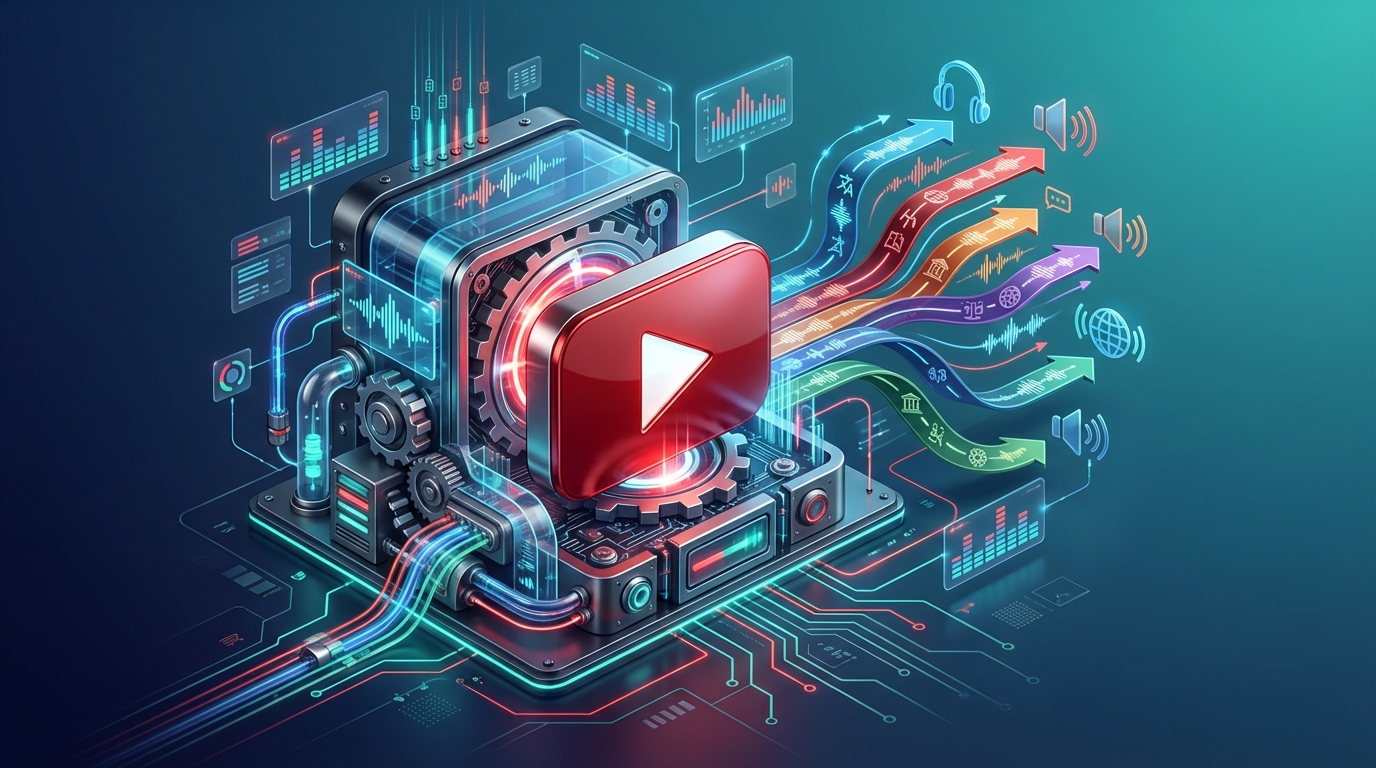

How to Dub YouTube Videos: The Complete Guide for Creators (2026)
Last month I was looking at the analytics of a tech channel I follow. The creator had been stuck at around 50,000 subscribers for over a year, posting consistently, good thumbnails, solid SEO—everything by the book. Then in January he started uploading dubbed versions of his videos in Spanish and Portuguese. Within four weeks, his channel gained 12,000 new subscribers, almost all from Latin America and Brazil. Same content, same effort in production—just accessible to more people. That's the power of dubbing your YouTube videos, and in 2026 it's never been easier to do it. 🌍 Why YouTube Dubbing Is a Growth Multiplier Here's a number that should make every creator pause: YouTube has 2.7 billion monthly active users, and only about a quarter of them are native English speakers. If you're publishing only in English, you're competing for attention in the most saturated language on the platform while ignoring massive audiences that are actively looking for content in their own language. The Spanish-speaking market alone represents over 500 million people. Hindi speakers are growing at a rate that makes them the fastest-expanding audience on YouTube. Portuguese, Japanese, Korean, German—each of these languages opens a door to millions of potential viewers who would watch your content if only they could understand it.YouTube's algorithm treats dubbed videos as fresh content in new markets. A video that's plateaued in English can get a second life—and a second wave of views—in Spanish or Portuguese.And here's what most creators don't realize: YouTube's algorithm is language-aware. When you add a dubbed audio track in Spanish, YouTube can recommend that video to Spanish-speaking users who would never have seen it otherwise. You're not splitting your audience—you're multiplying it. 🎬 YouTube's Multi-Audio Track Feature In 2024, YouTube rolled out multi-audio tracks for all creators, and it changed the game completely. Before this feature, if you wanted to offer your video in multiple languages, you had two options: re-upload the video on a separate channel (fragmenting your audience) or add subtitles (which most viewers skip). Now you can attach multiple audio tracks to a single video. A viewer in Mexico sees your video with the Spanish audio track automatically selected. A viewer in Germany hears the German version. Everyone watches the same video, engages with the same comments section, and all the views count toward the same video's metrics. Here's how the feature works:Upload your video as normal in your original language Generate dubbed audio tracks using an AI dubbing service like NovaDub Go to YouTube Studio → select the video → click "Subtitles" Add audio track → select the language → upload the dubbed audio file YouTube processes it and makes it available to viewers in that languageThe entire upload process on YouTube's side takes about 10-15 minutes per language. The dubbing itself, if you're using AI, takes about 5 minutes per 10 minutes of video.Pro Tip: when uploading dubbed audio tracks, also add translated titles and descriptions for each language. This dramatically improves discoverability in international search results.🛠️ Step-by-Step: Dubbing Your YouTube Video with AI Let me walk you through the actual process, from start to finish. Step 1: Choose Your Video Start with your best-performing video. Not your newest one—your best one. The one with the highest retention rate and the most engagement. If it already works well in English, it has the highest chance of performing well internationally. Step 2: Dub It with NovaDub Go to NovaDub and upload your video. Select the target languages—I recommend starting with Spanish and Portuguese if you're in the tech, gaming, or lifestyle space. For business content, add German and French. The AI handles everything: transcription, translation, voice synthesis. If you enable voice cloning, the dubbed version will sound like you speaking the other language. It's genuinely impressive how natural it sounds. Processing time depends on video length. A 10-minute video typically takes about 5 minutes. A 30-minute tutorial might take 15-20 minutes. Step 3: Download and Review Always review the output before uploading. Pay attention to:Proper nouns (your name, brand names, software names) Technical terms specific to your niche Numbers and dates (these are occasionally mishandled) Timing sync (the dubbed audio should match lip movements reasonably well)In my experience, NovaDub gets it right about 95% of the time. The remaining 5% usually involves very niche jargon that's easy to catch on review. Step 4: Upload to YouTube Download the audio-only file from NovaDub (MP3 or WAV), then go to YouTube Studio:Select your video Click "Subtitles" in the left menu Click "Add language" → select the dubbed language Click "Add" next to "Audio track" Upload the audio file Add translated title and descriptionYouTube will process the audio track. This usually takes a few hours before it's available to viewers. Step 5: Optimize Metadata This is the step most creators skip, and it costs them views. For each language you add:Translate the title (don't just auto-translate—adapt it for that market) Translate the description with relevant keywords in that language Add tags in the target language Create a translated thumbnail if possible (even just the text overlay)📊 Which Languages Should You Prioritize? Not all languages deliver the same ROI. Here's a data-driven breakdown: Tier 1 — Highest Impact:🇪🇸 Spanish — 500M+ speakers, massive YouTube audience, lower competition than English 🇧🇷 Portuguese (Brazilian) — Brazil is YouTube's 3rd largest market 🇮🇳 Hindi — fastest-growing YouTube audience globallyTier 2 — Strong ROI:🇩🇪 German — high purchasing power, excellent for B2B and tech content 🇯🇵 Japanese — premium market, viewers willing to pay for courses/products 🇫🇷 French — covers France + large parts of Africa (growing market)Tier 3 — Niche but Valuable:🇰🇷 Korean — strong gaming and tech audience 🇮🇩 Indonesian — enormous population, rapidly growing internet access 🇸🇦 Arabic — underserved market with high demand for quality contentMy recommendation: start with two languages from Tier 1, measure results for 30 days, then expand. 💰 The Economics of YouTube Dubbing Let's run the numbers. Say you have a channel with 100 videos averaging 10 minutes each. That's 1,000 minutes of content. Traditional dubbing into one language: approximately $2,000-5,000 per video × 100 videos = $200,000-500,000. Obviously not feasible for most creators. AI dubbing with NovaDub: with a Business subscription at €149/month (200 minutes), you could dub your entire catalog into one language in about 5 months for under €750 total. Into five languages for under €3,750. The math is almost absurd. And the potential return? Even a modest 20% increase in views translates to meaningful revenue growth—not to mention sponsorship opportunities in new markets.NovaDub offers 5 free minutes with no credit card required. Enough to dub one video and test the quality before committing to a larger project.⚠️ Common Mistakes to Avoid After watching dozens of creators go through this process, here are the pitfalls I see most often:Dubbing everything at once — Start with your top 5-10 videos. Measure, learn, then scale. Ignoring metadata translation — A dubbed video with English-only title and description won't get recommended to international audiences. Not reviewing the output — AI is excellent but not perfect. A 2-minute review can catch the occasional awkward translation. Choosing languages based on gut feeling — Check your YouTube Analytics → Audience → Geography. You might be surprised where your existing international viewers are coming from. Expecting overnight results — Give it 2-4 weeks. YouTube needs time to start recommending your content to new audiences.🚀 Getting Started Today Here's the minimum viable approach:Pick your best-performing video Go to NovaDub and dub it into Spanish Upload the audio track to YouTube with translated metadata Wait 2 weeks and check the analyticsThat's it. One video, one language, minimal time investment. If it works (and based on what I've seen, it almost always does), you'll have the data to justify scaling up. The creators who will dominate YouTube in the next few years aren't necessarily the ones making the best content. They're the ones making their content accessible to the largest possible audience. Dubbing is how you get there.Ready to try it? NovaDub offers 5 free minutes—enough to dub your first YouTube video and see the results for yourself.
Come Doppiare i Video YouTube: Guida Completa per Creator (2026)
Il mese scorso stavo guardando le analytics di un canale tech che seguo da tempo. Il creator era fermo a circa 50.000 iscritti da oltre un anno: pubblicava con costanza, thumbnail curate, SEO fatta bene—tutto secondo le regole. Poi a gennaio ha iniziato a caricare versioni doppiate dei suoi video in spagnolo e portoghese. In quattro settimane ha guadagnato 12.000 nuovi iscritti, quasi tutti da America Latina e Brasile. Stesso contenuto, stesso sforzo in produzione—semplicemente accessibile a più persone. Questo è il potere del doppiaggio dei video YouTube, e nel 2026 non è mai stato così facile farlo. 🌍 Perché il Doppiaggio YouTube È un Moltiplicatore di Crescita Ecco un numero che dovrebbe far riflettere ogni creator: YouTube ha 2,7 miliardi di utenti attivi mensili, e solo circa un quarto sono madrelingua inglesi. Se pubblichi solo in italiano o in inglese, stai competendo per l'attenzione nel segmento più saturo della piattaforma, ignorando audience enormi che cercano attivamente contenuti nella propria lingua. Il mercato ispanofono da solo rappresenta oltre 500 milioni di persone. Gli utenti di lingua hindi crescono al ritmo più rapido su YouTube. Portoghese, giapponese, coreano, tedesco—ogni lingua apre una porta verso milioni di potenziali spettatori che guarderebbero i tuoi contenuti, se solo potessero capirli.L'algoritmo di YouTube tratta i video doppiati come contenuti freschi nei nuovi mercati. Un video che ha raggiunto il plateau in italiano può avere una seconda vita—e una seconda ondata di views—in spagnolo o portoghese.E c'è un aspetto che la maggior parte dei creator non considera: l'algoritmo di YouTube è consapevole della lingua. Quando aggiungi una traccia audio doppiata in spagnolo, YouTube può raccomandare quel video agli utenti ispanofoni che non lo avrebbero mai visto altrimenti. Non stai dividendo la tua audience—la stai moltiplicando. 🎬 La Funzione Multi-Audio di YouTube Nel 2024 YouTube ha lanciato le tracce multi-audio per tutti i creator, e ha cambiato le regole del gioco. Prima di questa funzione, se volevi offrire il tuo video in più lingue avevi due opzioni: ricaricare il video su un canale separato (frammentando il pubblico) o aggiungere sottotitoli (che la maggior parte degli spettatori ignora). Ora puoi aggiungere più tracce audio a un singolo video. Uno spettatore in Messico vede il tuo video con la traccia spagnola selezionata automaticamente. Uno spettatore in Germania sente la versione tedesca. Tutti guardano lo stesso video, interagiscono nella stessa sezione commenti, e tutte le views contano per le metriche dello stesso video. Ecco come funziona:Carica il video normalmente nella tua lingua originale Genera le tracce audio doppiate usando un servizio come NovaDub Vai su YouTube Studio → seleziona il video → clicca "Sottotitoli" Aggiungi traccia audio → seleziona la lingua → carica il file audio doppiato YouTube lo elabora e lo rende disponibile agli spettatori in quella linguaIl processo di upload su YouTube richiede circa 10-15 minuti per lingua. Il doppiaggio in sé, usando l'IA, richiede circa 5 minuti per 10 minuti di video.Pro Tip: quando carichi le tracce audio doppiate, aggiungi anche titoli e descrizioni tradotte per ogni lingua. Questo migliora drasticamente la visibilità nei risultati di ricerca internazionali.🛠️ Passo dopo Passo: Doppiare il Tuo Video YouTube con l'IA Vediamo il processo completo, dall'inizio alla fine. Step 1: Scegli il Video Parti dal tuo video con le migliori performance. Non l'ultimo che hai pubblicato—il migliore. Quello con il tasso di retention più alto e il maggior engagement. Se funziona già bene in italiano, ha le probabilità più alte di funzionare bene anche a livello internazionale. Step 2: Doppialo con NovaDub Vai su NovaDub e carica il tuo video. Seleziona le lingue target—ti consiglio di iniziare con spagnolo e portoghese se sei nel tech, gaming o lifestyle. Per contenuti business, aggiungi tedesco e francese. L'IA gestisce tutto: trascrizione, traduzione, sintesi vocale. Se abiliti il voice cloning, la versione doppiata suonerà come te che parli l'altra lingua. È davvero impressionante quanto sia naturale il risultato. I tempi di elaborazione dipendono dalla lunghezza. Un video da 10 minuti richiede circa 5 minuti. Un tutorial da 30 minuti ne richiede 15-20. Step 3: Scarica e Controlla Controlla sempre l'output prima di caricarlo. Fai attenzione a:Nomi propri (il tuo nome, nomi di brand, nomi di software) Termini tecnici specifici della tua nicchia Numeri e date Sincronizzazione dell'audio doppiato con il videoNella mia esperienza, NovaDub azzecca circa il 95% delle volte. Il restante 5% riguarda solitamente gergo molto di nicchia, facile da individuare durante la revisione. Step 4: Carica su YouTube Scarica il file solo-audio da NovaDub (MP3 o WAV), poi vai su YouTube Studio:Seleziona il tuo video Clicca "Sottotitoli" nel menu a sinistra Clicca "Aggiungi lingua" → seleziona la lingua doppiata Clicca "Aggiungi" accanto a "Traccia audio" Carica il file audioYouTube elaborerà la traccia audio. Di solito serve qualche ora prima che sia disponibile per gli spettatori. Step 5: Ottimizza i Metadati Questo è lo step che la maggior parte dei creator salta, e costa views. Per ogni lingua che aggiungi:Traduci il titolo (non usare la traduzione automatica—adattalo per quel mercato) Traduci la descrizione con keyword rilevanti in quella lingua Aggiungi tag nella lingua target Crea una thumbnail tradotta se possibile (anche solo il testo in sovrimpressione)📊 Quali Lingue Dare la Priorità? Non tutte le lingue offrono lo stesso ROI. Ecco un'analisi basata sui dati: Livello 1 — Massimo Impatto:🇪🇸 Spagnolo — 500M+ di parlanti, audience YouTube enorme, meno competizione dell'inglese 🇧🇷 Portoghese (brasiliano) — il Brasile è il 3° mercato YouTube 🇮🇳 Hindi — l'audience YouTube in più rapida crescita al mondoLivello 2 — ROI Forte:🇩🇪 Tedesco — alto potere d'acquisto, eccellente per B2B e tech 🇯🇵 Giapponese — mercato premium, spettatori disposti a pagare per corsi/prodotti 🇫🇷 Francese — copre Francia + gran parte dell'Africa (mercato in crescita)Livello 3 — Nicchia ma di Valore:🇰🇷 Coreano — forte audience gaming e tech 🇮🇩 Indonesiano — popolazione enorme, accesso internet in rapida crescita 🇸🇦 Arabo — mercato poco servito con alta domanda di contenuti di qualitàIl mio consiglio: inizia con due lingue dal Livello 1, misura i risultati per 30 giorni, poi espandi. 💰 I Numeri del Doppiaggio YouTube Facciamo due conti. Supponiamo che tu abbia un canale con 100 video da 10 minuti ciascuno. Sono 1.000 minuti di contenuto. Doppiaggio tradizionale in una lingua: circa €2.000-5.000 per video × 100 video = €200.000-500.000. Non fattibile per la maggior parte dei creator. Doppiaggio AI con NovaDub: con l'abbonamento Business a €149/mese (200 minuti), potresti doppiare l'intero catalogo in una lingua in circa 5 mesi per meno di €750 totali. In cinque lingue per meno di €3.750. La matematica è quasi assurda. E il ritorno potenziale? Anche un modesto aumento del 20% delle views si traduce in una crescita significativa del revenue.NovaDub offre 5 minuti gratuiti senza carta di credito. Sufficienti per doppiare un video e testare la qualità prima di impegnarti in un progetto più ampio.⚠️ Errori Comuni da EvitareDoppiare tutto in una volta — Inizia con i tuoi 5-10 video migliori. Misura, impara, poi scala. Ignorare la traduzione dei metadati — Un video doppiato con titolo e descrizione solo in italiano non verrà raccomandato alle audience internazionali. Non controllare l'output — L'IA è eccellente ma non perfetta. Una revisione di 2 minuti può individuare l'occasionale traduzione imprecisa. Scegliere le lingue a sensazione — Controlla YouTube Analytics → Pubblico → Area geografica. Potresti sorprenderti di dove arrivano i tuoi spettatori internazionali. Aspettarsi risultati immediati — Dai 2-4 settimane. YouTube ha bisogno di tempo per iniziare a raccomandare i tuoi contenuti ai nuovi pubblici.🚀 Inizia Oggi Ecco l'approccio minimo pratico:Scegli il tuo video con le migliori performance Vai su NovaDub e doppialo in spagnolo Carica la traccia audio su YouTube con metadati tradotti Aspetta 2 settimane e controlla le analyticsTutto qui. Un video, una lingua, investimento di tempo minimo. Se funziona (e dalla mia esperienza, funziona quasi sempre), avrai i dati per giustificare lo scaling. I creator che domineranno YouTube nei prossimi anni non saranno necessariamente quelli che producono i contenuti migliori. Saranno quelli che rendono i propri contenuti accessibili al pubblico più ampio possibile. Il doppiaggio è il modo per arrivarci.Vuoi provare? NovaDub offre 5 minuti gratuiti—sufficienti per doppiare il tuo primo video YouTube e vedere i risultati con i tuoi occhi.
Text-to-Speech for Creators: How to Create Multilingual Audio Content Without Recording
I remember when I first tried AI text-to-speech back in 2019. The voice was robotic, monotone, practically unusable for professional content. Fast forward to 2026: today I use TTS to create content in 5 different languages without ever turning on a microphone. And guess what? Nobody notices it's not my voice. In this article, I'll show you exactly how to do the same: how to use text-to-speech to scale your content production, reach international audiences, and create professional videos, podcasts, and audiobooks without ever recording a word. 🚀 The Evolution of TTS in 2026: It's No Longer Robotic Text-to-speech technology has made a quantum leap in recent years. 2026 AI models like ElevenLabs, OpenAI TTS, and Google Cloud premium voices produce audio that's virtually indistinguishable from a human voice. What's changed:Natural intonation: Pauses, emphasis, and rhythm are identical to human speech Emotions: Voices can express excitement, sadness, suspense Native multilingual: A single voice can speak 29+ languages with authentic accent Voice cloning: You can create a custom voice that sounds exactly like you**Fun fact**: In 2026, over 40% of "faceless" YouTube channels use text-to-speech for narrations. Audiences not only accept it, but often prefer the consistency and clarity of AI voices.💡 Why TTS Revolutionizes Content Creation When I started creating content, recording narration was my main bottleneck. Every video required:3-5 takes per segment (mistakes, background noise) Heavy audio post-production (EQ, noise removal) Impossible to fix mistakes without re-recording everythingWith TTS, all of this disappears. But the real game-changer is multilingual. My personal case: I run an educational channel on productivity. With TTS, I created English, Spanish, and Portuguese versions of the same videos. Result? +320% total views, with the same scripts and same video production. Main Use Cases for CreatorsFaceless YouTube ChannelsEducational content (finance, tech, self-improvement) Listicles and top 10 (e.g., "Top 10 AI Tools for 2026") Story narration (Reddit stories, horror, mystery)Podcasts and AudiobooksReading blog articles converted to audio Mini-courses and audio tutorials Self-published audiobooks on Audible/ACXSocial ContentTikTok/Shorts with AI voiceover Narrated Instagram Reels Carousel posts with added audioEducational ContentOnline courses on platforms like Udemy/Teachable Step-by-step tutorials Explanations of complex concepts🔊 NovaDub TTS Studio: My Daily Setup I use NovaDub as my primary TTS platform. Their TTS Studio is optimized specifically for creators and makes the process incredibly fast. Typical workflow (5 minutes for a 10-minute video):Write the script directly in the TTS Studio editor Choose the voice from the library (5000+ voices, 29 languages) Generate a free preview to test the tone Generate the final audio (costs only the actual minutes used) Download the MP3 and import it into Adobe Premiere/DaVinci Resolve**Pro trick**: Use NovaDub's real-time estimation system to calculate exactly how much it costs to generate the audio BEFORE generating it. It tells you the estimated minutes and total cost while you write the script.How to Choose the Right Voice Voice selection is crucial. Here are my criteria: For educational/professional content:Calm, clear voice, medium pace Apparent age: 30-45 years (sounds authoritative but not old) Neutral or standard American/British accentFor storytelling/entertainment:Expressive voice with wide emotional range Variable pace (can speed up in tense moments) Characterizing accent if it fits the storyFor children's content:Energetic voice, slightly high-pitched Cheerful and engaging tone Extremely clear pronunciation**NovaDub filters**: You can filter the 5000+ voices by gender, accent, age, use case, and even search by text description ("friendly male voice with British accent"). Makes choosing much faster.📝 5 Practical Strategies for Using TTS Effectively 1. Write for Audio, Not Reading TTS scripts aren't blog articles. You need to adapt the style: ❌ Badly written script:In the context of artificial intelligence, it's appropriate to emphasize that Large Language Models (LLMs) represent a computational paradigm...✅ Well-written script:Let's talk about AI. Large Language Models, or LLMs, are basically models that...Golden rules:Short sentences (max 20 words) Avoid complex subordinates Use conversational language Insert explicit pauses with "..." or "," where emphasis is needed2. Use SSML Markup for Advanced Control SSML (Speech Synthesis Markup Language) lets you control intonation, pauses, and pronunciation. NovaDub supports inline SSML tags. Practical example: This is <emphasis level="strong">really important</emphasis>. <break time="1s"/> Now listen carefully...Useful tags:<break time="500ms"/> - 500 millisecond pause <emphasis> - Emphasis on word/phrase <prosody rate="slow"> - Slow down the pace <say-as interpret-as="date">2026-02-20</say-as> - Correct pronunciation of dates/numbers3. Create a Consistent "Brand Voice" If you're creating a series of content (e.g., a YouTube channel), ALWAYS use the same voice. Consistency creates familiarity and brand recognition. My setup:Main channel (EN): Male American voice 35 years, professional tone Italian version: Same voice, speaking Italian (ElevenLabs multilingual) ES/PT version: Different voices but with similar age/tone4. Test with Previews Before Generating Don't waste minutes (and money) generating the entire script without testing. Generate 30-60 second previews of key sections:Intro (first minute) Emotional/peak section (if any) Outro/CTAIf the preview sounds good, go ahead. Otherwise adjust voice or script. 5. Multilingual: Translate the Script, Not the Voice Wrong strategy: Record in English and then dub the translated video into Spanish. Correct strategy:Translate the script into Spanish (use DeepL or ChatGPT for high quality) Generate the TTS narration in Spanish with a native Spanish voice Duplicate the video project and replace the audioResult: Native content in both languages, not a "dubbed translation".**NovaDub combo**: If you already have a video in English, use NovaDub's **AI Dubbing** to automatically translate and dub the video while maintaining lip sync. Then use **TTS Studio** to create completely new versions in other languages.📊 Case Study: From 0 to 500K Views with TTS Real case (anonymized for privacy): A creator I know launched a faceless channel on "AI Tools Reviews" in January 2025. Setup:Screencast tutorial videos + TTS narration 2 videos per week (one in EN, one in ES) NovaDub male voice 30 years, tech-savvy tone No face, only screen recording and graphic overlaysResults after 12 months:520,000 total views 12,500 subscribers $4,200 YouTube monetization $2,800 affiliate marketing (reviewed tools) Total TTS cost: $180 (about $15/month)Success factors:Consistency (same day/time of publication) Optimized SEO (keyword-rich titles/descriptions) Professional thumbnails (Canva/Figma) Clear and professional voice (quality TTS)What the creator said:At first I was skeptical about TTS. I thought people would notice and leave negative comments. Instead, nobody ever commented on the voice. Comments are all about the content: 'Great tutorial!', 'Thanks for the explanation'. TTS is no longer an obstacle, it's an enabler.💰 TTS vs. Human Voice: Realistic Comparison Let's be honest: TTS isn't always better than human voice. Here's when to use what. When to Use TTS ✅ Advantages:Cost: $1-2 per 10 minutes of audio vs. $50-200 for human voice actor Speed: Instant generation vs. 2-5 days to receive files from voice actor Editing: Changing a sentence = regenerate only that sentence (5 seconds) Multilingual: One voice can speak 29 languages vs. hiring 29 voice actors Consistency: Same audio quality every time (no days when voice is hoarse)❌ Limitations:Less expressiveness in highly emotional content (ads, dramatic storytelling) Difficulty with pronunciation of proper names or invented brands Some regional accents less represented (e.g., specific dialects)When to Use Human Voice Use human voice actors for:Premium advertising campaigns (where brand is everything) Complex narrative audiobooks (dialogue between characters) Highly emotional content (e.g., charity ads, deep personal stories) When "human touch" is part of the brand (e.g., interview podcasts)My rule of thumb: If content is educational/informational and production volume is high, TTS. If it's creative/emotional and budget allows, human voice. 🎯 Monetization: How to Earn with TTS Content TTS content is monetizable exactly like human-voiced content. Here are the main strategies: 1. YouTube AdSense Videos with TTS are fully monetizable on YouTube, as long as they comply with policies (original content, added value, not spam). Requirements:1,000 subscribers + 4,000 watch hours Original content (don't republish others' articles) Compliance with YouTube Community GuidelinesHigh CPM niches with TTS:Personal finance ($15-40 CPM) Tech/SaaS reviews ($10-25 CPM) Productivity/self-improvement ($8-20 CPM) AI/automation tutorials ($12-30 CPM)2. Affiliate Marketing Integrate affiliate links in video descriptions or at key moments in content. Script example:If you want to try this tool, I negotiated a 20% discount for my viewers. You'll find the link in the description.Recommended platforms:Amazon Associates (physical products) PartnerStack/Impact (SaaS) ClickBank (infoproducts)3. Sponsorships Yes, even faceless channels get sponsorships. When you reach 10K-20K subscribers, brands start contacting you. How to integrate sponsors in TTS:Write the sponsor copy in the script (usually 30-60 seconds) Generate TTS audio with your standard brand voice Insert graphic overlays with sponsor logo4. Digital Products Sell digital products related to your content:Ebooks/PDF guides Templates/checklists Mini video courses Membership/Patreon for exclusive content✅ Mistakes to Avoid (I Made Them All) Mistake #1: Script Too Long Without Pauses Symptom: The TTS voice speaks for 3 minutes without ever stopping. Audience loses attention. Solution: Insert 1-2 second pauses every 30-40 seconds. Use <break time="1.5s"/> or simply "..." in the script. Mistake #2: Voice Not Suited to Content Symptom: You use a female 25-year-old voice for content on financial investments. Sounds not credible. Solution: Match voice-content. Professional content = 35-50 years voice, authoritative tone. Casual content = young voice, energetic. Mistake #3: Not Testing Pronunciation of Names/Brands Symptom: TTS pronounces "ChatGPT" as "Chat-Gipiti" or "Nike" as "Naik". Solution: Always generate a 30-second preview with key names/brands. If wrong, use phonetic spelling: "Chat-Gee-Pee-Tee" or use SSML <phoneme> tag. Mistake #4: Using TTS for Non-Original Content Symptom: You convert others' articles to audio and publish them. YouTube demonetizes the channel. Solution: Create original content or use public domain sources. Always add value (commentary, analysis, compilation). Mistake #5: Not Optimizing Audio Post-Generation Symptom: TTS audio has irregular volume or sounds "too clean" (no environment). Solution: Pass audio through a DAW (Audacity/Adobe Audition):Normalize volume to -3dB Add slight reverb (room ambience) EQ slightly (boost +2dB at 150Hz for more body)**Copyright warning**: Even though TTS is AI-generated, the text content and final video are yours. Make sure you have rights to script, images, and background music. NovaDub TTS voices are royalty-free for commercial use.🚀 Start Today: Practical Action Plan Here are the steps to create your first professional TTS content in the next 30 minutes:Sign up for NovaDub (free trial without credit card)Go to NovaDub TTS Studio Create free account Get 5 free minutes to testWrite a 1-2 minute scriptUse conversational tone Short and clear sentences Insert pauses with "..."Choose a voice from the libraryFilter by language: English Filter by use case: "Narration" or "Education" Listen to previews and chooseGenerate free previewGenerate the first 30 seconds Check pronunciation and tone Adjust script if neededGenerate complete audioClick "Generate Audio" Download MP3 Import into your video editorTotal time: 20-30 minutes. Cost: Free (with 5-minute trial) or ~$0.30 for a 2-minute video.**Creator offer**: NovaDub offers a pay-as-you-go plan perfect for creators who produce occasionally. You only pay for the minutes you use, no monthly subscription. Great for starting without financial risks.🎯 Conclusion: The Future of Content Creation Text-to-speech in 2026 is no longer a cheap alternative to human voice. It's a professional tool that allows you to scale production, reach global audiences, and create content that simply wouldn't be possible otherwise. My results after 18 months of intensive TTS use:3 active YouTube channels (EN, ES, IT) 200+ videos published 0 hours spent recording audio $6,200 total revenue Total TTS cost: $340The ROI is undeniable. If you're a creator who wants to scale, TTS isn't an "if", it's a "when". Start today with NovaDub's free trial and tell me in the comments what your first TTS project will be. I'm curious to know how you'll use this technology!Useful resources:NovaDub TTS Studio - TTS platform for creators SSML Guide - Official SSML documentation YouTube Creator Academy - Best practices for faceless channelsHave questions about TTS or NovaDub? Write me in the comments or contact me on LinkedIn!
Text-to-Speech per Creator: Come Creare Contenuti Audio Multilingua Senza Registrare
Ricordo quando nel 2019 provai per la prima volta un text-to-speech AI. La voce era robotica, monotona, praticamente inutilizzabile per contenuti professionali. Fast forward al 2026: oggi uso TTS per creare contenuti in 5 lingue diverse senza mai accendere un microfono. E indovina? Nessuno si accorge che non è la mia voce. In questo articolo ti mostrerò esattamente come fare lo stesso: come usare il text-to-speech per scalare la tua produzione di contenuti, raggiungere audience internazionali e creare video, podcast e audiolibri professionali senza mai registrare una parola. 🚀 L'Evoluzione del TTS nel 2026: Non È Più Robotico La tecnologia text-to-speech ha fatto un salto quantico negli ultimi anni. I modelli AI del 2026 come ElevenLabs, OpenAI TTS e le voci premium di Google Cloud producono audio che è praticamente indistinguibile da una voce umana. Cosa è cambiato:Intonazione naturale: Le pause, l'enfasi e il ritmo sono identici al parlato umano Emozioni: Le voci possono esprimere entusiasmo, tristezza, suspense Multilingua nativo: Una singola voce può parlare 29+ lingue con accento autentico Clonazione vocale: Puoi creare una voce personalizzata che suona esattamente come te**Curiosità**: Nel 2026, oltre il 40% dei canali YouTube "faceless" (senza volto) usa text-to-speech per le narrazioni. Il pubblico non solo lo accetta, ma spesso preferisce la consistenza e la chiarezza delle voci AI.💡 Perché il TTS Rivoluziona la Creazione di Contenuti Quando ho iniziato a creare contenuti, registrare la narrazione era il collo di bottiglia principale. Ogni video richiedeva:3-5 take per ogni segmento (errori, rumori di fondo) Post-produzione audio pesante (equalizzazione, rimozione rumori) Impossibilità di correggere errori senza ri-registrare tuttoCon il TTS, tutto questo scompare. Ma il vero game-changer è il multilingua. Il mio caso personale: Gestisco un canale educativo su produttività. Con il TTS, ho creato versioni in inglese, spagnolo e portoghese degli stessi video. Risultato? +320% di visualizzazioni totali, con gli stessi script e la stessa produzione video. Use Case Principali per CreatorCanali YouTube FacelessContenuti educativi (finanza, tech, self-improvement) Listicles e top 10 (es. "Top 10 AI Tools for 2026") Narrazione di storie (Reddit stories, horror, mystery)Podcast e AudiolibriLettura di articoli blog convertiti in audio Mini-corsi e tutorial audio Audiolibri auto-pubblicati su Audible/ACXContenuti SocialTikTok/Shorts con voiceover AI Instagram Reels narrati Carousel post con audio aggiuntoContenuti EducativiCorsi online su piattaforme come Udemy/Teachable Tutorial step-by-step Spiegazioni di concetti complessi🔊 NovaDub TTS Studio: Il Mio Setup Quotidiano Uso NovaDub come piattaforma principale per il TTS. La loro TTS Studio è ottimizzata specificamente per creator e rende il processo incredibilmente veloce. Workflow tipico (5 minuti per un video da 10 minuti):Scrivo lo script direttamente nell'editor TTS Studio Scelgo la voce dalla libreria (5000+ voci, 29 lingue) Genero un'anteprima gratuita per testare il tono Genero l'audio finale (costa solo i minuti effettivi usati) Scarico l'MP3 e lo importo in Adobe Premiere/DaVinci Resolve**Trucco Pro**: Usa il sistema di stima in tempo reale di NovaDub per calcolare esattamente quanto costa generare l'audio PRIMA di generarlo. Ti dice i minuti previsti e il costo totale mentre scrivi lo script.Come Scegliere la Voce Giusta La scelta della voce è cruciale. Ecco i miei criteri: Per contenuti educativi/professionali:Voce calma, chiara, ritmo medio Età apparente: 30-45 anni (suona autorevole ma non vecchio) Accento neutro o americano/britannico standardPer storytelling/intrattenimento:Voce espressiva con range emotivo ampio Ritmo variabile (può accelerare nei momenti di tensione) Accento caratterizzante se si adatta alla storiaPer contenuti per bambini:Voce energica, leggermente acuta Tono allegro e coinvolgente Pronuncia estremamente chiara**Filtri NovaDub**: Puoi filtrare le 5000+ voci per genere, accento, età, use case e persino cercare per descrizione testuale ("friendly male voice with British accent"). Rende la scelta molto più veloce.📝 5 Strategie Pratiche per Usare il TTS Efficacemente 1. Scrivi per l'Audio, Non per la Lettura Gli script TTS non sono articoli di blog. Devi adattare lo stile: ❌ Script scritto male:Nel contesto dell'intelligenza artificiale, è opportuno sottolineare che i Large Language Models (LLM) rappresentano un paradigma computazionale...✅ Script scritto bene:Parliamo di AI. I Large Language Models, o LLM, sono fondamentalmente modelli che...Regole d'oro:Frasi corte (max 20 parole) Evita subordinate complesse Usa un linguaggio conversazionale Inserisci pause esplicite con "..." o "," dove serve enfasi2. Usa il Markup SSML per Controllo Avanzato SSML (Speech Synthesis Markup Language) ti permette di controllare intonazione, pause e pronuncia. NovaDub supporta tag SSML inline. Esempio pratico: Questo è <emphasis level="strong">davvero importante</emphasis>. <break time="1s"/> Ora ascolta attentamente...Tag utili:<break time="500ms"/> - Pausa di 500 millisecondi <emphasis> - Enfasi su parola/frase <prosody rate="slow"> - Rallenta il ritmo <say-as interpret-as="date">2026-02-20</say-as> - Pronuncia corretta di date/numeri3. Crea una "Voce Brand" Consistente Se crei una serie di contenuti (es. un canale YouTube), usa SEMPRE la stessa voce. La consistenza crea familiarità e riconoscimento del brand. Il mio setup:Canale principale (IT): Voce maschile italiana 35 anni, tono professionale Versione EN: Stessa voce, parlante inglese (ElevenLabs multilingual) Versione ES/PT: Voci diverse ma con età/tono simili4. Testa con Anteprime Prima di Generare Non sprecare minuti (e soldi) generando l'intero script senza testare. Genera preview di 30-60 secondi delle sezioni chiave:Intro (primo minuto) Sezione emozionale/di picco (se c'è) Outro/CTASe l'anteprima suona bene, vai avanti. Altrimenti aggiusta voce o script. 5. Multilingua: Traduci lo Script, Non la Voce Strategia sbagliata: Registrare in italiano e poi duplicare il video tradotto in inglese. Strategia corretta:Traduci lo script in inglese (usa DeepL o ChatGPT per qualità alta) Genera la narrazione TTS in inglese con una voce inglese nativa Duplica il progetto video e sostituisci l'audioRisultato: Contenuto nativo in entrambe le lingue, non una "traduzione doppiata".**Combo NovaDub**: Se hai già un video in italiano, usa il **Dubbing AI** di NovaDub per tradurre e doppiare automaticamente il video mantenendo la sincronia labiale. Poi usa **TTS Studio** per creare versioni completamente nuove in altre lingue.📊 Case Study: Da 0 a 500K Visualizzazioni con TTS Caso reale (anonimizzato per privacy): Un creator che conosco ha lanciato un canale faceless su "AI Tools Reviews" a gennaio 2025. Setup:Video tutorial screencast + narrazione TTS 2 video a settimana (uno in EN, uno in ES) Voce NovaDub maschile 30 anni, tono tech-savvy Nessun volto, solo screen recording e overlay graficiRisultati dopo 12 mesi:520.000 visualizzazioni totali 12.500 iscritti $4.200 monetizzazione YouTube $2.800 affiliate marketing (tool recensiti) Costo TTS totale: $180 (circa 15€/mese)Fattori di successo:Consistenza (stesso giorno/ora di pubblicazione) SEO ottimizzato (titoli/descrizioni keyword-rich) Thumbnail professionali (Canva/Figma) Voce chiara e professionale (TTS di qualità)Cosa ha detto il creator:All'inizio ero scettico sul TTS. Pensavo che la gente avrebbe notato e lasciato commenti negativi. Invece nessuno ha mai commentato sulla voce. I commenti sono tutti sul contenuto: 'Ottimo tutorial!', 'Grazie per la spiegazione'. Il TTS non è più un ostacolo, è un enabler.💰 TTS vs. Voce Umana: Confronto Realistico Parliamoci chiaro: il TTS non è sempre meglio della voce umana. Ecco quando usare cosa. Quando Usare TTS ✅ Vantaggi:Costo: $1-2 per 10 minuti di audio vs. $50-200 per voice actor umano Velocità: Generazione istantanea vs. 2-5 giorni per ricevere file da voice actor Editing: Cambiare una frase = rigenerare solo quella frase (5 secondi) Multilingua: Una voce può parlare 29 lingue vs. assumere 29 voice actor Consistenza: Stessa qualità audio ogni volta (no giorni in cui la voce è rauca)❌ Limitazioni:Meno espressività in contenuti altamente emotivi (pubblicità, storytelling drammatico) Difficoltà con pronuncia di nomi propri o brand inventati Alcuni accenti regionali meno rappresentati (es. dialetti specifici)Quando Usare Voce Umana Usa voice actor umani per:Campagne pubblicitarie premium (dove il brand è tutto) Audiolibri narrativi complessi (dialoghi tra personaggi) Contenuti altamente emotivi (es. spot charity, storie personali profonde) Quando il "tocco umano" è parte del brand (es. podcast interviste)La mia regola pratica: Se il contenuto è educational/informativo e il volume di produzione è alto, TTS. Se è creativo/emotivo e il budget lo permette, voce umana. 🎯 Monetizzazione: Come Guadagnare con Contenuti TTS I contenuti TTS sono monetizzabili esattamente come quelli con voce umana. Ecco le strategie principali: 1. YouTube AdSense I video con TTS sono pienamente monetizzabili su YouTube, purché rispettino le policy (contenuto originale, valore aggiunto, non spam). Requisiti:1.000 iscritti + 4.000 ore di watch time Contenuto originale (non ripubblicare articoli altrui) Conformità alle YouTube Community GuidelinesNicchie ad alto CPM con TTS:Finanza personale ($15-40 CPM) Tech/SaaS reviews ($10-25 CPM) Productivity/self-improvement ($8-20 CPM) AI/automation tutorials ($12-30 CPM)2. Affiliate Marketing Integra link affiliati nella descrizione dei video o nei momenti chiave del contenuto. Esempio script:Se vuoi provare questo tool, ho negoziato un 20% di sconto per i miei spettatori. Trovi il link in descrizione.Piattaforme consigliate:Amazon Associates (prodotti fisici) PartnerStack/Impact (SaaS) ClickBank (infoprodotti)3. Sponsorizzazioni Sì, anche i canali faceless ottengono sponsorizzazioni. Quando raggiungi 10K-20K iscritti, i brand iniziano a contattarti. Come integrare sponsor in TTS:Scrivi il copy dello sponsor nello script (di solito 30-60 secondi) Genera l'audio TTS con la tua voce brand standard Inserisci overlay grafici con logo dello sponsor4. Digital Products Vendi prodotti digitali correlati al tuo contenuto:Ebook/guide PDF Template/checklist Mini-corsi video Membership/Patreon per contenuti esclusivi✅ Errori da Evitare (Li Ho Fatti Tutti) Errore #1: Script Troppo Lungo Senza Pause Sintomo: La voce TTS parla per 3 minuti senza mai fermarsi. Il pubblico perde attenzione. Soluzione: Inserisci pause di 1-2 secondi ogni 30-40 secondi. Usa <break time="1.5s"/> o semplicemente "..." nello script. Errore #2: Voce Non Adatta al Content Sintomo: Usi una voce femminile 25 anni per un contenuto su investimenti finanziari. Suona poco credibile. Soluzione: Match voce-contenuto. Contenuti professionali = voce 35-50 anni, tono autorevole. Contenuti casual = voce giovane, energica. Errore #3: Non Testare Pronuncia di Nomi/Brand Sintomo: Il TTS pronuncia "ChatGPT" come "Chat-Gipiti" o "Nike" come "Naik". Soluzione: Genera sempre un'anteprima di 30 secondi con i nomi/brand chiave. Se sbaglia, usa spelling fonetico: "Sciàt-Gì-Pì-Tì" o usa tag SSML <phoneme>. Errore #4: Usare TTS per Contenuti Non Originali Sintomo: Converti articoli altrui in audio e li pubblichi. YouTube demonetizza il canale. Soluzione: Crea contenuto originale o usa fonti in pubblico dominio. Aggiungi sempre valore (commento, analisi, compilazione). Errore #5: Non Ottimizzare l'Audio Post-Generazione Sintomo: L'audio TTS ha volume irregolare o suona "troppo pulito" (senza ambiente). Soluzione: Passa l'audio in un DAW (Audacity/Adobe Audition):Normalizza il volume a -3dB Aggiungi un leggero riverbero (room ambience) Equalizza leggermente (boost +2dB a 150Hz per più corpo)**Attenzione Copyright**: Anche se il TTS è generato da AI, il contenuto testuale e il video finale sono tuoi. Assicurati di avere i diritti su script, immagini e musica di sottofondo. Le voci TTS di NovaDub sono royalty-free per uso commerciale.🚀 Inizia Oggi: Piano d'Azione Pratico Ecco i passaggi per creare il tuo primo contenuto TTS professionale nei prossimi 30 minuti:Registrati su NovaDub (prova gratuita senza carta di credito)Vai su NovaDub TTS Studio Crea account gratuito Ottieni 5 minuti gratis per testareScrivi uno script di 1-2 minutiUsa un tono conversazionale Frasi corte e chiare Inserisci pause con "..."Scegli una voce dalla libreriaFiltra per lingua: Italiano Filtra per use case: "Narration" o "Education" Ascolta preview e scegliGenera anteprima gratuitaGenera i primi 30 secondi Verifica pronuncia e tono Aggiusta script se necessarioGenera audio completoClicca "Generate Audio" Scarica MP3 Importa nel tuo editor videoTempo totale: 20-30 minuti. Costo: Gratis (con 5 minuti trial) o ~€0.30 per un video da 2 minuti.**Offerta Creator**: NovaDub offre un piano pay-as-you-go perfetto per creator che producono saltuariamente. Paghi solo i minuti che usi, senza abbonamento mensile. Ottimo per iniziare senza rischi finanziari.🎯 Conclusione: Il Futuro della Creazione di Contenuti Il text-to-speech nel 2026 non è più un'alternativa economica alla voce umana. È uno strumento professionale che ti permette di scalare la produzione, raggiungere audience globali e creare contenuti che semplicemente non sarebbero possibili altrimenti. I miei risultati dopo 18 mesi di uso intensivo TTS:3 canali YouTube attivi (IT, EN, ES) 200+ video pubblicati 0 ore spese a registrare audio $6.200 di revenue totale Costo TTS complessivo: $340Il ROI è indiscutibile. Se sei un creator che vuole scalare, il TTS non è un "se", è un "quando". Inizia oggi con la prova gratuita di NovaDub e dimmi nei commenti quale sarà il tuo primo progetto TTS. Sono curioso di sapere come userai questa tecnologia!Risorse utili:NovaDub TTS Studio - Piattaforma TTS per creator SSML Guide - Documentazione ufficiale SSML YouTube Creator Academy - Best practice per canali facelessHai domande sul TTS o su NovaDub? Scrivimi nei commenti o contattami su LinkedIn!
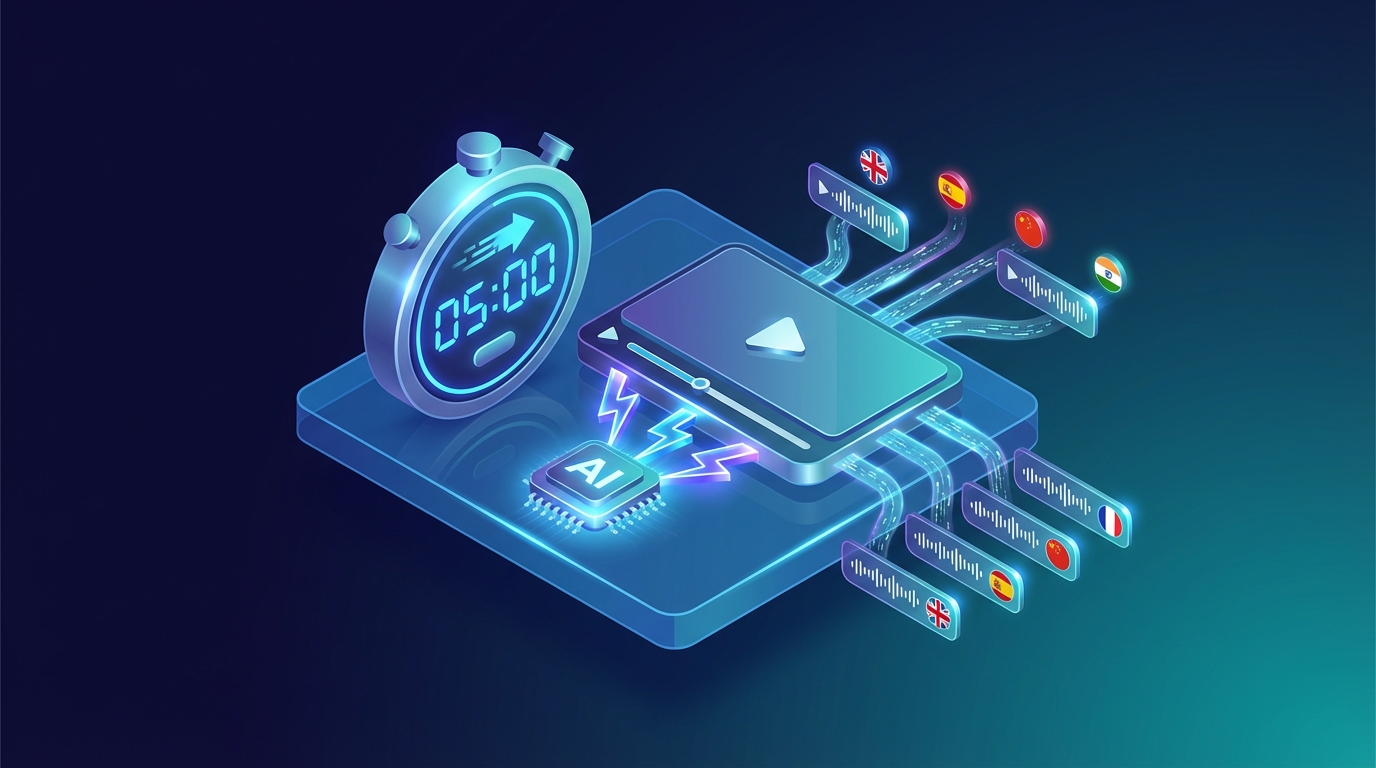
How to Dub Videos with AI in 5 Minutes: Complete Guide 2026
I remember when a friend of mine, a YouTuber, told me three years ago how much it cost him to dub a series of tutorials into Spanish. Three thousand dollars for four ten-minute videos, plus a month of waiting between recordings, corrections, and revisions. Today, those same videos could be dubbed in an afternoon for less than fifty dollars. That's the transformation artificial intelligence has brought to video localization. If you're reading this article, you've probably wondered at least once whether it's worth translating your content to reach a broader audience. The short answer is yes, and in this guide, I'll show you exactly how to do it. 🚀 The Quiet Revolution in Dubbing Let's start with a fact that has always struck me: only about 26% of internet users are native English speakers. That means even if you publish exclusively in English, you're automatically excluding about three-quarters of the global audience. It's like opening a store and keeping the door closed for most of your potential customers. The Spanish-speaking audience represents nearly 8% of internet users worldwide, Chinese speakers almost 20%, and then there are the Portuguese, Arabic, and Hindi markets—all massive, all potentially interested in your content. Research shows that 75% of people prefer consuming video in their native language, and this applies to tech tutorials, travel vlogs, online courses, and virtually every other type of content.Important: even publishing in English, you're excluding about 74% of the global audience. AI dubbing finally makes international markets accessible to all creators.Until recently, reaching these markets was a privilege reserved for large productions with substantial budgets. Professional studio dubbing could cost anywhere from two to five thousand dollars for a single ten-minute video. Multiply that by five languages, and you're already over ten thousand dollars. For an independent creator or small business, simply prohibitive numbers. 💡 How the Process Actually Works The technology behind AI dubbing is fascinating in its complexity, but the process for end users has become remarkably simple. Let's see what actually happens when you upload a video to NovaDub. The first step is automatic transcription of the original audio. The artificial intelligence analyzes the sound track, identifies the spoken words, and converts them to text. This phase, which a human transcriber would complete in hours, takes just seconds. Next comes the translation engine. This isn't a literal word-for-word translation, but a process that takes context, idiomatic expressions, and linguistic register into account. If you say "it's a piece of cake" in your video, the Spanish translation won't be "es un pedazo de pastel" but "es pan comido." The most impressive phase is voice synthesis. Using ElevenLabs technology, unanimously considered the best on the market, the AI generates a new audio track in the target language. The voices are incredibly natural, with pauses, breaths, and intonations that sound human. I ran a test showing a dubbed video to some friends without telling them it was a synthetic voice: nobody noticed. The entire process, for a ten-minute video, takes about five minutes. An hour of content is processed in about half an hour. Timeframes unthinkable with traditional dubbing, which required weeks.📝 The Practical Tutorial If you want to try it yourself, here's how to proceed. First, make sure your video is in a compatible format: MP4 is ideal, but MOV, AVI, MKV, and WebM also work. The size limit is 2GB, more than enough for most content. An important note: if your video has background music, don't worry. The AI can separate the voice from the music and keep the soundtrack in the dubbed video. It's one of those details that seems small but makes a big difference in the final result.Pro Tip: always record audio in a quiet environment with a good microphone. The better your original audio quality, the better the AI dubbing results will be.Go to NovaDub, log in or create an account, and upload your video. The interface is available in multiple languages, so you won't have trouble navigating. Once the upload is complete, you'll be asked to select target languages. NovaDub supports over 29 languages, from the most common like Spanish, French, and German, to the less common but strategically important ones like Arabic, Korean, or Indonesian. My advice is to start with the languages most relevant to your niche. If you create tech or gaming content, Spanish, Japanese, and Korean are almost mandatory. For business content, consider German and Mandarin Chinese. For lifestyle and travel, Spanish, Portuguese, and French cover much of the interested audience. At this point, you can configure some additional options. The most interesting is voice cloning: if you want the dubbed voice to resemble yours, enable this option and the AI will analyze your timbre, tone, and inflections to replicate them in the new language. It's almost uncanny how accurate it is. Click "Start Dubbing" and wait. While the AI works, you can do other things—check emails, prepare your next video, or simply enjoy the fact that a process that once took weeks now completes while you grab a coffee. When dubbing is ready, you can preview it directly in your browser. I recommend always checking the result, paying particular attention to numbers, proper names, and technical terms specific to your niche. In my experience, the AI rarely makes mistakes, but a quick review never hurts. 💰 The Cost Question Let's talk money, because that's what matters to most people. NovaDub offers two pricing models: pay-as-you-go and subscription. With pay-as-you-go, you only pay for what you use. The Lite plan costs €0.99 per minute and includes a small watermark, ideal for testing or occasional use. The Pro plan at €1.49 per minute removes the watermark and is designed for professional content. In practice, dubbing a ten-minute video into one language costs less than fifteen euros. For those who produce content regularly, subscriptions offer significant savings. The Starter plan at €19 per month includes 15 minutes, Creator at €49 includes 50, and Business at €149 offers 200 monthly minutes. For higher volumes, custom Enterprise plans exist. To put it in perspective: with what it once cost to dub a single video into one language, today you can localize dozens of hours of content into five or more languages. The ROI is almost embarrassing. ✨ Tips for Optimal Results Having tested AI dubbing on hundreds of videos, I've gathered some tips that make the difference between a good result and an excellent one. Source audio is fundamental. If you record with a good microphone in a quiet environment, the AI will produce better results. You don't need professional equipment worth thousands of dollars, but a decent USB microphone and some attention to acoustics work wonders. Avoid vocal overlaps. If multiple people speak simultaneously in your video, the AI will struggle to handle the situation. Better to have well-defined speaking turns.Warning: avoid videos with multiple people speaking simultaneously. AI works best with well-defined speaking turns and natural pauses between sentences.Leave natural pauses between sentences. The AI uses these pauses to segment text and synchronize audio. If you speak rapid-fire without ever stopping, the result might be less fluid. Finally, a post-dubbing tip: consider creating custom thumbnails for each language. A translated title on the thumbnail can make the difference in click-through rates across different markets. 🎯 Who Is It For? AI dubbing isn't the perfect solution for every situation, but it covers a wide range of use cases. For YouTubers and content creators, it's practically essential if you want to grow beyond national borders. I've seen channels triple their views simply by adding Spanish and German versions of their videos. For businesses, it's perfect for onboarding videos, presentations for international clients, product demos, and marketing content. The savings compared to traditional dubbing are on the order of 95%. For those doing online training, it's a revolution. A course that previously only made sense to translate if it sold thousands of copies can now be localized even with much smaller volumes. The only area where AI dubbing still shows limitations is high-end film production. For a premium movie or TV series, human dubbing still offers an edge in terms of expressiveness and naturalness. But for everything else, AI has reached and often surpassed the necessary quality threshold. ✅ Conclusion AI video dubbing is no longer an experimental technology or a quality compromise. It has become a mature, accessible, and extraordinarily effective tool for anyone who wants to reach a global audience. If you regularly publish videos and aren't localizing them yet, you're leaving an enormous amount of potential audience on the table. With costs starting at less than one euro per minute and processing times of just a few minutes, there's no longer any excuse not to try.Note: NovaDub offers 5 free minutes without a credit card. Enough to test the quality with your own video and evaluate the results before committing.NovaDub offers 5 free minutes without requiring a credit card. Enough to test the quality with your own video and see if it's right for you. I recommend trying it: the result might surprise you.Have questions about AI dubbing or want to share your experience? Leave a comment or contact us at support@novadub.ai.
Come Doppiare Video con l'AI in 5 Minuti: Guida Completa 2026
Ricordo quando, tre anni fa, un mio amico YouTuber mi raccontò quanto gli era costato doppiare una serie di tutorial in spagnolo. Tremila euro per quattro video da dieci minuti ciascuno, più un mese di attesa tra registrazioni, correzioni e revisioni. Oggi quegli stessi video potrebbero essere doppiati in un pomeriggio, spendendo meno di cinquanta euro. Questo è il cambiamento che l'intelligenza artificiale ha portato nel mondo della localizzazione video. Se stai leggendo questo articolo, probabilmente ti sei chiesto almeno una volta se valga la pena tradurre i tuoi contenuti per raggiungere un pubblico più ampio. La risposta breve è sì, e in questa guida ti mostrerò esattamente come farlo. 🚀 La Rivoluzione Silenziosa del Doppiaggio Partiamo da un dato che mi ha sempre colpito: solo l'1,2% degli utenti internet parla italiano come lingua madre. Questo significa che pubblicando video esclusivamente nella nostra lingua, stiamo automaticamente escludendo quasi il 99% del pubblico globale. È come aprire un negozio e tenere la porta chiusa per quasi tutti i clienti. Il pubblico anglofono rappresenta un quarto degli utenti internet mondiali, quello di lingua spagnola quasi l'8%, e poi ci sono i mercati cinese, portoghese, arabo - tutti enormi, tutti potenzialmente interessati ai tuoi contenuti. Il 75% delle persone preferisce consumare video nella propria lingua madre, e questo vale per tutorial tecnici, vlog di viaggi, corsi online e praticamente ogni altro tipo di contenuto.Importante: pubblicando video solo in italiano, stai automaticamente escludendo il 98,8% del pubblico globale. Il doppiaggio AI rende finalmente accessibile il mercato internazionale a tutti i creator.Fino a poco tempo fa, raggiungere questi mercati era un privilegio riservato alle grandi produzioni con budget sostanziosi. Un doppiaggio professionale in studio poteva costare dai duemila ai cinquemila euro per un singolo video di dieci minuti. Moltiplica per cinque lingue e sei già oltre i diecimila euro. Per un creator indipendente o una piccola azienda, numeri semplicemente proibitivi. 💡 Come Funziona Realmente il Processo La tecnologia alla base del doppiaggio AI è affascinante nella sua complessità, ma il processo per l'utente finale è diventato sorprendentemente semplice. Vediamo cosa succede realmente quando carichi un video su NovaDub. Il primo passaggio è la trascrizione automatica dell'audio originale. L'intelligenza artificiale analizza la traccia sonora, identifica le parole pronunciate e le converte in testo. Questa fase, che un trascrittore umano completerebbe in ore, richiede pochi secondi. Successivamente interviene il motore di traduzione. Non si tratta di una traduzione letterale parola per parola, ma di un processo che tiene conto del contesto, delle espressioni idiomatiche e del registro linguistico. Se nel video dici "è un gioco da ragazzi", la traduzione in inglese non sarà "it's a game for children" ma "it's a piece of cake". La fase più impressionante è la sintesi vocale. Utilizzando la tecnologia ElevenLabs, considerata unanimemente la migliore sul mercato, l'AI genera una nuova traccia audio nella lingua target. Le voci sono incredibilmente naturali, con pause, respirazioni e intonazioni che sembrano umane. Ho fatto un test mostrando un video doppiato ad alcuni amici senza dirgli che era una voce sintetica: nessuno se n'è accorto. L'intero processo, per un video di dieci minuti, richiede circa cinque minuti. Un'ora di contenuto viene elaborata in circa mezz'ora. Tempi impensabili con il doppiaggio tradizionale, che richiedeva settimane.📝 Il Tutorial Pratico Se vuoi provare personalmente, ecco come procedere. Prima di tutto, assicurati che il tuo video sia in un formato compatibile: MP4 è l'ideale, ma vanno bene anche MOV, AVI, MKV e WebM. Il limite di dimensione è 2GB, più che sufficiente per la maggior parte dei contenuti. Una nota importante: se il tuo video ha musica di sottofondo, non preoccuparti. L'AI è in grado di separare la voce dalla musica e mantenere la colonna sonora nel video doppiato. È uno di quei dettagli che sembrano piccoli ma che fanno una grande differenza nel risultato finale.Consiglio Pro: registra sempre l'audio in un ambiente silenzioso con un buon microfono. Migliore è la qualità dell'audio originale, migliore sarà il risultato del doppiaggio AI.Vai su NovaDub, accedi o crea un account, e carica il tuo video. L'interfaccia è interamente in italiano - una rarità nel settore - quindi non avrai problemi a orientarti. Una volta completato l'upload, ti verrà chiesto di selezionare le lingue target. NovaDub supporta oltre 29 lingue, dalle più diffuse come inglese, spagnolo e francese, a quelle meno comuni ma strategicamente importanti come l'arabo, il coreano o l'indonesiano. Il mio consiglio è di iniziare con le lingue più rilevanti per la tua nicchia. Se fai contenuti tech o gaming, inglese, giapponese e coreano sono quasi obbligatori. Per il business, considera tedesco e cinese mandarino. Per lifestyle e viaggi, spagnolo, portoghese e francese coprono gran parte del pubblico interessato. A questo punto puoi configurare alcune opzioni aggiuntive. La più interessante è la clonazione vocale: se vuoi che la voce doppiata somigli alla tua, attiva questa opzione e l'AI analizzerà il tuo timbro, il tono e le tue inflessioni per replicarli nella nuova lingua. È quasi inquietante quanto sia accurata. Clicca su "Avvia Doppiaggio" e attendi. Mentre l'AI lavora, puoi fare altro - controllare le email, preparare il prossimo video, o semplicemente goderti il fatto che un processo che una volta richiedeva settimane ora si completa mentre ti fai un caffè. Quando il doppiaggio è pronto, potrai visualizzare un'anteprima direttamente nel browser. Ti consiglio di controllare sempre il risultato, prestando particolare attenzione a numeri, nomi propri e termini tecnici specifici della tua nicchia. Nella mia esperienza l'AI sbaglia raramente, ma una revisione rapida non guasta mai. 💰 La Questione dei Costi Parliamo di soldi, perché è quello che interessa alla maggior parte delle persone. NovaDub offre due modelli di pricing: pay-as-you-go e abbonamento. Con il pay-as-you-go paghi solo quello che usi. Il piano Lite costa €0,99 al minuto e include un piccolo watermark, ideale per test o uso occasionale. Il piano Pro a €1,49 al minuto rimuove il watermark ed è pensato per contenuti professionali. In pratica, doppiare un video di dieci minuti in una lingua costa meno di quindici euro. Per chi produce contenuti regolarmente, gli abbonamenti offrono un risparmio significativo. Il piano Starter a €19 al mese include 15 minuti, il Creator a €49 ne include 50, e il Business a €149 offre 200 minuti mensili. Per volumi maggiori esistono piani Enterprise personalizzati. Per metterla in prospettiva: con quello che un tempo costava doppiare un singolo video in una lingua, oggi puoi localizzare decine di ore di contenuto in cinque o più lingue. Il ROI è quasi imbarazzante. ✨ Consigli per Risultati Ottimali Avendo testato il doppiaggio AI su centinaia di video, ho raccolto alcuni consigli che fanno la differenza tra un risultato buono e uno eccellente. L'audio di partenza è fondamentale. Se registri con un buon microfono in un ambiente silenzioso, l'AI produrrà risultati migliori. Non serve attrezzatura professionale da migliaia di euro, ma un microfono USB decente e un po' di attenzione all'acustica fanno miracoli. Evita le sovrapposizioni vocali. Se nel tuo video più persone parlano contemporaneamente, l'AI avrà difficoltà a gestire la situazione. Meglio turni di parola ben definiti.Attenzione: evita video con più persone che parlano contemporaneamente. L'AI funziona meglio con turni di parola ben definiti e pause naturali tra le frasi.Lascia pause naturali tra le frasi. L'AI usa queste pause per segmentare il testo e sincronizzare l'audio. Se parli a raffica senza mai fermarti, il risultato potrebbe essere meno fluido. Infine, un consiglio sul post-doppiaggio: considera di creare thumbnail personalizzate per ogni lingua. Un titolo tradotto sulla miniatura può fare la differenza nel click-through rate dei diversi mercati. 🎯 Per Chi È Adatto? Il doppiaggio AI non è la soluzione perfetta per ogni situazione, ma copre un'ampia gamma di casi d'uso. Per YouTuber e content creator, è praticamente indispensabile se vuoi crescere oltre i confini nazionali. Ho visto canali triplicare le visualizzazioni semplicemente aggiungendo versioni in inglese e spagnolo dei loro video. Per le aziende, è perfetto per video di onboarding, presentazioni ai clienti internazionali, demo di prodotto e contenuti marketing. Il risparmio rispetto al doppiaggio tradizionale è dell'ordine del 95%. Per chi fa formazione online, è una rivoluzione. Un corso che prima aveva senso tradurre solo se vendeva migliaia di copie, oggi può essere localizzato anche con volumi molto più modesti. L'unico ambito dove il doppiaggio AI mostra ancora dei limiti è la produzione cinematografica di alto livello. Per un film o una serie TV premium, il doppiaggio umano offre ancora una marcia in più in termini di espressività e naturalezza. Ma per tutto il resto, l'AI ha raggiunto e spesso superato la soglia di qualità necessaria. ✅ Conclusione Il doppiaggio video con intelligenza artificiale non è più una tecnologia sperimentale o un compromesso di qualità. È diventato uno strumento maturo, accessibile e straordinariamente efficace per chiunque voglia raggiungere un pubblico globale. Se pubblichi video regolarmente e non li stai ancora localizzando, stai lasciando sul tavolo una quantità enorme di potenziale pubblico. Con costi a partire da meno di un euro al minuto e tempi di elaborazione di pochi minuti, non c'è più nessuna scusa per non provarci.Nota: NovaDub offre 5 minuti gratuiti senza carta di credito. Abbastanza per testare la qualità con un tuo video e valutare i risultati prima di impegnarti.NovaDub offre 5 minuti gratuiti senza richiedere carta di credito. Abbastanza per testare la qualità con un tuo video e vedere se fa al caso tuo. Ti consiglio di provarci: il risultato potrebbe sorprenderti.Hai domande sul doppiaggio AI o vuoi condividere la tua esperienza? Lascia un commento o contattaci a support@novadub.ai.